AI Pair Programming Explained: How It Works and Why It Helps
The Second Chair Is Never Empty Anymore
Pick one assistant and learn it properly. Each one gathers context differently, and switching weekly means never learning how any of them reads your project. The setup takes minutes; the discipline is what takes building. Explain every suggestion before you accept it, and keep some sessions unassisted so you can still tell what you know.
For twenty years, pair programming meant booking a colleague. Two people, one task, one keyboard, and a calendar negotiation before any of it happened.
That scheduling cost is why most teams admired pairing and rarely did it. The practice was good; the logistics killed it.
AI pair programming removes the logistics entirely. The second chair is always occupied, answers instantly, and never has a conflicting meeting.
What it does not remove is the reviewing. That part moved onto you, permanently, and this guide is mostly about what that change costs and how to handle it well.
What AI Pair Programming Actually Means
AI pair programming is a workflow where an AI coding assistant takes the second role in a pairing session. It reads your code and your prompts, then proposes completions, edits, explanations, or whole functions while you decide what lands.
The classic practice splits two roles. The driver types, and the navigator watches for mistakes, questions the approach, and keeps an eye on the larger goal.
In the AI version, the model does a lot of the typing and some of the watching. You keep every decision that carries consequences.
That division is the whole idea. The assistant compresses the mechanical parts of coding, and you remain accountable for whether the result is correct, safe, and appropriate for the problem.
The Role Swap Nobody Warns You About
Here is the part most introductions skip. In human pairing, the two roles rotate, so each person spends roughly half the session reviewing and half producing.
With an AI partner, the rotation stops. You are the navigator for the entire session, every session, because the thing producing code cannot be trusted to check itself.
That sounds like a small change and it is not. Reviewing is more tiring than writing, since you have to reconstruct intent you did not form yourself, and you have to do it for output that arrives faster than you can think.
The practical consequence is review fatigue. An hour into a productive session, the suggestions keep looking reasonable, your scrutiny quietly drops, and the acceptance rate creeps up for no good reason.
Everything else in this guide follows from that. The tools are good enough that speed is rarely the constraint; your sustained attention is.
AI And Human Pairing, Side By Side
The two versions trade off in opposite directions, which is why plenty of teams run both.
| Factor | Traditional (two humans) | AI pair programming |
|---|---|---|
| Cost per hour | High, two salaries | Low, a subscription or usage |
| Availability | Needs scheduling | Instant, always on |
| Role rotation | Both people alternate | You navigate the whole time |
| Real judgment | Strong, understands intent | Limited, no true understanding |
| Mentoring | Excellent | Explains, but does not mentor |
| Best for | Hard, risky, or teaching work | Everyday speed and boilerplate |
Most teams reserve human pairing for the hard, sensitive, or teaching moments, and let AI carry the routine majority. Our comparison of AI pair programming versus solo coding works through when the assistant is worth the review overhead at all.
The Loop, Step By Step
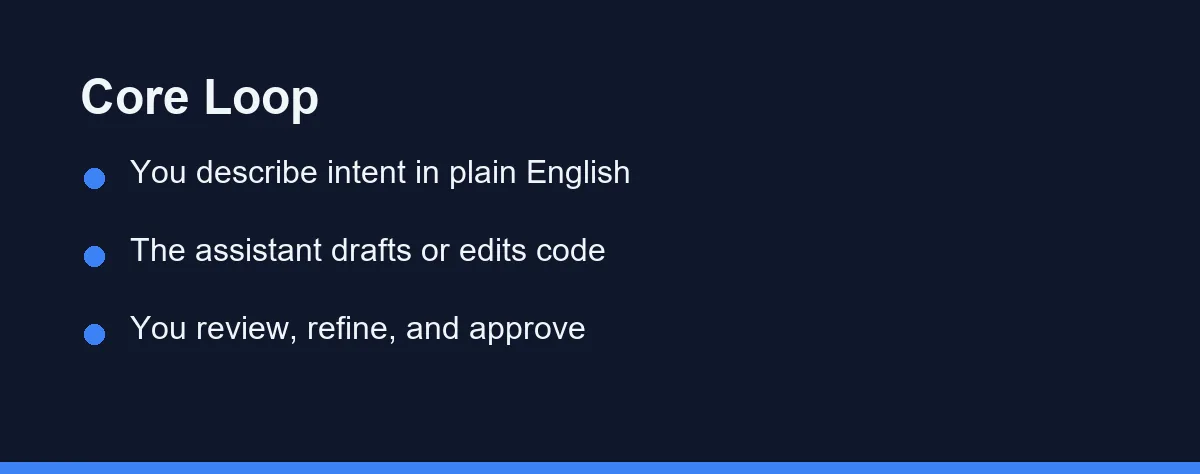
Almost every tool runs the same three-step loop, and understanding it transfers between them.
You state intent, as a comment, a chat message, or simply the first line you start typing. The assistant predicts a useful response from your prompt plus whatever context it can see. You accept, edit, or reject it.
The third step is the one that decides your outcome. Accepting is one keystroke and reviewing is real work, which is precisely why the loop drifts toward acceptance when you are tired.
Here is the shape of a single turn:
# Prompt to the assistant:
# "Write a function that returns the average of a list of numbers,
#  and safely handle an empty list."

def average(numbers: list[float]) -> float:
    if not numbers:
        return 0.0
    return sum(numbers) / len(numbers)

# Review question that matters: is 0.0 the right answer for an empty list,
# or should this raise? The model guessed. You decide.
The model handled the mechanical draft in seconds. The interesting question, whether an empty list should return zero or raise, is one it cannot answer for your codebase.
Context Is The Whole Ball Game
An assistant can only reason about what it can see. Nearly every disappointing suggestion traces back to missing context rather than a weak model.
Tools gather context differently, and the difference shows up immediately in output quality. Some read your open files. Some index the whole repository and retrieve what looks relevant. Some let you point at specific files or symbols by name.
That variation explains a common frustration. The same request produces a clean answer in one tool and a confused one in another, purely because the second could not see the module you were actually talking about.
Two habits fix most of it. Open or explicitly reference the files involved before you ask, and name the function or behaviour rather than saying “fix this”. Our guide to AI code completion versus AI chat covers how the two interaction styles gather context differently.
Four Modes, And When Each Earns Its Keep
There is no single way to pair with an assistant. Matching the mode to the task matters more than which brand you picked.
Inline autocomplete keeps small edits and boilerplate moving as you type. Chat answers a focused question about code you are already looking at. Agentic editing takes a goal and changes multiple files in one pass. Test generation drafts coverage you would otherwise skip.
| Workflow | Best for | Your role | Main risk |
|---|---|---|---|
| Inline autocomplete | Boilerplate and small edits | Accept or reject quickly | Accepting on autopilot |
| Chat assistant | Questions and focused fixes | Ask, then apply the answer | Answer ignores a file it cannot see |
| Agentic editing | Multi-file refactors | Set the goal, review the diff | Missed spots in generated code |
| Test generation | Coverage and edge cases | Verify the tests are correct | Tests that lock in current bugs |
Most sessions blend all four. You autocomplete a loop, ask chat about an error, then hand a broad refactor to the agent. Our roundup of the best AI tools for writing unit tests goes deeper on the last row.
Where The Speed Actually Comes From
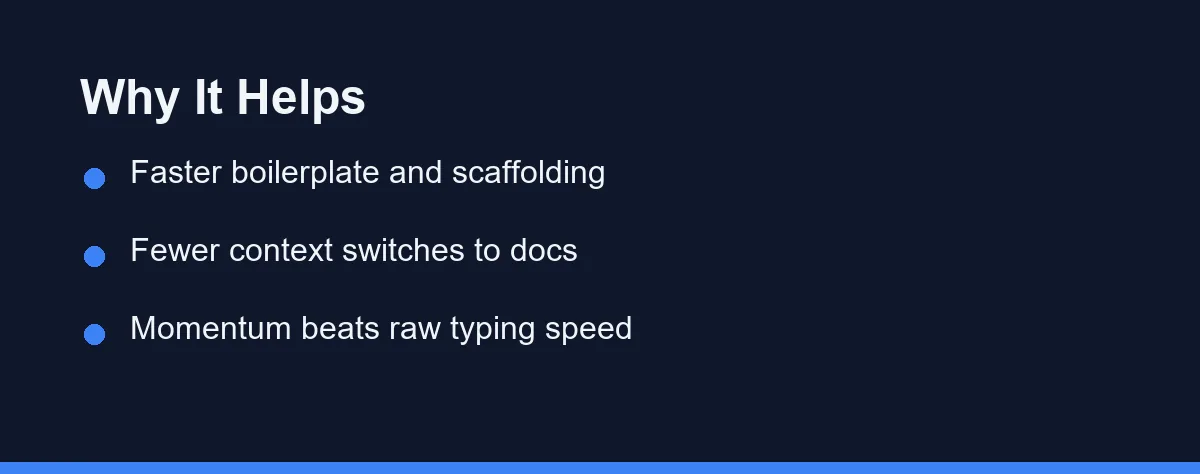
The gains are real, but they are not evenly spread. Knowing where they concentrate helps you point the tool at the right work.
Boilerplate and scaffolding are the clearest win, because they are mechanical, repetitive, and easy to verify at a glance. This is where the tool pays for itself.
Avoided context switches are the quieter win. Asking about a library inline, rather than leaving the editor to search documentation, preserves the thread you were holding in your head.
Momentum matters more than raw minutes. A stuck moment becomes a prompt instead of a forty-minute detour, and staying unstuck compounds across a week far more than shaving seconds off typing.
Where gains are thin is equally worth knowing. Novel design, unfamiliar business rules, and genuinely hard debugging still run at human speed, because none of them are bottlenecked by how fast code appears.
The Failure Modes That Look Like Success
The dangerous failures are not the obvious ones. Broken code gets caught immediately; the problems worth naming are the ones that pass review.
Confident wrong code. A model produces syntactically clean, plausibly structured code that hides a subtle logic or security flaw. Nothing in its tone signals uncertainty, because the output is equally fluent whether or not it is right.
Tests that lock in bugs. Ask an assistant to write tests for existing code and it will often assert what the code currently does, not what it should do. A green suite then certifies the bug. Write the expected behaviour yourself first, or read every generated assertion against intent rather than implementation.
Silent misses in multi-file edits. An agentic refactor usually gets most of a sweep right and leaves a handful of odd cases behind, typically in generated code, string literals, comments, and documentation. A passing test suite will not flag a stale name in a comment.
Rubber-stamped diffs. Assistants make large diffs cheap to produce, and large diffs are expensive to review honestly. Reviewers who would have questioned three hundred hand-written lines will skim eight hundred generated ones.
The through-line is that every one of these is a review problem, not a model problem. Our AI coding assistant troubleshooting guide covers diagnosing the symptoms when output starts drifting.
When To Turn It Off
Knowing when to close the assistant is part of using it well. Three situations reward switching it off.
The first is learning a concept for the first time. The struggle is the mechanism by which the concept sticks, and accepting a working answer skips it entirely. Type it yourself, then ask the assistant to critique what you wrote.
The second is genuine debugging. Assistants are strong at producing plausible explanations, which is exactly the wrong tool when you need to find out what is actually happening. Read the error, add a log line, confirm the state, and only then ask for help.
The third is security- and compliance-sensitive work. Authentication, payments, and anything touching personal data deserve a slower human pass regardless of how confident the suggestion reads. Our guide to AI coding assistant data privacy and security covers what leaves your machine as well.
Telling Whether It Is Actually Helping You
Most developers judge this by feel, and feel is unreliable because the tool is pleasant to use whether or not it helps.
Three checks are more honest than a sense of speed. Track how often you revert or heavily rewrite accepted suggestions over a week, since a high rate means you are paying review cost without getting output. Notice whether your pull requests got larger without getting more valuable. Ask whether you can still explain, without looking, what the code you shipped last week does.
That last question is the one that matters most for a career. An assistant that raises your output while lowering your understanding of your own system is a bad trade, even when the week feels productive.
None of this needs tooling. A note kept for one week is enough to see the pattern.
Your own week is still a sample of one. For the wider evidence on defect rates and review load, see does AI pair programming improve code quality.
Starting Without Making A Mess
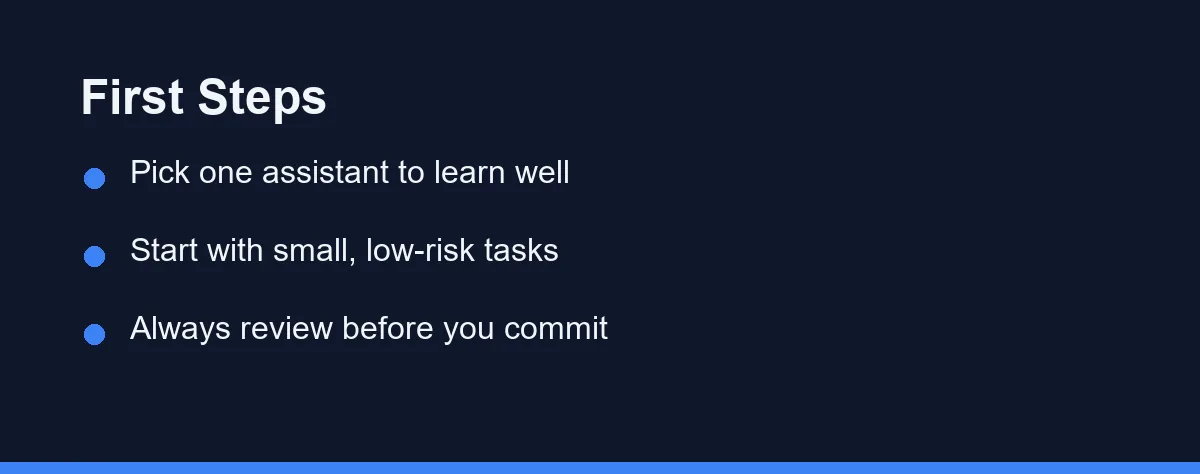
The setup is easy; the discipline is what needs building. A few habits get you the benefit without the failure modes above.
Pick one assistant and learn it properly, because each one gathers context differently and that difference is most of the skill. Practise on a real project rather than toy examples, since toy code hides exactly the context problems that matter.
Start with small, low-risk tasks. A helper function, a test, a single-file refactor. Trust larger jobs only after you have seen how the tool behaves on work you can fully verify.
Many terminal-based assistants install in one step:
# Install a CLI assistant, then launch it inside your project
npm install -g @anthropic-ai/claude-code
cd my-project
claude

# Then describe a small task in plain English, for example:
# "Add input validation to the login handler and write a test for it."
Commit often and keep changes small enough to review at a glance.
For the wider field of tools, see our guide to the best AI coding assistants in 2026. The Claude Code setup guide covers a terminal-based start in more detail.
Official documentation sits at the Claude Code docs, the Cursor website, and GitHub Copilot. Pricing changes often, so confirm current terms on those pages rather than any summary, at the time of writing.
How It Compares With Pairing With a Person
Calling this pair programming is useful shorthand, and it misleads in one specific way. The model holds no stake in the outcome.
The value of a human navigator was never the extra typing speed. It was a second mind attached to the problem, one that questions your assumptions and pushes back on a weak plan. That resistance is uncomfortable, and it is exactly what prevents an elegant implementation of the wrong design.
An assistant optimises the path you already chose. It will not tell you the whole approach is wrong, because evaluating your direction is not the job it is doing. It also has no memory of your team’s history, so it cannot say that this pattern was tried two years ago and caused an outage.
Two more things do not transfer. Mentoring is one: junior developers absorb craft, judgment, and team norms by pairing with seniors, and none of that comes from an autocomplete.
Accountability is the other. When two humans pair, both own the result and its review, and when you pair with a tool you alone remain responsible for every line it suggested.
The practical reading is that these are not substitutes competing for the same slot. Reach for a person when the work is ambiguous and the design is still in question. Reach for the assistant when the direction is settled and the work is execution.
If You Are Still Learning, Explain Every Line
One habit separates beginners who benefit from beginners who stall. Never accept a line you cannot explain out loud.
The rule sounds small and does most of the work. It converts each suggestion from a mystery into a short lesson, because explaining forces you to read.
Without it the failure mode is passive copying. You learn to prompt instead of to program, your output looks strong, and the fundamentals stay weak. That gap stays hidden until an interview or an outage exposes it.
So the verdict for a learner is conditional rather than yes or no. This is worth it for beginners who treat the assistant as a tutor to interrogate, and a bad trade for anyone who treats it as an oracle to obey. Schedule regular unassisted practice either way, so you keep a reading of where you actually are.
Which Approach Fits Which Developer
The value shifts with who you are and what you are trying to protect.
The beginner: use it as a tutor, never as an autopilot. Type concepts yourself while learning them, and let the assistant explain, review, and unblock rather than produce.
The solo developer: the largest single win, because you have no second set of eyes otherwise. Watch for review fatigue, since nobody else will catch what you wave through.
The team: valuable for routine speed, provided review standards hold as diffs grow. Our guide to AI coding assistants for teams covers the policy side of that.
The senior engineer: a force multiplier on the mechanical parts of the job, freeing attention for architecture and judgment calls the model cannot make. The risk is delegating the parts that were keeping you close to the codebase.
The security- or compliance-sensitive developer: useful with the tightest review, and worth switching off for the sensitive paths entirely. Treat anything touching authentication, payments, or personal data as a draft demanding scrutiny.
Before Your First Session
Decide in advance which parts of your work the assistant is allowed to touch, because deciding in the moment is how sensitive code gets waved through.
Set a review rule you can actually keep. Reading every diff sounds obvious and collapses under a long session, so a smaller commitment you honour beats a perfect one you abandon by the afternoon.
Then watch the one signal that matters. If you can still explain your own codebase after a month of pairing this way, it is working. If you cannot, the speed was borrowed rather than earned.
If your team already runs human pairing sessions, the comparison is worth making directly rather than by feel. The comparison with pairing against a person, later in this guide, sets out what each format still does better, including the knowledge transfer a model cannot replace.
Beginners often ask whether any of this is worth adopting before they are fluent on their own. The section on explaining every line works through that trade-off, including the habit that decides whether the help compounds or quietly hollows out your own skills.
FAQ
What is AI pair programming?
It is a workflow where an AI coding assistant acts as your partner. It suggests code, reviews changes, and answers questions while you stay in control of the work.
Does AI pair programming replace a human partner?
No. It removes the scheduling cost of a second person, but it lacks real judgment. Human review still matters for design, security, and tricky business logic.
How do I start with AI pair programming?
Pick one assistant, connect it to a real project, and start with small tasks. Review each suggestion, then scale up as you learn how the tool behaves.
How is AI pair programming different from traditional human pairing?
Traditional pairing uses two humans and brings real judgment, mentoring, and shared accountability, but it costs two people's time. AI pairing is always available and far cheaper per hour, yet it lacks true understanding of intent and risk. Many teams blend both, using AI for everyday speed and human pairing for hard or sensitive work.
Does AI pair programming improve code quality?
It can, but only with review discipline. AI helps quality by drafting tests, keeping style consistent, and catching obvious mistakes early. It can also hurt quality if you accept confident but wrong code, since more generated code means more to check. The net effect depends on how carefully you review.
Is AI pair programming worth it for beginners?
Yes, when used as a tutor rather than an autopilot. Beginners can ask why code works and get explanations tied to their own project. The risk is leaning on suggestions you do not understand, which slows real learning. Type code yourself while learning, and use the assistant to explain and unblock.
Does AI pair programming replace pairing with another developer?
No, because the two solve different problems. A human partner questions your design, mentors, and shares accountability, none of which transfers to a tool. An assistant optimises a direction you already chose. Use a person when the design is unsettled and the assistant when the work is execution.
Sources
- Anthropic pricing — checked 2026-09-07
Some links may be affiliate links. We may earn a commission at no extra cost to you.
This article was written with AI assistance. It is researched and fact-checked, not based on personal hands-on testing unless explicitly stated.
Comments
Post a Comment