AI Code Completion vs AI Chat for Coding: When to Use Each
Two Experiences Wearing One Label
The short answer: completion while you implement, chat while you decide. Inline completion pays off on the predictable half of the work, where you already know the shape of the code. Chat earns its keep when you need the reasoning, or an explanation of someone else’s module. Most developers who feel let down by one are using it for the other one’s job.
Here is a distinction many developers blur. When people talk about an AI coding assistant, they often mean two very different experiences wearing one label. One finishes your line before you do. The other holds a conversation about your code.
Code completion is the quiet suggestion that appears as you type. AI chat is the panel where you ask questions and get answers in full sentences. Both aim to speed you up, yet they suit different moments.
Understanding which mode fits which task changes how much value you pull from any assistant. This guide breaks down how each works, where each wins, and how to combine them. It names real tools along the way and avoids any hands-on claims, describing the landscape as of the time of writing.
The Rule That Takes Two Seconds
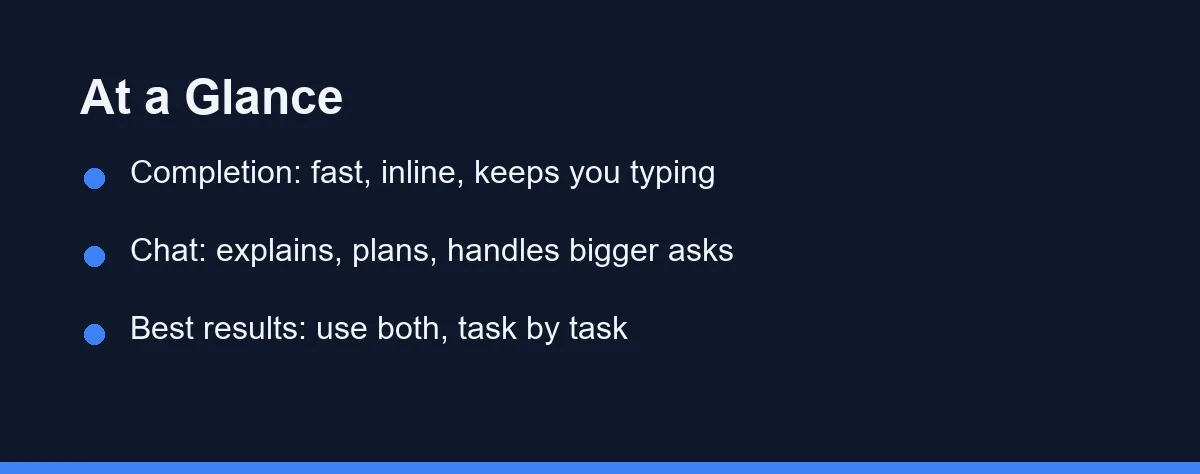
Use code completion when you are in a steady coding rhythm and want fast, inline help that does not interrupt your typing.
Use AI chat when you need to explain a problem, plan a change, understand unfamiliar code, or ask for something larger than a line or two.
The best workflow is not one or the other. It is knowing when to reach for each, often within the same session.
Flow, Context, Explanation, and Failure Style
These two modes solve different problems, so judge them on different terms. Four factors matter most.
The first is flow versus depth. Completion keeps you in flow by never asking you to stop and type a request. Chat trades that flow for depth, letting you describe intent and reasoning. Fast tasks favor completion; complex tasks favor chat.
The second is context handling. Completion reads the code around your cursor and predicts what comes next. Chat can take a broader prompt, pull in more context, and reason across it. When a task needs the assistant to understand a goal, chat has the room to hear it.
The third is explanation. Completion gives you code with no commentary, which is efficient but opaque. Chat can explain what code does and why, which helps learning and debugging. If you need to understand, not just produce, chat is the better mode.
The fourth is error surface. Completion can slip a subtle bug into your file quietly. Chat can state something wrong with confidence. Each mode fails differently, so your review habits should adapt to the mode you are using.
How Code Completion Works
Code completion predicts the next piece of code based on what you have written and the surrounding files. As you type, a suggestion appears inline, and you accept it with a keypress.
Its great strength is speed and flow. You never leave the keyboard or switch context. For repetitive patterns, boilerplate, and obvious next lines, it can feel like the editor is reading your mind.
Tools built around this include GitHub Copilot’s inline suggestions, Tabnine, and the completion features inside editors like Cursor. Most run continuously in the background, offering help without being asked.
The catch is that completion is silent about its reasoning. It hands you code without explaining it, so a wrong suggestion can slide in unnoticed. That makes review a habit worth keeping, especially for logic that matters. For newcomers weighing tools, our roundup of the best AI coding tools for beginners is a useful starting point.
How AI Chat Works
AI chat is a conversation with the assistant, usually in a side panel. You type a request in plain language, and it responds with an explanation, code, or both.
Its strength is handling anything larger or fuzzier than a single line. You can ask it to explain a function, plan a refactor, draft tests, or debug an error message. Because you describe intent, it can tackle tasks completion cannot express.
Chat also teaches. When you ask why a piece of code behaves a certain way, the answer builds understanding rather than just filling a gap. That makes it valuable while you are learning a language or a new codebase.
Nearly every major assistant now includes chat, from GitHub Copilot to Cursor to terminal-based agents like Claude Code. The trade-off is pace: chat asks you to stop, phrase a request, and read a reply, which breaks flow. For a deeper look at one agent-style option, see our GitHub Copilot vs Claude Code comparison.
The Two Modes on Eight Aspects
The table below contrasts the two modes.
| Aspect | Code completion | AI chat |
|---|---|---|
| Interaction | Silent, inline suggestions | Conversation in a panel |
| Speed | Very fast, no interruption | Slower, deliberate |
| Best task size | Lines and small blocks | Functions, plans, explanations |
| Context | Around your cursor | Broader, prompt-driven |
| Explanation | None | Full reasoning |
| Learning value | Low | High |
| Main risk | Silent bugs | Confident errors |
| Ideal moment | Steady coding flow | Thinking through a problem |
When Each Mode Wins
The two modes rarely compete head to head. They cover different parts of the day, and skilled users switch fluidly.
Completion wins during focused implementation. You know what you are building, and the assistant fills in the predictable parts. Boilerplate, repetitive structures, and obvious next steps all fly by.
Chat wins when you pause to think. Facing an unfamiliar bug, a design decision, or a large change, you describe the situation and work it through in words. The conversation helps you plan before you commit code.
Debugging often uses both. You paste an error into chat to understand it, then let completion speed you through the fix once the path is clear. Learning leans on chat, since understanding matters more than raw output while you build skill.
Building a Two-Mode Habit
Getting real value from an assistant is partly about muscle memory. The strongest users develop an instinct for which mode a moment calls for, and that instinct is learnable.
A simple rule helps at the start. If you can express the task in a few keystrokes of code, let completion handle it. If the task needs a sentence to describe, open chat. Over time you stop deciding consciously and just reach for the right one.
Watch for the trap of overusing whichever mode you find comfortable. Some developers narrate every tiny edit to chat, which is slow. Others try to force a large design through completion alone, which scatters the work. Balance beats habit here.
It also pays to keep review tied to the mode. Skim completions for quiet bugs as you accept them, and pressure-test chat output by running it. Different failure styles deserve different checks, and matching the check to the mode keeps mistakes from slipping through.
One Subscription Usually Covers Both
Most assistants bundle both modes into one subscription, so you rarely pay for them separately. Treat the ranges below as approximate and confirm current pricing on the official site before subscribing. They reflect the market as of the time of writing.
| Plan level | Typical assistant |
|---|---|
| Free | Limited completion and chat |
| Individual paid | Roughly $10 to $20 per month |
| Team or business | Per-seat subscriptions |
Because completion and chat usually come together, the pricing question is really about the tool, not the mode. A single plan gives you inline suggestions and a chat panel. Free tiers let you sample both, so you can feel which mode you rely on before paying. Match the plan to how often you code, and revisit it as your habits settle.
Which Mode Fits the Moment
Which mode to reach for depends on the moment more than on any ranking. Here are direct calls.
You are deep in focused implementation: use completion. Inline suggestions keep you typing and fill the predictable parts without breaking your rhythm or pulling your attention away.
You are learning a language or codebase: use chat. Its explanations turn each answer into a lesson, which builds understanding far faster than accepting silent suggestions ever could.
You are debugging a confusing error: start with chat. Paste the error, understand the cause in words, then switch to completion to move quickly once the fix is clear.
You are planning a larger change: use chat. Describing the goal and reasoning through steps in conversation prevents the scattered edits that quick completions can encourage.
You want the most from your assistant: use both. Treat completion as your default for flow and chat as your tool for thought, and switch between them without hesitation.
Habits That Blunt Both Modes
A few habits limit how much these modes help.
Do not accept completions blindly. A suggestion can look right and still be wrong, so review anything that carries real logic before you move on.
Do not treat chat as an oracle. It can state errors with full confidence, so verify its claims and run its code rather than trusting the tone.
Do not force one mode onto every task. Using chat for a one-line fill, or completion for a design decision, wastes the strength of each. Match the mode to the moment.
Two Tools in the Same Belt
Code completion and AI chat are not rivals. They are two tools in the same belt, each suited to a different kind of work. Completion keeps you fast and in flow, while chat gives you depth and understanding.
The developers who get the most from AI coding assistants are the ones who switch smoothly between them. Let completion carry the routine, lean on chat when you need to think, and keep a reviewing eye on both. That balance, more than any single tool, is what turns an assistant into a real advantage.
The reviewing eye matters more once the agent runs without you watching. We wrote down what broke across two months of unattended publishing, and none of it announced itself.
There is a third position further along the same axis, where the assistant picks the files instead of answering about the one you opened. What agent mode means in a coding assistant sets out what changes when that decision leaves your hands.
FAQ
What is the difference between AI code completion and AI chat?
Code completion suggests the next line or block as you type, keeping you in flow. AI chat is a conversation where you ask for explanations, edits, or whole functions. Completion is fast and silent; chat is deliberate and verbose. Most modern assistants offer both, and you switch between them depending on the task.
Is code completion faster than chat?
For steady, routine coding, completion usually feels faster because it works without breaking your typing rhythm. Chat shines when you need to think out loud or handle a bigger change. Speed depends on the task, not on one mode being better overall.
Can one tool do both completion and chat?
Yes, and that is the norm now. Tools like GitHub Copilot, Cursor, and others bundle inline completion with a chat panel. You accept quick suggestions while typing and open chat when a task needs explanation or planning.
Which is better for beginners?
Beginners often benefit from chat because it explains what code does and why. Seeing reasoning helps you learn, not just accept lines. Completion is still useful, but lean on chat while you are building your understanding of a language or codebase.
What are the risks of each mode?
Completion can produce plausible but wrong code silently, so review each suggestion. Chat can sound confident while being inaccurate, so verify its claims and test its code. Both modes need a human check before you trust the output in real work.
Sources
- Cursor pricing — checked 2026-09-07
- GitHub Copilot plans — checked 2026-09-07
- Anthropic pricing — checked 2026-09-07
Some links may be affiliate links. We may earn a commission at no extra cost to you.
This article was written with AI assistance. It is researched and fact-checked, not based on personal hands-on testing unless explicitly stated.
Comments
Post a Comment