GitHub Copilot vs Claude Code: A Practical 2026 Comparison
Two Different Answers to the Same Problem
Most comparisons of GitHub Copilot and Claude Code stall on a shallow point. Both write code for you. That is true, and it explains almost nothing about which one belongs on your machine this week.
The interesting difference is structural. Copilot is an extension that lives inside your editor and reacts to your cursor. Claude Code is a process you start in a terminal, point at a repository, and hand a goal.
That single split decides how much of your project each tool can see. It shapes how you review the output, and it decides what your bill looks like in a heavy month. The sections below follow those consequences rather than the feature bullets.
The Short Version
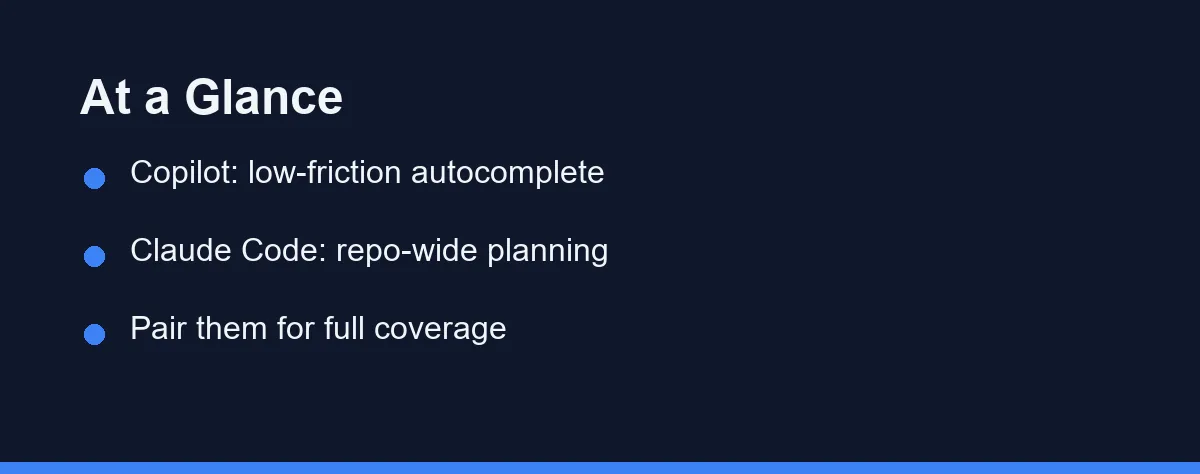
Pick GitHub Copilot if most of your day is typing new code. Inline suggestions inside an editor you already like cost almost nothing to adopt.
Pick Claude Code if your painful work is structural. Renames that span a package, framework migrations, and test sweeps are what a terminal agent exists for.
Plenty of developers run both. The last few sections explain why that pairing is less redundant than it first sounds.
Autocomplete in the Editor, Agent in the Terminal
GitHub Copilot installs as an extension. It supports VS Code, JetBrains IDEs, Neovim, and Visual Studio, so it meets you inside the editor you already use.
Its default mode is prediction. You type, it proposes the rest of the line or block, and one keystroke accepts it. A chat panel handles questions and explanations without pulling you out of the window.
Claude Code works the other way around. You run it in a shell, describe a task in plain English, and it reads files, proposes a plan, edits, and can run your test command. Our Claude Code setup guide walks through that first run.
Nothing about it ties to a particular editor. That makes it clumsy for a single line and natural for the jobs you would otherwise script by hand.
How Much of Your Repository Each One Actually Sees
Context is the difference that shows up in real work, and a feature list hides it completely.
Copilot builds each suggestion from the open file, nearby tabs, and related symbols the extension can reach quickly. That window stays deliberately small. A suggestion has to appear in the time it takes you to keep typing.
Claude Code starts with no fixed window. It searches the repository, opens whichever files it decides are relevant, and holds them for the length of the task.
The practical result is easy to state. Copilot excels at guessing the next line in code you are already looking at. Claude Code is better at answering “where else does this pattern live” before it changes anything.
Both products let you steer that context with repository instruction files. A short file describing your conventions, test command, and folder layout raises the quality of what either tool produces. It matters more for the agent, which acts on the description without a human watching each line.
Neither approach is free. A narrow window keeps suggestions fast and cheap. A wide one spends latency and tokens, which is exactly why the two tools charge you differently.
Side by Side on the Things That Change Your Day

| What you are comparing | GitHub Copilot | Claude Code |
|---|---|---|
| Form factor | Editor extension | Terminal agent |
| Usual unit of work | A line or a block | A task across several files |
| Context it reaches for | Open file and nearby code | Files it searches out in the repo |
| Who drives | You type, it suggests | You state a goal, it plans |
| Review moment | Inline, as you accept | A diff, after the pass |
| Running tests and commands | Through the IDE | Built into the loop |
| Billing shape | Seat subscription | Subscription or metered API use |
| Adoption cost | Near zero for IDE users | Low if you like a shell |
The row that matters most is the review moment. It shapes how each tool feels far more than raw model quality does.
A Multi-File Change, Two Ways
Take a rename that touches a function, its callers, and the tests. This is the smallest task where the two tools stop being interchangeable.
With Copilot you drive. You open each file, start the edit, and let autocomplete finish the pattern once it sees what you are doing. Your editor’s own search still does the finding.
With Claude Code you describe the outcome and then review a diff.
cd my-project
claude
# "Rename load_data to read_dataset everywhere it is used,
#  update the tests, then run pytest and show me what failed."
The trade is control for coverage. Copilot never surprises you, because you approved every character. Claude Code may touch a file you had forgotten about, which is both the point and the risk.
Read the diff before you commit, either way. An agent that edits ten files is only as good as the review it invites.
The failure mode is worth naming. An agent usually gets most of a sweep right and leaves a handful of odd cases wrong, often in generated code, string literals, or documentation. Those are the spots to check first, because a green test suite will not flag a stale name in a comment.
Copilot has a mirror-image failure. It happily completes the pattern you started, including the mistake you started with, so a wrong rename spreads as fast as a right one.
What Each Billing Shape Does in a Heavy Month
Prices move, so treat everything here as shape rather than a quote. Confirm current pricing on the official site before you budget.
Copilot is sold by the seat. A limited free tier exists, the individual paid plan sits around ten dollars a month at the time of writing, and business tiers charge per user.
Claude Code arrives through a Claude subscription or through usage-based API billing. The subscription route carries its own limits. The API route charges for what the agent reads and writes.
| Situation | GitHub Copilot | Claude Code |
|---|---|---|
| A quiet coding month | You still pay the seat | Little or nothing on API billing |
| A heavy refactor week | Same flat cost | Cost climbs with tokens read |
| Adding a teammate | One more seat | One more subscription or key |
| Budget predictability | High | Depends on the billing route |
| Cheapest way to test | Free tier | Trial through a Claude plan |
That table is the real pricing story. Flat seats forecast cleanly and waste a little on light users. Metered use rewards a quiet month and punishes an agent left running unattended.
We break the tiers down further in our Claude Code pricing guide. Terms shift, so check the GitHub Copilot page and the Claude Code documentation yourself.
What Stalls a Team Rollout
Individual adoption is easy. Rolling either tool across a team runs into questions that have little to do with code quality.
The first is review. Inline suggestions arrive one line at a time and blend into normal authorship, so your existing pull request process absorbs them. Agent-sized diffs land all at once and need a reviewer who grasps the intent, not only the lines.
The second is audit. Some organizations need to know which code an assistant produced, and under which account. Seat-based products make that mapping simple. A terminal agent run from a developer’s personal key is harder to trace unless you standardize how people invoke it.
The third is secrets. An agent that roams a repository will open your .env file if it sits there in plain text. Ignore rules, scoped keys, and a clean working tree matter much more once a tool can read anything.
A fourth question is quieter but real. Someone has to own the conventions file the agent reads, or every developer teaches it something slightly different.
None of this argues against either product. It argues for a pilot on one team instead of a company-wide switch on day one.
Which Tool Fits Your Situation

Match the tool to the work rather than to a benchmark. These are direct picks for common situations.
You write new code by hand most of the day: choose GitHub Copilot. Inline completion inside your existing editor keeps that rhythm intact, with no second window to learn.
Your hard tasks span many files: choose Claude Code. Repo-wide renames, framework migrations, and test sweeps are the jobs that justify a planning agent. Our hands-on Claude Code review tests it on exactly that kind of work.
You automate things or live in a shell: choose Claude Code. It slots into scripts, cron jobs, and CI steps in a way an editor extension cannot.
Your team standardized on one supported IDE: lean toward Copilot. It is the lowest-friction shared default, and it connects to the GitHub workflow your team already uses.
Your bill has to be predictable: lean toward Copilot, or toward a Claude subscription rather than raw API billing. Flat seats forecast cleanly, and metered agent runs do not.
Your work is genuinely mixed: run both, and read the next section first.
Running Both Without Stepping on Each Other
The pairing works because the two tools own different scales of change. Copilot handles the keystroke. Claude Code handles the sweep.
A practical division looks like this. Leave Copilot on while you write, since a suggestion costs you nothing but a glance. Reach for the terminal when the task description starts with the word “everywhere.”
One habit keeps the combination clean. Finish and commit the agent’s work before you go back to typing, so a large diff never mixes with hand edits in one review.
The cost objection is fair, though. Two paid tools mean two line items, and the honest test is two weeks of ordinary work with both running.
Where This Leaves You
GitHub Copilot and Claude Code rarely compete for the same minute of your day. One removes typing. The other removes the tedium of coordinated change.
If your backlog is mostly new features written by hand, Copilot repays the seat quickly. If it is full of migrations, cleanups, and code nobody wants to touch, the agent earns its place.
For a wider view of the category, see our best AI coding assistants roundup. If Cursor is also on your list, the Claude Code vs Cursor comparison covers that pairing.
The cheapest decision is still an empirical one. Run each on a real task this week, then keep whichever one you stop noticing.
FAQ
Is GitHub Copilot or Claude Code better in 2026?
They serve different needs. Copilot is best for in-editor autocomplete across many IDEs, while Claude Code is best for terminal-based, repo-wide changes. It is less about which is better and more about whether you want inline suggestions or an agent that plans and applies multi-file edits.
Can I use Copilot and Claude Code together?
Yes. Many developers use Copilot for inline suggestions and Claude Code for larger, multi-file tasks in the terminal. The two roles complement each other, so running both is a common and sensible setup rather than a redundancy.
Do both support multiple programming languages?
Yes. Both are language-agnostic and work across popular languages, including Python, JavaScript, TypeScript, Go, and more, so language is rarely the deciding factor between them.
Which is better for large refactors across many files?
Claude Code is the stronger fit. As a terminal agent it can read across the repository, plan a coordinated change, and apply it across many files in one pass, while Copilot typically needs you to guide edits file by file. For repo-wide refactors, the agent wins.
How does pricing compare between the two?
Copilot uses a subscription with individual and team plans, starting around $10 per month for Pro at the time of writing. Claude Code is accessed through Anthropic's Claude plans or usage-based API billing rather than a standalone editor subscription. Confirm current pricing on each official site.
Sources
- Anthropic pricing — checked 2026-09-07
- GitHub Copilot plans — checked 2026-09-07
- Cursor pricing — checked 2026-09-07
Some links may be affiliate links. We may earn a commission at no extra cost to you.
This article was written with AI assistance. It is researched and fact-checked, not based on personal hands-on testing unless explicitly stated.
Comments
Post a Comment