Your AI Coding Assistant Got Worse: A Troubleshooting Guide
It Was Fine Last Month and Now It Is Not
The short answer: separate a tool problem from a prompt problem. A tool problem is binary and reproducible, where nothing appears or authentication fails. A prompt problem is gradual, where suggestions arrive but ignore your conventions. The two sound identical when described out loud and need opposite fixes.
The complaint arrives in the same shape every time. The tool used to feel like a colleague, and now it feels like a search box with opinions.
The instinct is to blame the vendor. Models do change, and quality does shift between releases. That explanation is also wrong most of the time.
In practice, the majority of sudden drops come from something on your side of the connection. A stale index, a moved repository, a session that ran too long, or a quota you did not know existed.
This guide works symptom by symptom. Each section names what you are seeing, the causes worth checking in order, and the fix that usually ends it.
Start by Separating Tool Problems From Prompt Problems
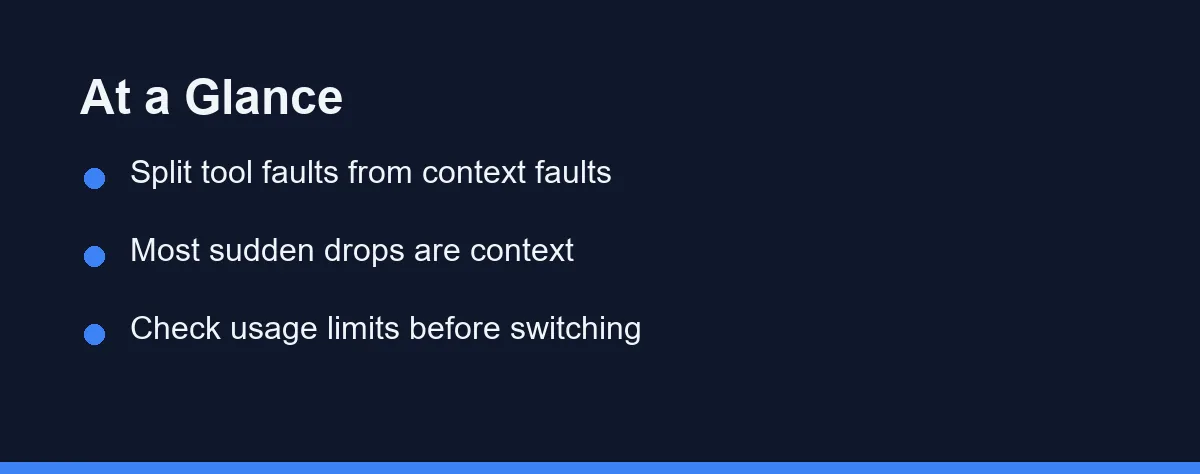
Two very different failures get described with the same words, and telling them apart saves most of the time.
A tool problem is binary and reproducible. Nothing appears, authentication fails, the extension is dark, the request times out. These have mechanical fixes.
A context problem is gradual and situational. Suggestions still arrive, they are just shallower, more generic, or wrong about your project. These are almost never fixed by reinstalling anything.
Run one test to tell them apart. Open a small, simple file in a language the tool definitely supports and ask for something trivial. Good output there means the tool works and your context is the problem.
If the answer is context, the request itself is the first thing to rewrite. Our guide to writing effective prompts for AI coding assistants covers what to include before you touch settings.
Symptom: Suggestions Stopped Appearing Entirely
Total silence is the easiest failure to fix, and worth ruling out before anything subtle.
Check that the extension is enabled and that you are still signed in. Editor updates disable extensions more often than people expect, and sessions expire quietly.
Check the file type. Many tools restrict which languages get inline completions, and a config file, a template, or an unusual extension may simply be out of scope.
Check the status indicator and any output panel the tool provides. Network policies, corporate proxies, and VPN changes all block these tools in ways the editor does not surface prominently.
Finally, check whether a second AI extension is fighting for the same keybinding. Two inline completion providers in one editor produce erratic behavior that looks like a broken product.
Symptom: Completions Turned Generic and Shallow
This is the most common complaint and almost always a context problem.
The usual cause is a stale or missing repository index. After a large merge, a branch switch, or moving the project directory, the tool may be searching a picture of a codebase that no longer exists. Re-indexing is often a single command.
The second cause is a session that ran too long. Older turns get trimmed to fit the context budget, so the constraints you set an hour ago are no longer present. Starting a fresh conversation restores them.
The third cause is a very large open file. When one buffer consumes most of the available context, there is no room left for anything else.
The fix in all three cases is the same shape. Reduce what the tool has to guess about, and point it at specific files rather than hoping retrieval finds them.
Symptom: It Ignores Conventions It Used to Follow
Style drift feels personal and is entirely mechanical.
Most tools support a project instructions file that gets re-injected on every request. If yours exists but is being ignored, confirm it is in the location the current version expects, since these paths have changed across releases in several products.
If no such file exists, the conventions were surviving in conversation history alone. That works until the history gets trimmed, at which point the tool reverts to the most common pattern in its training.
Check whether the repository itself carries the signal. Linter configuration, formatter settings, and consistent neighboring code all push suggestions toward your house style.
Write the three rules that matter most into the instructions file rather than a long document. Short, specific, and re-read every turn beats comprehensive and ignored.
Symptom: It Keeps Reaching for Deprecated APIs
This one is not fixable by configuration, and understanding why prevents a lot of frustration.
Every model has a training cutoff. Libraries that changed after that date get handled from memory of the older version, confidently and without any warning.
The assistant is not reading your lockfile. Unless the tool explicitly retrieves dependency versions or documentation, it has no idea which release you installed.
The reliable fix is to supply the current reality. Paste the function signature, the migration note, or the relevant documentation section into the prompt.
For fast-moving frameworks, treat every generated import and API call as unverified. This is the failure mode most likely to reach production looking correct.
The First Five Minutes, in Commands
Most of these symptoms have the same first step: find out what the assistant can actually see. These checks take a minute and rule out the boring causes before you start changing settings.
# 1. Is the repository bigger than you think? Context is finite.
git count-objects -vH
du -sh node_modules dist build 2>/dev/null

# 2. Are you accidentally excluding the code you want read?
cat .cursorignore .aiexclude 2>/dev/null

# 3. Did the branch move under the assistant mid-session?
git status --short && git log --oneline -3

# 4. Is the editor extension actually current?
code --list-extensions --show-versions | grep -i -E "copilot|cursor|continue"
Step two catches more cases than it should. An ignore rule added months ago for a build directory often matches a source folder that was later moved underneath it, and the assistant goes quiet about exactly the files you care about.
Symptom: Everything Slowed Down
Latency changes have a short list of causes, and only one of them belongs to the vendor.
Check your plan usage first. Several products reduce speed or route to a smaller model once you pass a threshold, and the editor does not always announce it.
Check whether you switched models. Larger reasoning models are slower by design, and a default may have changed during an update.
Check the size of what you are sending. Agent modes that scan many files are inherently slower than inline completion, and a bloated context costs time on every turn.
If none of that applies, check the vendor status page before troubleshooting further. Our GitHub Copilot pricing and Claude Code pricing explained guides cover how usage tiers affect behavior on those two products specifically.
Symptoms, Causes, and Fixes at a Glance

The table collapses the whole guide into one lookup.
| Symptom | Most likely cause | First fix | If that fails |
|---|---|---|---|
| Nothing appears at all | Session expired or extension disabled | Re-authenticate and reload the editor | Check proxy, VPN, and file type support |
| Suggestions turned generic | Stale index or long session | Re-index, then start a fresh chat | Close the huge file, name files explicitly |
| Ignores your code style | Instructions file missing or misplaced | Add three rules in the expected location | Check linter config and neighboring code |
| Uses deprecated library calls | Training cutoff predates the release | Paste current signatures into the prompt | Verify every import against the docs |
| Suddenly slower | Plan threshold or larger model | Check account usage page | Reduce context size, check status page |
| Invents functions you wrote | Retrieval missed poorly named code | Reference the file path directly | Rename the module descriptively |
| Breaks callers when refactoring | No dependency awareness in retrieval | Supply the call sites yourself | Keep refactors to one file per request |
| Works for a colleague, not you | Local config or plan difference | Compare extension version and tier | Reset local settings to defaults |
Work down the third column before the fourth. The cheap fixes resolve most cases, and the expensive ones are rarely necessary.
One pattern runs through every row. Reliability improves as you take control of what the tool receives.
The Ten-Minute Diagnostic Sequence
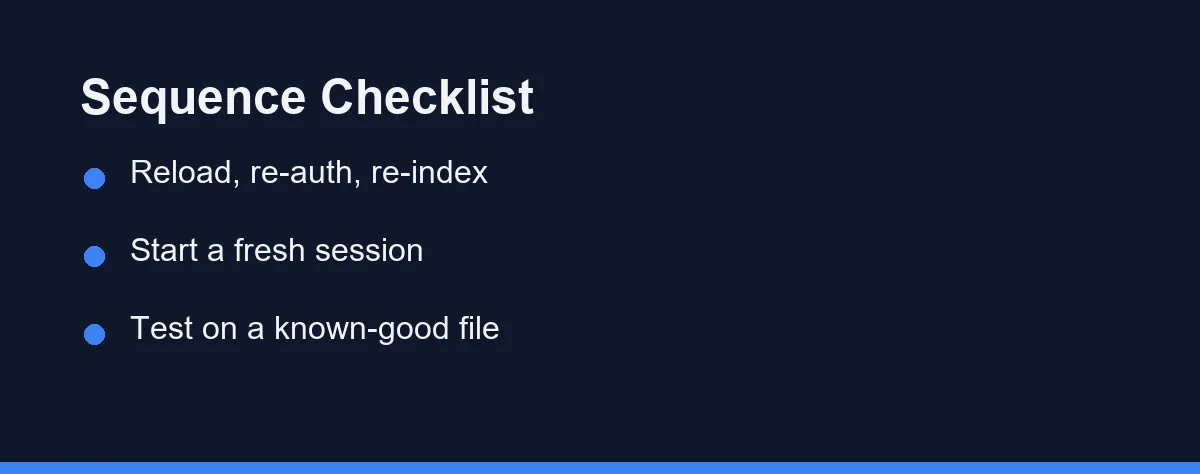
When you have no idea which symptom applies, run these steps in order and stop when the problem disappears.
Reload the editor window and confirm you are signed in. This alone resolves a meaningful share of complaints.
Trigger a re-index of the repository, then start a completely new conversation. Those two steps cover the two most common context failures at once.
Test on a small file in a mainstream language with a trivial request. Good output isolates the problem to your project rather than the tool.
Check the account usage page and the vendor status page. If both are clean and the small-file test passed, the issue is your context, and the fixes above apply.
When the Problem Is the Plan, Not the Tool
Some degradation is contractual rather than technical, and no amount of troubleshooting touches it.
Free tiers commonly route to smaller models, cap requests, or exclude repository-wide features entirely. A tool that felt excellent during a trial and mediocre afterward may simply have moved you to a different tier.
Enterprise deployments add another layer. Administrators can disable telemetry, restrict which repositories get indexed, or block certain models for policy reasons, and none of that is visible from the editor.
Ask before assuming. A five-minute conversation with whoever manages the license explains more than an afternoon of reinstalling. Our how to choose an AI coding assistant for a small team guide covers the administrative side.
Plans and limits in this category change often, so confirm current pricing and tier behavior on the official site, at the time of writing.
When It Is Genuinely Time to Switch
Sometimes the honest answer is that the tool does not fit, and three signals justify moving.
The first is a structural gap. Weak support for your primary language, no repository indexing on a large codebase, or no way to scope context in a monorepo.
The second is a policy blocker. Data retention terms your employer cannot accept, or no self-hosted option where one is required.
The third is repeated failure after a clean diagnostic. If the sequence above runs clean and the output is still poor on ordinary tasks, the fit is wrong.
Everything else argues for staying. Switching costs setup time, habit rebuilding, and a fresh set of quirks. Our best AI coding assistants roundup is the place to start if you have decided to move.
Which Fix Should You Try First
Nothing appears at all: Start with authentication and the extension state, then file type support. This category is mechanical and usually resolves within two minutes.
Quality dropped gradually over weeks: Suspect your plan or your habits before the model. Check usage limits, then check whether your sessions have grown long and your prompts vague.
Quality dropped the day you switched branches: Re-index first and skip everything else. This is the clearest single-cause failure in the whole guide.
It works for teammates but not you: Compare extension versions, plan tiers, and local settings in that order. Differences in one of those three explain nearly every case.
It has never worked well on this codebase: The problem is probably retrieval fighting poor naming or enormous files. Improve what you point at, and expect to reference paths explicitly for a while.
Keeping It From Drifting Again
Three habits prevent most repeat visits to this page.
Re-index after any large structural change, including branch switches, big merges, and directory moves. Treat it like clearing a build cache.
Start new sessions per task rather than keeping one running all day. Long conversations lose the instructions you care about, quietly and without warning.
Keep a short project instructions file current. Three specific rules that get re-read every turn outperform a long style guide nobody references.
None of this makes the tools deterministic, and a different answer on every run is normal rather than a fault. It does make their failures recognizable, which turns a frustrating afternoon into a two-minute check.
Instruction files have their own failure modes, and from the outside they look like plain disobedience. Our guide to why your assistant ignores the rules file you wrote separates a wrong path from a weak rule.
One failure pattern deserves a stopping rule rather than more troubleshooting. Our piece on an assistant that loops on the same failing fix explains why the second identical patch is the signal to stop.
FAQ
My AI coding assistant stopped suggesting anything. What do I check first?
Check the obvious layer first. Extension enabled, signed in, network reachable, and the file type actually supported by your plan. A surprising share of total outages are an expired session or an editor update that disabled the extension silently.
Why did completions suddenly get generic and unhelpful?
Usually the context changed, not the model. A new repository, a huge open file, a stale index, or a long conversation that trimmed your earlier instructions all produce shallower answers. Restart the session and point at specific files before blaming the tool.
Why does it keep suggesting a deprecated version of a library?
Because the model's training has a cutoff date and your dependency moved after it. The assistant is recalling the older API rather than reading your lockfile. Paste the current signature or the relevant docs section into the prompt.
Can hitting a plan limit make suggestions worse rather than just blocking them?
Some plans reduce model quality or speed once you pass a usage threshold, often without an obvious notice in the editor. Check your account usage page before concluding the product degraded.
When is it actually worth switching tools?
Switch when the failure survives a clean diagnostic and matches a structural gap, such as no support for your language, no repository indexing, or data terms your employer cannot accept. Do not switch because of one bad week, since setup and habit costs are real.
Some links may be affiliate links. We may earn a commission at no extra cost to you.
This article was written with AI assistance. It is researched and fact-checked, not based on personal hands-on testing unless explicitly stated.
Comments
Post a Comment