AI Coding Assistant Data Privacy and Security: What to Check Before You Install
The Question That Stalls Every Rollout
Assume your source leaves the machine. If you work solo or in the open, any mainstream cloud assistant is reasonable. For proprietary code the decision is a plan tier rather than a product. Business tiers carry the data handling terms a security review asks about, and autocomplete, chat and agent modes can differ on the same plan.
A security review is the moment most AI coding assistant rollouts stall. Someone asks a simple question. Where does our source code actually go?
The honest answer varies by vendor, by plan tier, and sometimes by which feature you trigger. Autocomplete, chat, and agent modes can behave differently inside the same product.
This guide maps the decisions that matter. It covers what typically travels to a server, how individual and enterprise terms diverge, what self-hosted and local setups buy you, and the specific clauses worth reading before anyone installs anything.
Assume the Code Leaves. Ask What Happens Next
Assume that any cloud assistant sends code context off your machine, because that is how the model reads your file. The real variables are retention, training use, and human review.
For regulated or proprietary work, buy a business or enterprise tier and get the terms in writing. GitHub Copilot, Amazon Q Developer, and Tabnine all publish enterprise-oriented commitments.
If code cannot leave your network at all, look at Tabnine’s self-hosted deployment or a local model served through Ollama. You trade suggestion quality for control.
Five Criteria Your Security Team Will Apply
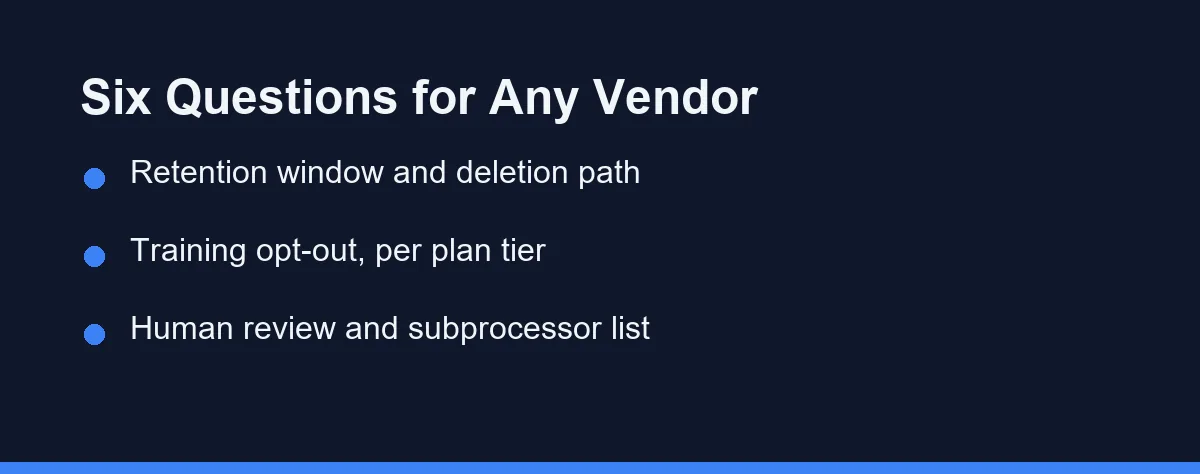
Five criteria separate a tool your security team will approve from one they will not.
Retention window. How long does the provider store prompts and code snippets, and can you request deletion? Short, documented windows are easier to defend than vague language.
Training use, by plan. Vendors frequently exclude paid business tiers from training while treating free tiers differently. The distinction is contractual, so confirm it for the exact plan you will buy.
Human review. Some providers allow staff to inspect samples for abuse detection or quality work. That is not automatically disqualifying, but it changes your risk analysis for confidential code.
Data residency and subprocessors. If you have EU or sector-specific obligations, you need to know which regions process the data and which third parties are involved.
Scope control. Can you exclude paths, repositories, or file types? A tool that respects ignore rules limits how much sensitive material ever becomes context in the first place.
How Your Code Reaches a Provider’s Servers
Inline completion works by sending a context window to a model. That window usually includes the current file, nearby open files, and sometimes retrieved snippets from the repository index.
Chat and agent features widen the picture. When Cursor or Claude Code plans a multi-file change, it reads more of the project, so more of the project becomes part of a request.
Repository indexing deserves separate attention. Some editors build an embedding index of your codebase, which may be stored remotely rather than only on disk. Ask where that index lives and how it is deleted.
Telemetry is a third channel. Usage metrics, error reports, and acceptance rates travel even when code content does not. Reviewing telemetry settings separately from content settings gives you a cleaner picture.
Individual Accounts vs Enterprise Agreements
The gap between a personal subscription and a negotiated business agreement is larger than most developers expect.
An individual signing up with a credit card accepts standard consumer terms. Those terms can permit broader data use, and they rarely include a data processing agreement or regional guarantees.
Business and enterprise tiers change the shape of the relationship. GitHub Copilot Business and Enterprise, Amazon Q Developer Pro, and Tabnine Enterprise are all positioned around organizational controls such as policy management, audit surfaces, and administrative opt-outs.
This matters practically. A developer who installs a free assistant on a work laptop may bind the company to terms nobody reviewed. Team-level tooling decisions are covered further in our guide to AI coding assistants for teams.
There is also an identity dimension. A personal account carries personal credentials, which means offboarding a developer does not necessarily revoke their assistant access to company context.
Organization-managed seats solve that cleanly. Provisioning through your existing identity provider means the same offboarding process that kills a GitHub login also kills the assistant session.
Budget conversations get easier once this is framed correctly. The business tier is not only a feature upgrade, it is the version of the product that comes with an administrator.
Self-Hosted and Local Options
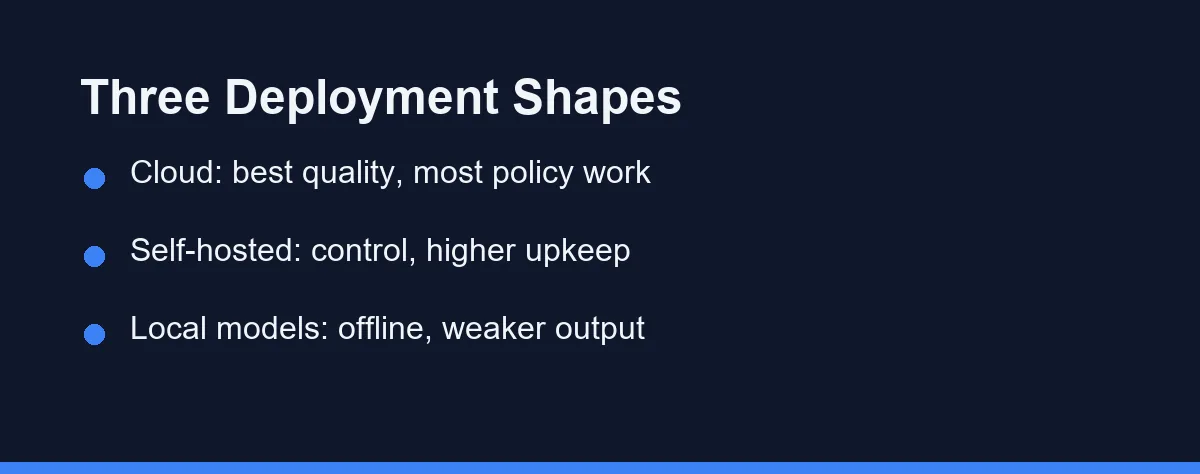
Three deployment shapes exist, and each buys something different.
Vendor cloud gives you the strongest models with the least operational work. Cursor, GitHub Copilot, Claude Code, Windsurf, and JetBrains AI all run this way, with policy controls layered on top.
Self-hosted commercial keeps inference inside your perimeter. Tabnine has long marketed a self-hosted tier aimed at organizations that cannot send code to a vendor, and Amazon Q Developer appeals to teams already inside an AWS account boundary.
Fully local models remove the network entirely. An Ollama installation running an open-weight code model, wired into an editor extension such as Continue, keeps everything on the workstation.
The tradeoff is real. Local open-weight models generally trail frontier cloud models on complex reasoning and large refactors. You also inherit GPU costs, updates, and support duties. For a broader look at no-cost options, see our roundup of free AI coding tools.
Deployment Shapes, Not Product Rankings
The table below compares deployment approaches rather than ranking individual products, since the deployment shape drives most of the risk.
| Approach | Example tools | Where code is processed | Typical training stance | Main tradeoff |
|---|---|---|---|---|
| Vendor cloud, consumer plan | Copilot Free, Cursor Hobby, ChatGPT | Provider servers | Varies, often broader data use | Weakest contractual protection |
| Vendor cloud, business plan | Copilot Business, Cursor Business, Claude Code via team plans | Provider servers | Commonly excluded from training | Requires reading the specific terms |
| Cloud inside your provider account | Amazon Q Developer | AWS account boundary | Enterprise-oriented commitments | Ties you to one platform |
| Self-hosted commercial | Tabnine Enterprise | Your infrastructure | No vendor training exposure | Setup and maintenance burden |
| Fully local open-weight | Ollama plus an editor extension | Your workstation | No external processing | Lower suggestion quality |
The pattern is consistent across rows. Every step toward control costs either money, output quality, or engineering time, and usually two of the three.
What the Enterprise Tier Actually Buys
Prices move often, so treat these as approximate figures at the time of writing, and confirm current pricing on the official site before you commit budget.
| Tier | Approximate cost | What you typically get |
|---|---|---|
| Free tiers | $0 | Limited usage, weakest data terms |
| Individual paid | Roughly $10 to $20 per month | Full features, standard consumer terms |
| Business or team | Roughly $19 to $40 per user monthly | Admin policy controls, training exclusion |
| Enterprise | Custom quote | Compliance paperwork, audit and residency options |
| Self-hosted or local | Infrastructure plus staff time | Full control, no per-seat vendor visibility |
Notice that the privacy jump usually happens between the individual tier and the business tier, not between paid tiers generally. Budgeting for the business plan is often the cheapest route to a defensible policy. Copilot’s own tier structure is broken down in our GitHub Copilot pricing guide.
Practical Controls You Can Apply Today
Policy work takes weeks. Three technical controls take an afternoon and shrink your exposure immediately.
The first is an ignore file. Copilot, Cursor, and Continue all honor some form of exclusion list, so sensitive directories never enter the context window.
# Example exclusion patterns for an AI assistant ignore file
.env
.env.*
secrets/
infra/terraform.tfstate
**/*credentials*.json
customer-data/
The second is getting secrets out of source entirely. Reading configuration from the environment means a leaked context window contains a variable name rather than a live key.
# Bad: the key becomes part of any context window that includes this file
API_KEY = "sk-live-4f9a2c8e1b7d"

# Better: the assistant only ever sees the variable name
import os
API_KEY = os.environ["PAYMENTS_API_KEY"]
The third is scoping the tool to repositories rather than to your whole machine. Enabling an assistant per project keeps client work and personal work in separate contexts.
None of these replace a contract review. They do reduce the blast radius while the contract review is still in progress.
Which Deployment Fits Your Risk Profile
Solo developer on open-source work: any mainstream cloud assistant is reasonable. Your code is already public, so optimize for suggestion quality and cost rather than data terms.
Startup with proprietary code and no compliance officer: buy a business tier from a single vendor and enable the training opt-out on day one. Copilot Business or Cursor Business keeps the paperwork simple while you are small.
Regulated industry with an audit trail requirement: shortlist vendors that publish compliance attestations and offer a data processing agreement. Amazon Q Developer suits teams whose data already lives in AWS, and Tabnine Enterprise suits teams that need inference inside their own perimeter.
Air-gapped or classified environments: a cloud tool is not an option. Plan around self-hosted Tabnine or a local Ollama deployment, and set expectations that output quality will be lower than a frontier model.
Contractor working across several clients: check each client’s contract before installing anything, because their terms govern their code. Keeping separate profiles or disabling the assistant for restricted repositories is safer than one global setup.
Where Privacy Reviews Go Wrong
Treating the vendor’s marketing page as the policy is the most frequent error. Marketing pages summarize, while the trust center and terms of service govern.
Assuming uniform behavior across features is the second. An assistant may handle autocomplete and agent mode under different retention rules.
Ignoring the secret problem is the third. Assistants read the files you open, so a key sitting in a committed config file can become part of a request. Move secrets to environment variables or a vault, and add ignore patterns for sensitive directories.
Finally, many teams review once and never revisit. Vendors ship policy changes, so calendar a re-check every couple of quarters.
A Procurement Question More Than a Technical One
Privacy for AI coding assistants is a procurement question more than a technical one. The model does need to see code, so the useful work is deciding what happens to that code afterward.
Write down your six questions, retention, training, human review, residency, subprocessors, and scope control. Then make each candidate answer them in writing before a single developer installs the extension.
Teams that do this once tend to move faster afterward, because the hard conversation is already settled.
Once the procurement questions are settled, the remaining risk lives in the diff. Our AI-generated code security checklist covers what to verify before a merge.
Connected integrations widen the same questions. If your team is wiring up external systems, what an MCP server actually does explains which of them can take actions on your behalf.
Permissions are the other half of the scope question. What you decide before letting an assistant run shell commands sets what the tool can reach on the machine itself.
Scoping what the tool can read is the cheapest control on this list. What an assistant ignore file actually excludes sets out where that boundary holds and where an agent walks around it.
FAQ
Does my code leave my machine when I use an AI coding assistant?
Most cloud-based assistants transmit some code context to a provider's servers to generate a suggestion. That is how the model sees your file. The important question is what happens next, meaning retention period, human review, and training use. Those answers live in the vendor's documentation, not in the marketing page.
Is my code used to train the model?
Business and enterprise tiers from major vendors typically exclude customer code from model training by default, while free tiers often do not. GitHub Copilot, Tabnine, and Amazon Q Developer all publish tier-specific terms. Read the exact plan you are on rather than assuming the vendor policy is uniform.
Can I run an AI coding assistant fully offline?
Yes. Tabnine offers self-hosted deployment, and local model runners such as Ollama can power editor extensions entirely offline. Expect weaker suggestion quality than frontier cloud models, plus hardware and maintenance costs that you absorb yourself.
What should I check in a tool's privacy policy?
Look for the retention window, the training opt-out, human review policy, regional data residency, the subprocessor list, and scope controls such as path exclusions. Also check whether telemetry is separable from code content. A vendor that answers all six clearly is easier to defend to a security team.
Do AI coding assistants leak secrets like API keys?
Secret scanning helps but should not be your only control. Assistants can read whatever files you open, so a hardcoded key in a config file may travel with your context. Keep secrets in environment variables or a vault, and add ignore rules for sensitive paths.
Sources
- OWASP Top Ten — checked 2026-09-07
- Anthropic docs: context windows — checked 2026-09-07
- Model Context Protocol — checked 2026-09-07
Some links may be affiliate links. We may earn a commission at no extra cost to you.
This article was written with AI assistance. It is researched and fact-checked, not based on personal hands-on testing unless explicitly stated.
Comments
Post a Comment