AI Coding Assistants for DevOps: Terraform, YAML, and Shell Scripts
The Suggestion That Deletes A Database
The short answer: structure and translation, never state. Scaffolding a module, converting a Compose file into manifests, or explaining an inherited script are all strong uses. What the model cannot know is your live environment and the blast radius of an apply. Treat generated infrastructure as a first draft that a plan and a review still have to clear.
Application code fails loudly and locally. A wrong type breaks the build, a bad function breaks a test, and nothing outside your machine notices.
Infrastructure code fails somewhere else entirely. A confident three-line change can replace a resource instead of updating it, and the first sign of trouble is a production outage.
That difference explains why teams adopt AI coding assistants enthusiastically for application work and cautiously for infrastructure. The tools behave the same way in both places, and the cost of a wrong suggestion does not.
This guide looks at what these assistants genuinely do well across Terraform, Kubernetes manifests, pipeline YAML, and shell scripts, and what they consistently get wrong.
The Short Answer For Infrastructure Work

Use them for structure and translation. Scaffolding a module, converting a Docker Compose file into manifests, drafting a pipeline stage, or explaining an inherited script are all strong use cases.
Do not trust them on specifics. Provider arguments, API versions, resource field names, and anything tied to your account layout are where generated infrastructure code fails most often.
Treat the plan or dry run as the actual review step. The assistant writes a proposal, and the plan output tells you what the proposal would really do.
Why Infrastructure Code Is Harder Than It Looks
Application languages give an assistant fast feedback. A compiler or type checker rejects nonsense immediately, so mistakes surface within seconds of being written.
Infrastructure languages mostly do not. Terraform validates syntax, and correctness against your live environment only appears at plan time. Kubernetes manifests pass a YAML parser and fail the API server.
Provider ecosystems also move faster than training data. Cloud providers rename arguments, deprecate resources, and change defaults across minor versions, and an assistant trained months ago writes the older shape with total confidence.
Then there is context. Most of what makes an infrastructure change correct lives outside the file: existing resources, remote state, naming conventions, and an account structure the model has never seen.
Four Failure Modes Worth Naming
Version drift. Generated Terraform references arguments from an earlier provider release. The error message points at your file rather than the model, and the fix means reading current provider documentation.
Silent replacement. A suggested attribute change forces resource replacement instead of an in-place update. Terraform tells you this clearly in the plan, and only if you read it.
Invented fields. Kubernetes manifests and cloud APIs attract fabricated field names that look plausible beside the real ones. Schema validation catches these, and a rushed apply does not.
Destructive shell suggestions. Ad hoc commands involving recursive deletion, force flags, or piping remote scripts into a shell deserve particular suspicion. Read every generated command before running it, especially ones that clean things up.
Where They Genuinely Save Time
Boilerplate is the clearest win. Module skeletons, variable blocks, output definitions, and repetitive resource sets follow predictable shapes, and typing them is pure overhead.
Translation between formats is the second. Converting a Compose file to manifests, a shell script into a pipeline stage, or one CI system’s YAML into another’s is exactly the pattern-matching work these tools do well.
Explanation is the third, and it is undervalued. Pasting an inherited pipeline or a cryptic script and asking what it does turns an afternoon of archaeology into a few minutes of reading.
Documentation and commit messages round it out. Describing what a module accepts, or summarising a change for a review, costs little and improves the repository. Our guide on AI coding assistants for teams covers how that habit scales across a group.
Assistants Compared For Infrastructure Work
The table compares the tools most often considered for infrastructure repositories. Pricing tiers change frequently, so confirm current pricing on the official site. Capabilities reflect what vendors document at the time of writing.
| Assistant | How it fits an infra repo | Strength for DevOps work | Limitation to plan around |
|---|---|---|---|
| GitHub Copilot | Editor completion plus chat in VS Code and JetBrains | Fast at repetitive HCL and YAML blocks, wide language coverage | Completion style encourages accepting without reading |
| Claude Code | Terminal-based agent that reads the repository and runs commands | Handles multi-file refactors and explains inherited scripts well | Command execution needs explicit approval rules |
| Cursor | Editor built around whole-repository context | Good at cross-file consistency in modules and environments | Another editor to standardise a team on |
| Amazon Q Developer | Assistant tied to AWS services and console workflows | Strongest awareness of one cloud’s own services | Value drops in multi-cloud or on-premises setups |
| Gemini Code Assist | Assistant integrated with Google Cloud tooling | Useful inside that ecosystem’s pipelines and services | Same single-cloud constraint applies |
| Tabnine | Completion with self-hosted and privacy-focused options | Deployment control for regulated environments | Smaller conversational and agentic feature set |
The split in that table is between editor completion and repository-aware agents. Completion suits writing new blocks quickly, and agents suit understanding an existing estate.
For infrastructure specifically, the second capability matters more. Most of the work is changing something that already exists.
Guardrails Worth Adding Before The Next Change
Put a plan step in front of every apply, and make the output something a person reads rather than a log nobody opens. This single practice catches the majority of assistant errors.
Add policy checks to the pipeline. Tools such as tflint, Checkov, and conftest evaluate generated configuration against rules, and they do not get tired at the end of the day.
Keep state files and credentials out of the assistant’s reach. Ignore rules should cover state, variable files with secrets, and any local environment configuration. Our guide to AI coding assistant data privacy and security explains what these tools transmit and how to limit it.
Require approval for destructive operations. Deletion, replacement, and anything touching production should pass through a human gate, regardless of who or what wrote the change.
Prompt Habits That Reduce Version Drift
State the versions in the request. Naming the Terraform version, the provider version, and the Kubernetes API version narrows the model toward the shape you actually run.
Paste the relevant documentation section when the change matters. A short excerpt of current provider arguments beats any amount of general instruction, because it replaces stale memory with present fact.
Ask for the smallest possible change. A request to modify one resource produces something reviewable, while a request to rewrite a module produces a diff nobody reads properly.
Ask what the change will do before asking for the change. Having the assistant describe the expected plan output first surfaces destructive operations while they are still hypothetical.
Shell Scripts Deserve Their Own Rules
Shell is where generated code does the most damage per line. Scripts run immediately, carry no plan step, and often execute with more privilege than anything else in the workflow.
Read every command that deletes, moves, or overwrites. Recursive removal with a variable in the path is the classic failure, and an unset variable turns it into something much worse.
Ask for defensive flags by default. Scripts that set strict error handling, quote their variables, and stop after a failed command are safer and barely longer.
Never pipe a downloaded script straight into a shell because an assistant suggested it. The pattern appears constantly in installation instructions, and it deserves a manual look every time.
Who Should Use Which Setup
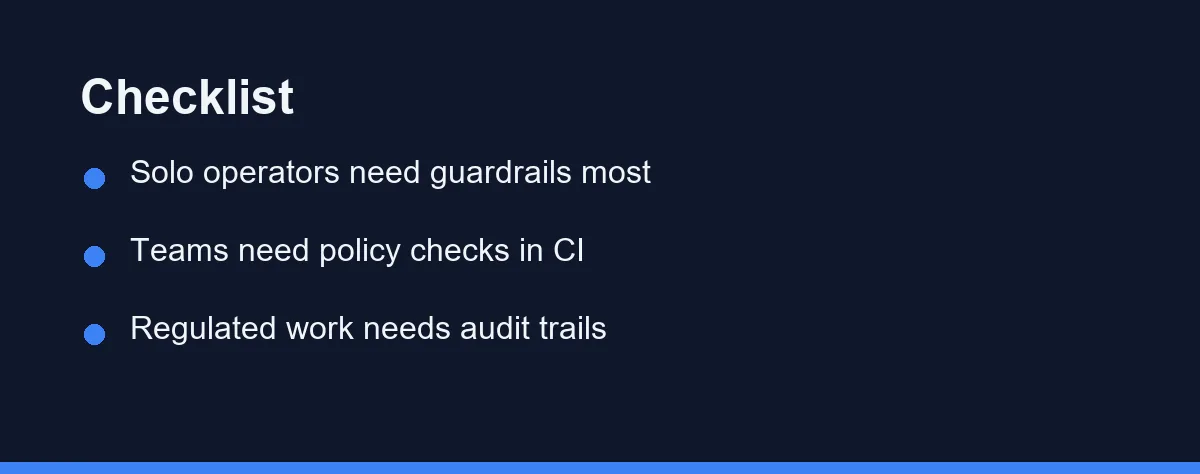
Solo operator managing a small estate: An editor assistant plus a strict habit of reading plan output. You are the only reviewer, so the automated checks matter more than the suggestions.
Small platform team: A repository-aware assistant with policy checks in CI. The assistant speeds up module work, and the pipeline stops the errors it introduces.
Team standardising across many repositories: Favour tools that read whole repositories over completion-only tools. Consistency problems live across files, not inside them.
Single-cloud shop: Consider the cloud vendor’s own assistant alongside a general one. Service-specific knowledge is genuinely better inside that ecosystem.
Regulated or air-gapped environment: Prioritise deployment control and audit trails over raw capability. A self-hosted option that logs everything beats a smarter tool that cannot be approved.
Team inheriting an undocumented estate: Start with explanation rather than generation. Ask the assistant what existing scripts and pipelines do, and write the answers down as documentation.
What It Costs, Roughly
Most assistants sell per user per month, with a free or trial tier that is enough to evaluate the workflow. Agentic tools sometimes bill by usage instead, which suits infrequent heavy sessions.
Self-hosted and enterprise options cost considerably more per seat, and they buy deployment control rather than better output. That trade is worth it only where policy requires it.
Budget for the surrounding tooling as well. Linting, policy checks, and CI minutes are the cost of using these assistants safely, and they are what makes the speed gain real.
Confirm current pricing on the official site before committing a team, since tiers in this category are revised often. Our breakdowns of GitHub Copilot pricing and Claude Code pricing cover how two of the main options structure their plans.
The Working Rule For Infrastructure Repositories
Let the assistant write the first draft and never the last word. Generated infrastructure code is a proposal from something that cannot see your environment, and it should be read with that in mind.
The teams getting the most from these tools have not changed their review standards. They have changed how quickly a draft reaches review, which is where the time saving actually comes from.
Start with the parts of the job that carry no blast radius: explaining old scripts, writing documentation, and scaffolding new modules in a branch. Extend from there once you trust the pattern.
Then keep the plan output sacred. It is the one thing in this workflow that reflects reality rather than probability, and it does not matter whether a person or a model wrote the change it describes. For a wider view of reviewing generated changes, see our AI code review tools compared guide.
Schema changes belong in the same category as an infrastructure plan, since both run once against something you cannot simply re-run. Our note on handing an assistant your database migrations covers where the generated file is safe and where the lock is not.
FAQ
Are AI coding assistants useful for Terraform and infrastructure code?
They help most with boilerplate and translation work, such as scaffolding a module, converting a config between formats, or explaining an unfamiliar pipeline file. They help least with anything that depends on your live environment, because the assistant cannot see your state, your provider versions, or your existing resources.
What mistakes do AI assistants make with infrastructure code?
The most common one is suggesting arguments or resource types that belonged to an older provider version. Infrastructure providers change quickly, and training data ages, so generated configuration often references fields that no longer exist or have been renamed.
How do you review AI-generated infrastructure changes safely?
Reviewing a plan output is the real safety step. Generated configuration should always be checked with a plan or dry run before it touches anything, and destructive changes should require a human approval step in the pipeline rather than a terminal confirmation.
Can AI coding assistants see secrets in my infrastructure repo?
Assistants read the files in your workspace, which for infrastructure work can include state files, variable files, and environment configuration. Keep secrets out of the repository, use ignore rules for state and credential files, and check what your tool sends to the server.
Why do AI assistants struggle with YAML pipelines and manifests?
YAML is unusually fragile because indentation carries meaning and most schemas are validated only at deploy time. An assistant produces syntactically valid YAML that fails schema validation, so linting and schema checks matter more here than in a compiled language.
Sources
- Anthropic pricing — checked 2026-09-07
- GitHub Copilot plans — checked 2026-09-07
Some links may be affiliate links. We may earn a commission at no extra cost to you.
This article was written with AI assistance. It is researched and fact-checked, not based on personal hands-on testing unless explicitly stated.
Comments
Post a Comment