How to Write Effective Prompts for AI Coding Assistants

The One Variable You Control
The short answer: name the goal, the context, and the finish line. Say what the code should do rather than which function to write, and point at a file that already solves the problem your way. State how you will know it worked, because that turns a vague request into something the assistant can check itself against. Everything else in prompting is a refinement of those three.
The same assistant can feel brilliant or useless depending on one thing you control: the prompt. Two developers using identical tools often get very different results, and the gap usually traces back to how they ask.
A weak prompt like “fix this” leaves the assistant guessing. A strong prompt names the problem, the context, and the rules, so the answer arrives focused and reviewable. The tool did not change; the instruction did.
This guide lays out practical patterns for prompting any AI coding assistant well. It covers what to include, how to structure requests, and the mistakes that quietly waste your time. Nothing here relies on hands-on testing, only established practice described as of the time of writing.
Intent, Context, Constraints, Small Steps
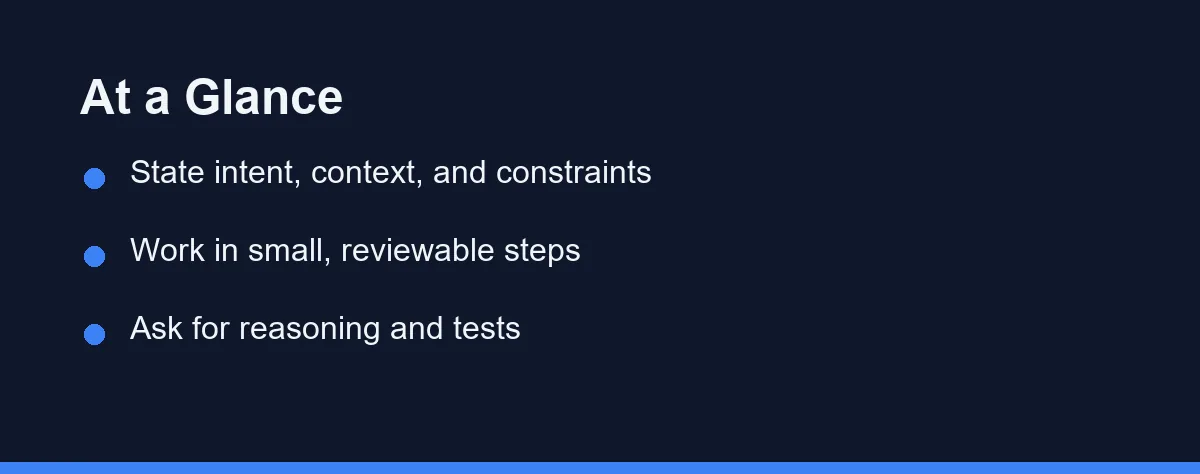
Write prompts that state your intent, supply the right context, and spell out any constraints. Then work in small, reviewable steps rather than one giant request.
Ask the assistant to explain its reasoning or produce tests when correctness matters, so you can catch errors early.
These habits apply across tools, so learning them once pays off no matter which assistant you use.
What to Look For in a Good Prompt
Strong prompts share a few traits. Get these right and the quality of your results climbs quickly.
The first is clear intent. Say what you want the code to do, not just that something is broken. “Add input validation to this function so it rejects negative numbers” beats “fix this” every time. The assistant can only aim at a target you describe.
The second is relevant context. Point to the file, the function, or the behavior involved. Assistants read surrounding code, but naming what matters sharpens the response. Include the pieces that shape the answer and skip unrelated noise.
The third is explicit constraints. Name the rules the result must follow: a language version, a style, a library to use or avoid. Constraints turn a plausible answer into a usable one. Without them, the assistant guesses, and its guess may not match your project.
When the same constraints show up in every prompt, stop retyping them. It is faster to set coding standards an AI assistant will follow once in a shared rules file.
The fourth is scope control. Ask for a change you can review in one sitting. Small requests produce focused edits; sprawling ones produce sprawling diffs. Keeping scope tight is one of the simplest ways to raise output quality.
The Anatomy of a Strong Prompt
A reliable prompt often has three parts working together. You do not need a rigid formula, but the pattern helps.
Start with the goal in plain language. Describe the behavior you want, as if briefing a teammate. This anchors everything that follows.
Add the context next. Mention the relevant file or function, the language, and any code the assistant should build on. If a snippet matters, include it directly so the assistant is not guessing.
Finish with constraints and format. State the rules and how you want the answer, such as “return only the changed function” or “include a short docstring.” This keeps the response tidy and easy to drop into your project.
Here is the difference in practice. A weak version simply asks the assistant to make the code faster. A strong version asks it to optimize the function for readability, keep the same output, and explain the change in one sentence. The second gives the assistant a target it can actually hit, so the reply lands closer to what you need.
A Template That Survives Copy-Paste
Most weak prompts are missing the same four things. Keeping a template around costs nothing and removes the guesswork.
Goal:      Add pagination to the orders list endpoint.
Context:   Express 5, Prisma. Follow src/api/customers.ts, which
           already paginates the way we want.
Constraints: Keep the existing response shape. No new dependencies.
           Page size defaults to 25, maximum 100.
Done when: Existing tests pass and a new test covers page 2 and an
           out-of-range page.
The Context line does the heavy lifting. Pointing at a file that already solves the problem the way your team likes beats any adjective, because the model can read the file and cannot read your taste.
Done when is the second-most useful line. It converts a vague request into something the assistant can check itself against, which is what turns one long correction thread into a single pass.
Prompting for Bigger Tasks
Large changes tempt you to write one huge prompt. Resist that. Big single requests tend to produce big, tangled edits that are hard to check and easy to break.
Instead, decompose the work. Ask for the first step, review the result, then prompt for the next. This keeps each output small enough to verify and gives you control over direction.
Keep tests close as you go. When you request a change, ask for a matching test in the same prompt. That pairing gives you an immediate way to confirm the code does what you intended.
Commit often between steps. Frequent commits make AI-driven changes easy to review and simple to roll back if a suggestion goes wrong. The assistant moves fast, so your safety net should too.
Prompt Patterns Compared
The table below contrasts weak and strong versions of the same request.
| Situation | Weak prompt | Strong prompt |
|---|---|---|
| Bug fix | “Fix this” | “This throws on empty input; add a guard that returns an empty list” |
| Refactor | “Clean this up” | “Extract the parsing logic into a named function, same behavior” |
| New feature | “Add login” | “Add email and password login using our existing auth module” |
| Performance | “Make it faster” | “Reduce repeated lookups here without changing the output” |
| Tests | “Write tests” | “Write unit tests for the edge cases: empty, negative, and large input” |
| Explanation | “Explain” | “Explain why this loop is slow and name one concrete fix” |
Prompting Across Different Tools
The core habits travel well, but each assistant has its own texture. Knowing the small differences helps.
Inline completion tools, like the suggestions in GitHub Copilot, respond to the comments and code you write. A clear comment above a function acts like a prompt, guiding what the assistant offers next.
Chat-based and agent tools, like Cursor’s panel or a terminal agent such as Claude Code, take fuller instructions. Here you can describe multi-step goals and supply richer context, since the interface expects a conversation.
Whatever the tool, the same principles hold: state intent, give context, set constraints, and review the output. Learn those once and you adapt quickly to a new interface. For a broader view of the tools themselves, see our roundup of the best AI coding assistants. For a shared setup, our guide on how to choose an AI coding assistant for a small team covers the group angle.
It also helps to keep a few reusable prompts on hand. If you often ask for tests, a docstring, or a specific style, saving a phrasing you trust saves you from rewriting it each time. Small habits like this compound across a week of coding.
Reviewing What the Assistant Gives Back
Prompting well is only half the loop. The other half is reading the result with a critical eye, since even a strong prompt can return flawed code. Good review is where quality is won or lost.
Read for correctness first. Trace the logic against your intent, and pay special attention to edge cases the assistant may have glossed over. A suggestion that handles the common path can still break on empty or unexpected input.
Check the fit with your codebase next. The assistant may use a library you do not want, or a style that clashes with your conventions. Catching that early keeps your code consistent and avoids a cleanup later.
Run the code, do not just read it. Tests and a quick execution reveal problems that reading misses. Treat every suggestion as a proposal from a fast but fallible teammate, and the output stays an asset rather than a liability.
Which Prompting Style Fits the Task
The right prompting style shifts with the task. Here are direct calls for common situations.
You are fixing a specific bug: describe the exact symptom and the expected behavior. Naming what goes wrong and what should happen instead gives the assistant a precise target and a testable result.
You are learning while coding: ask the assistant to explain its reasoning, not just to produce code. Requesting the why turns each answer into practice that builds your own judgment.
You are making a large change: break it into small, sequential prompts. Reviewing each step keeps the work controlled and prevents the sprawling edits that single giant prompts tend to create.
You care about correctness: pair every code request with a test request. Asking for tests alongside the change gives you an immediate, concrete way to verify the output.
You keep getting vague results: add constraints. Naming the language version, style, and libraries removes the guesswork that produces generic answers, and it sharpens the response right away.
Iterating When the First Answer Misses
Even a good prompt sometimes returns a result that is close but not right. The skill then is refining rather than starting over. Treat the first answer as a draft you can steer.
The fastest fix is to point at the specific gap. Instead of rejecting the whole reply, tell the assistant what to keep and what to change. Something like “keep this structure but handle the empty case” narrows the next attempt.
Feeding back errors also works well. If the code fails a test or throws an exception, paste the message and ask for a corrected version. The assistant uses that signal to adjust, much as a teammate would.
Watch for a loop where the answers circle without improving. When that happens, the prompt itself is usually the problem, not the assistant. Step back, restate the goal from scratch with clearer context, and try once more. A fresh, sharper prompt often beats a long chain of small corrections, and some of that circling is simply variation between runs.
Keep your own judgment in charge throughout. The assistant proposes, but you decide what ships. Iterating is a conversation you lead, not a button you press until something looks acceptable.
Prompting Habits That Cost You
A few prompting habits quietly cost you quality.
Do not stay vague. “Fix this” or “make it better” forces the assistant to guess your intent, and its guess rarely matches yours. Spend a few extra words on specifics.
Do not dump everything at once. Overloading a prompt with unrelated context or a huge task dilutes the request. Trim to what shapes the answer.
Do not skip review because the code looks confident. A polished-looking suggestion can still be wrong, so read and test it before trusting it in real work.
Disciplined Communication, Not Tricks
The prompt is the lever. The same assistant becomes far more useful when you state your intent clearly, supply the right context, set constraints, and work in small steps you can review.
None of this requires special tricks. It is disciplined communication, the same skill that makes any technical request clear. Practice these patterns and you will pull steadier, more reliable results from whatever assistant you use, today and as the tools keep evolving.
FAQ
What makes a good prompt for an AI coding assistant?
Give the assistant clear intent, relevant context, and constraints. Say what you want, point to the files or functions involved, and name the rules the result must follow. Vague prompts produce vague code, while specific prompts produce focused, reviewable output you can trust more.
Should I give the assistant more context?
Yes, more context usually helps, up to a point. Naming the file, the function, and the expected behavior lets the assistant target its answer. Too much unrelated context can dilute the request, so include what matters and leave out noise that does not shape the result.
How do I prompt for a big or complex change?
Break it into steps. Ask for one change, review the result, then request the next. Large single prompts often produce sprawling edits that are hard to check. Small, sequential prompts keep each result focused and easy to verify before you continue.
How can I reduce mistakes in the output?
Ask it to explain its reasoning, or request tests alongside the code. When you can see why the assistant made a choice, mistakes are easier to catch. Pairing a code request with a test request also gives you a quick way to check correctness.
Do these prompt tips work across different tools?
The core habits carry across GitHub Copilot, Cursor, Claude Code, and others. Each tool has quirks, but clear intent, good context, small steps, and review apply everywhere. Learn the principles first, then adapt to any assistant you use.
Some links may be affiliate links. We may earn a commission at no extra cost to you.
This article was written with AI assistance. It is researched and fact-checked, not based on personal hands-on testing unless explicitly stated.
Comments
Post a Comment