How to Choose an AI Coding Assistant for a Small Team in 2026

Five People Generating Code at Once
Picking an AI coding assistant for yourself is easy; picking one for a team is a different problem. A small team has to think about security review, per-seat costs, mixed editors, and what happens to code quality when five people generate code at once. The individual-user advice you find online skips all of that.
Small teams also lack what enterprises have. There is no security department to vet vendors, no procurement process, and no budget slack for tools that go unused. Every choice lands directly on the people writing the code.
This guide walks through the decision as of mid-2026, from requirements to pilot to rollout. It applies whether you are a five-person startup or a small team inside a larger company. The focus is on the choices that actually change outcomes.
Security and Editors Decide It

For most small teams, the sensible path is to shortlist two assistants that support every editor your team uses, then run a two-week pilot on one real project. Business tiers from the major vendors typically include the admin and privacy controls that individual plans lack, and those controls matter once company code is involved.
Do not start from model benchmarks. Start from your security requirements and your editors, because those two filters usually narrow the field to a manageable shortlist on their own.
Shortlisting the two most common candidates? Our comparison of GitHub Copilot vs Claude Code breaks down how they differ in real workflows. For a team-focused overview of the field, our AI coding assistants for teams guide is a useful companion.
The Four Criteria to Score
Team adoption succeeds or fails on a handful of criteria. The ones below come up in nearly every small-team rollout. Score your candidates against them before any trial begins.
Where Your Code Goes, and for How Long
The first questions are what happens to your code and prompts. Check whether the vendor trains on your data, how long snippets are retained, and whether the business tier changes those answers, starting from pages like the official Copilot plans page. As of mid-2026, business plans commonly include no-training commitments that individual plans do not.
Every Editor Your Team Actually Opens
A tool that only works well in one editor splits the team. Inventory what people genuinely use, including that one developer on a JetBrains IDE. Uneven support quality across editors is one of the most common silent adoption killers.
Who Removes the Seat When Someone Leaves
Someone has to add seats, remove leavers, and see usage. Business tiers typically offer centralized billing, policy settings, and seat management. Without them, offboarding a departing contractor means hoping they log out.
What It Does to Your Review Queue
Assistants shift effort from writing to reviewing. Look for features that help reviewers, like explanation of generated changes and consistent diffs. A tool that floods your senior engineer with plausible-looking code can cost more than it saves. If review load is your main worry, our roundup of AI code review tools covers assistants aimed squarely at that stage.
Your Scoring Sheet
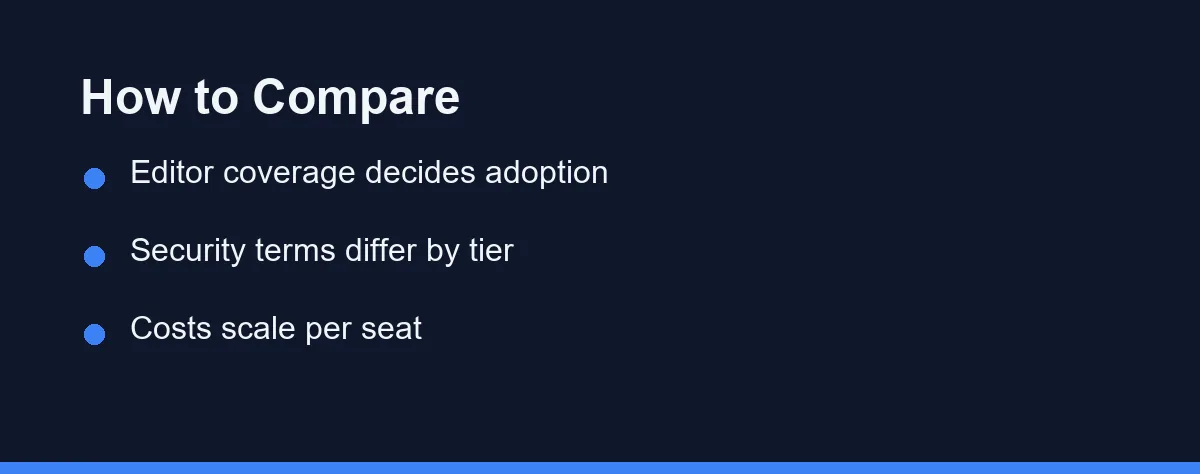
The table below frames the evaluation criteria rather than crowning a vendor, because team contexts differ more than tools do. Use it as your scoring sheet during the pilot.
| Criterion | Why It Matters | What Good Looks Like |
|---|---|---|
| Data and training terms | Company code leaves your control | No-training commitment in writing |
| Editor coverage | Split tooling kills adoption | First-class support for all your editors |
| Admin and seats | Offboarding and cost control | Central billing and seat removal |
| Reviewer support | Quality lives in review | Clear explanations of generated code |
| Per-seat economics | Budgets are small | Value visible within one quarter |
Most vendors clear at least three rows on their business tiers. The differences concentrate in editor coverage depth and reviewer-facing features.
Score your two shortlisted tools honestly against every row. Numbers argue better than impressions in the decision meeting.
Requirements, Shortlist, Pilot, Standardize

Write your requirements before looking at any product page. One page suffices: security must-haves, supported editors, monthly budget per seat, and what success looks like in ninety days. Teams that skip this step end up choosing by vibe and defending it later.
Apply the security filter first. If a vendor cannot meet your retention and training requirements on paper, no feature compensates, and the conversation ends there. This filter alone often reduces the field by half.
Apply the editor filter second. Whatever the team actually uses must be supported well, not nominally. A brilliant assistant in the wrong editor becomes shelfware within a month.
Shortlist two candidates, not five. Every additional option multiplies pilot effort without improving the decision much. Two serious contenders tested properly beat five tested superficially.
Pilot on one real project for two weeks with the whole team, and track explicit metrics. Review turnaround, defects traced to generated code, and a simple weekly satisfaction pulse are enough. Real deadlines expose friction that demo repositories hide, and two weeks of light data beats any amount of debate.
Give one person ownership of the shared notes, so observations do not scatter across chat threads. A single reviewer collating wins and friction produces a decision the whole team can defend later. It also surfaces disagreement early, while it is still cheap to resolve.
Decide with the notes, then standardize and commit for at least a quarter. Announce the choice, migrate stragglers, and set shared conventions: when to accept suggestions, how to mark AI-heavy pull requests, and what stays out of prompts. Revisit when contracts renew or a real limitation appears, not when a new model tops a leaderboard.
What Team Pricing Actually Looks Like
Team pricing in this category typically runs per seat per month, with business tiers priced above individual plans in exchange for admin controls and stronger data terms. Some vendors add usage-based components for premium models, which matters for heavy users.
For a small team, the total is rarely the deciding factor; the structure is. Per-seat plans keep costs predictable, while usage-based elements need a monthly cap or at least monitoring. Watch for annual-commitment discounts that trade flexibility for price.
Vendors adjust tiers and quotas frequently, so this guide avoids quoting figures. At the time of writing, the only reliable move is to confirm current pricing, business-tier terms, and any minimum seat counts on each vendor’s official page before budgeting.
Which Setup Fits Your Team
The right answer depends less on the tool and more on how your team is shaped. These situational picks assume you have already passed candidates through the security and editor filters.
A single-editor team on a tight budget. Standardize on one assistant that supports that editor natively, and start on the lowest business tier that still carries a no-training term. Uniformity here buys simpler review and cheaper administration, which matters more than any single feature gap.
A mixed-editor team. Prioritize the assistant with the strongest coverage across every editor in use, even if it is not the sharpest in any one of them. A tool that is good everywhere beats a tool that is excellent in one editor and absent in another, because split tooling fractures your shared conventions.
A team shipping regulated or sensitive code. Lead with retention and training terms, and accept a smaller feature set if it comes with clearer contractual guarantees. Put the vendor’s business-tier data terms in writing before rollout, and keep the security filter non-negotiable.
A team still unsure it needs one. Run the two-week pilot on a free or trial tier first, and measure review load honestly. Commit to paid seats only if the shared notes show a real gain rather than novelty.
Four Mistakes That Waste a Pilot
Even careful teams repeat the same avoidable errors. Recognizing them in advance saves a wasted pilot and an awkward reversal three months later.
Choosing by benchmark instead of fit. A model that tops a leaderboard can still be the wrong pick if it lags in your editor or fails your retention terms. Benchmarks measure the model; adoption depends on the tool around it. Treat raw capability as a tiebreaker rather than the opening question.
Skipping the offboarding plan. Teams focus on adding seats and forget that people leave. Without central seat management, a departing contractor may keep access to an assistant that has seen your prompts. Confirm how the business tier handles removal before you standardize, not after someone gives notice.
Letting review load balloon quietly. Generated code moves work from writing to reviewing, and that shift is easy to miss until a senior engineer is drowning. Track review turnaround from the first day of the pilot. If it climbs, the tool is not saving time; it is relocating it.
Leaving usage conventions unwritten. Two developers using the same assistant differently create inconsistent pull requests and confused reviewers. Agree early on when to accept suggestions, how to flag AI-heavy changes, and what never goes into a prompt. A half-page of conventions prevents most of the friction.
Each mistake traces back to treating the choice as a product comparison rather than a rollout. The tool is only half the decision; how the team uses it is the other half.
A Process Problem, Not a Product Problem
Choosing an assistant for a small team is a process problem more than a product problem. Requirements first, two candidates, one real pilot, then a committed rollout with shared conventions. Teams that follow that sequence end up satisfied with either mainstream choice.
The security filter and the editor filter do most of the deciding. The pilot settles the rest with evidence instead of opinion. Nothing in that sequence requires an enterprise budget or a procurement department.
Set your requirements page this week, and you can be running a real pilot within days. By next month, your team will have a decision it actually trusts.
One number will follow you through every vendor conversation in that pilot, so it helps to know what it covers. Reading a SWE-bench Verified score sets out which dataset produced the figure and which questions to ask about it.
FAQ
Should a small team standardize on a single AI coding assistant?
Not necessarily. Standardizing on one assistant simplifies billing, security review, and shared practices, but mixed-editor teams sometimes run two tools well. Start with one, and only add a second when a concrete workflow demands it.
What security questions matter most when adopting an assistant?
The recurring blockers are code retention policies, whether prompts are used for training, and admin controls for offboarding. Review the vendor's business plan terms, since business tiers typically add the controls that individual plans lack.
How should a small team pilot an assistant before paying?
Run a two-week trial on one real project with clear notes on wins and friction. Judge by review workload and defect patterns rather than lines generated, since volume without quality just moves work to reviewers.
Is a free AI coding assistant good enough for a small team?
Free tiers can work for evaluation or hobby projects, but they usually lack the no-training terms and admin controls a team needs once company code is involved. Treat a free plan as a trial step, not the final destination.
How long before a small team sees value from an AI coding assistant?
Most teams get a clear read within the two-week pilot on review load and everyday friction. Genuine productivity gains, when they come, tend to show over the following quarter as shared conventions settle in.
Sources
- OWASP Top Ten — checked 2026-09-07
- SWE-bench — checked 2026-09-07
- GitHub Copilot plans — checked 2026-09-07
Some links may be affiliate links. We may earn a commission at no extra cost to you.
This article was written with AI assistance. It is researched and fact-checked, not based on personal hands-on testing unless explicitly stated.
Comments
Post a Comment