Which AI Coding Assistant Handles TypeScript Best?
The Red Squiggle Arrives Before You Save
TypeScript changes what you want from an AI assistant. In plain JavaScript, a suggestion only has to run. In TypeScript, it also has to satisfy the compiler, respect your interfaces, and line up with types that may live in another file.
That raises the bar. A tool that guesses a property name looks clever in JavaScript and fails instantly in strict TypeScript. The red squiggle appears before you even save.
So the useful question is not which assistant writes the most code. It is which one reads your types and stays inside them. This guide compares the leading options on exactly that, with no hands-on claims, just a careful read of how each tool is built as of 2026.
Strict Mode First, Tool Second
Reach for GitHub Copilot or Cursor if you work in a large typed codebase and want an assistant that pulls in types from across the project.
Reach for Codeium if you want a free, capable starting point that still handles everyday TypeScript across many editors.
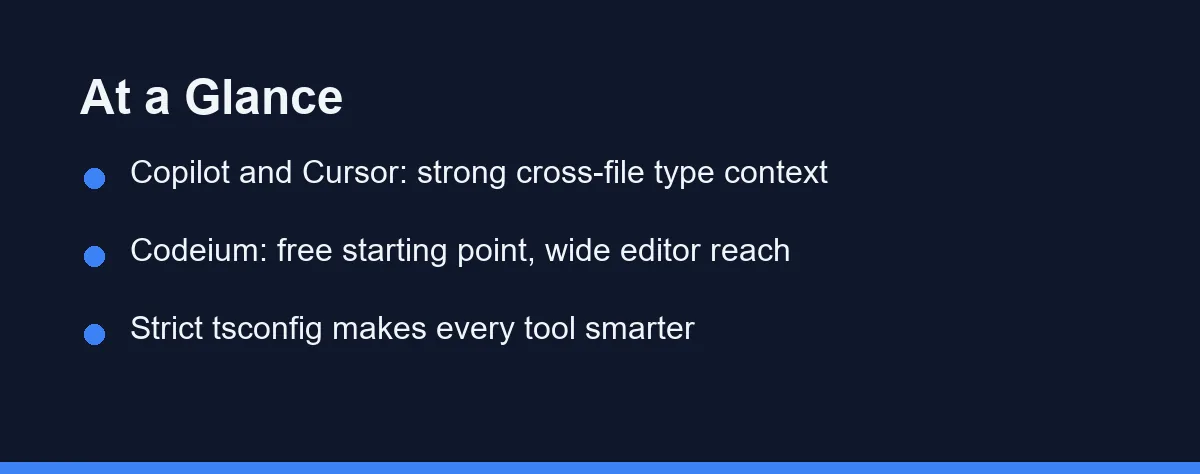
Whichever you try, turn on strict mode first. The single biggest factor in suggestion quality is how much type signal your project gives the model to work with.
Four Things That Decide a Typed Codebase
Before naming a winner, it helps to know which traits actually change your TypeScript day. Four stand out, and each can decide the tool on its own.
The first is cross-file type awareness. Real projects define types in one file and use them in ten others. An assistant that only sees the open buffer will guess at shapes it cannot see. One that indexes the whole project can honor a shared interface without you pasting it in.
The second is strict-mode behavior. With strict and noImplicitAny on, weak suggestions get punished by the compiler. A good tool leans into that constraint and proposes fully typed code rather than sprinkling any to make errors disappear.
The third is generics and inference. TypeScript’s power shows up in generic functions and inferred return types. Watch how each assistant handles a generic signature, because that is where shallow pattern matching breaks down.
The fourth is library type fidelity. Most TypeScript apps lean on typed packages such as React, Zod, or Prisma. The assistant should match those published types, not invent a plausible-looking method that never shipped.
The Field, and How It Reads Your Types
GitHub Copilot is the default many teams already run. It reads open files and related project context, which helps it respect types defined elsewhere. Its deep tie to the GitHub and Microsoft stack also makes it a safe institutional choice. Our GitHub Copilot vs Cursor comparison digs into how the two differ on context.
Cursor is an AI-first editor built as a fork of VS Code. Its selling point is project-wide context, which pays off directly in typed codebases where shared interfaces matter. Developers who live in large monorepos often reach for it first.
Codeium built its name on a generous free tier and broad editor support. For solo TypeScript work and side projects, it lowers the barrier to trying AI help without a subscription. See our roundup of the best free AI coding tools for where it fits.
Tabnine leans toward privacy-conscious teams and offers deployment options that appeal to regulated shops. Its completions handle mainstream TypeScript, though its chat features are less prominent than Copilot’s.
JetBrains AI matters if you work inside WebStorm or IntelliJ. It pairs the assistant with JetBrains’ own strong TypeScript tooling, so the editor’s type engine and the model reinforce each other.
Lined up against the four traits above, the field separates less on raw output than on how much of your project each tool can see.
| Feature | GitHub Copilot | Cursor | Codeium | Tabnine | JetBrains AI |
|---|---|---|---|---|---|
| Cross-file type context | Strong | Very strong | Moderate | Moderate | Strong in-IDE |
| Strict-mode friendliness | Good | Good | Good | Good | Good |
| Generics handling | Solid | Solid | Fair | Fair | Solid |
| Editor reach | VS Code, JetBrains, more | Own editor | Very broad | Broad | JetBrains IDEs |
| Chat depth | Deep | Deep, project-aware | Included | Lighter | Included |
| Free entry point | Limited | Limited trial | Generous | Yes | Trial |
| Best fit | GitHub-centric teams | Large typed monorepos | Cost-sensitive solo devs | Privacy-focused teams | JetBrains users |
Five Ways a Suggestion Lies to You
Knowing the failure modes helps you review suggestions instead of trusting them blindly. A few patterns show up again and again.
The first is inventing properties. An assistant may access user.fullName when your type only defines firstName and lastName. It reads as natural English and fails the compiler at once. Strict mode is your safety net here.
The second is widening to any. When a suggestion cannot satisfy a type, some completions quietly reach for any or a loose cast. That silences the error and hides the bug. Treat an unexpected any as a prompt to look closer, not a fix.
The third is stale library signatures. Popular packages evolve, and a model may propose a method or option that an older version had but the current one dropped. Confirm against the library’s own type definitions before you rely on it.
The fourth is shallow generics. An assistant can produce a generic that compiles yet loses the inference you actually wanted, returning unknown where a precise type belongs. Read the inferred return type, not just the green checkmark.
The fifth is assertions used as glue. A stray as cast or a non-null ! makes a mismatch vanish without resolving it, and the runtime error surfaces later in a place that looks unrelated. Ask why the assertion is needed before you keep it.
Behind all five sits one habit worth naming. Do not loosen strict mode to reduce errors, because those errors are how the compiler catches the assistant’s wrong guesses before they ship.
Editor, Budget, and What the Compiler Will Tell You
Start with where your types live. If your project spreads shared interfaces across many files or packages, prioritize an assistant with strong project-wide context, which points toward Cursor or Copilot.
Next, weigh your editor. If you already work in WebStorm, JetBrains AI keeps you in one environment and rides on that IDE’s type engine. If you switch editors often, Codeium’s broad reach keeps the same assistant everywhere.
Then consider budget and risk. A free tier is a fair place to learn, but a team shipping a typed product may value Copilot’s ecosystem and support more than a small monthly saving. For the layer under your types, our guide to the best AI coding assistant for JavaScript covers the surrounding ground.
Pricing shifts often in this space, so treat the table as general positioning and confirm current pricing on the official site before you commit. It reflects the landscape at the time of writing.
| Plan level | Copilot | Cursor | Codeium |
|---|---|---|---|
| Free | Limited free access | Limited trial | Generous individual tier |
| Individual paid | Familiar low monthly | Monthly Pro tier | Low monthly Pro |
| Team or business | Per-seat Business and Enterprise | Per-seat plans | Per-seat team plans |
For a single TypeScript developer, price rarely separates these tools. Each offers a way to start at little or no cost, so the cheapest comparison is to run two on your own code for a few days. Open a typed file with generics and cross-file imports, and see which one respects your interfaces without being told twice.
For teams, the math changes with seat counts and support needs. Copilot’s ecosystem and Cursor’s project-wide context are the features most worth paying for, not raw completion speed, which feels similar across the field. The best AI coding assistants in 2026 roundup ranks the wider field if neither shape suits you.
Which Assistant Fits Your Type Setup
The right pick depends on your situation more than on any single feature. Here are direct calls.
You maintain a large typed monorepo: choose Cursor. Its project-wide context handles shared types across packages better than tools that lean on the open file alone.
Your team already lives in GitHub: choose Copilot. Its integration with pull requests and the wider GitHub platform reduces friction while still respecting your types.
You are a solo developer on side projects: start with Codeium. A capable free tier lets you write typed code with AI help before spending anything.
You work inside WebStorm or IntelliJ: choose JetBrains AI. It pairs the model with the IDE’s own strong TypeScript engine, so the two reinforce each other.
Your shop has strict privacy or compliance needs: look at Tabnine first. Its deployment options fit regulated environments better than the mainstream defaults.
Let the Compiler Decide
For TypeScript, the best assistant is the one that reads your types instead of your text. Cursor and GitHub Copilot lead on cross-file context, Codeium offers a strong free path in, and JetBrains AI shines for developers already in that IDE.
The smart move is to try two on your own typed code with strict mode on. Let the compiler judge the suggestions, and keep the tool that respects your interfaces without a fight. That is what turns an autocomplete into a real TypeScript partner.
FAQ
Which AI coding assistant is best for TypeScript?
For most TypeScript work the language rarely picks the winner on its own, because the leading assistants all read your types and imports well. GitHub Copilot and Cursor tend to feel strongest on large typed codebases, while Codeium is the common free starting point. Test two on your own project before committing.
Can an AI assistant write correct TypeScript types for me?
They help, but they do not replace the compiler. An assistant can draft a typed function and suggest a generic signature, yet it can still invent a property that does not exist. Keep strict mode on and let tsc catch what the model misses.
How do I get better TypeScript suggestions from an AI assistant?
The biggest wins come from strict compiler settings and clear existing types. When your tsconfig is strict and your interfaces are named, the assistant has firm ground to stand on. Loose or implicit any types give it less signal and weaker suggestions.
Do AI assistants understand types defined in other files?
Yes, and it is one of the clearest gaps between tools. Assistants that index your whole project handle cross-file types far better than ones that only see the open file. Cursor and Copilot both pull in surrounding files, which matters for shared types in a monorepo.
Are AI assistants reliable with typed third-party libraries?
They can, especially for popular libraries with strong type definitions like React, Zod, or Prisma. The risk rises with newer or niche packages whose types the model has seen less often. Always confirm against the library's own type definitions.
Sources
- GitHub Copilot plans — checked 2026-09-07
- Cursor pricing — checked 2026-09-07
- JetBrains AI IDEs — checked 2026-09-07
Some links may be affiliate links. We may earn a commission at no extra cost to you.
This article was written with AI assistance. It is researched and fact-checked, not based on personal hands-on testing unless explicitly stated.
Comments
Post a Comment