Best Free AI Coding Tools in 2026
No Paid Plan Required Anymore
Free AI coding tools have become a serious part of how developers write software in 2026. You no longer need a paid plan to get useful autocomplete, code explanations, and quick edits.
This guide compares the best free AI coding tools available today. It looks at what each one does well, where the free limits bite, and which fits different kinds of work.
The goal is practical. By the end, you should know which free tool to install first and why it suits your workflow.
What Counts as a Free AI Coding Tool
A free AI coding tool gives you AI help with code at no cost, at least on a starter tier. That help can include autocomplete, chat about your code, and automated edits.
Some tools are fully free and open source. Others offer a generous free tier on top of paid plans, with limits on usage or model power.
The line matters because “free” can mean different things. One tool may be free forever for individuals, while another caps your monthly requests. This guide flags those differences for each option.
For beginners weighing their first install, our companion piece on the best AI coding tools for beginners breaks down the gentlest entry points.
The Best Free AI Coding Tools in 2026
Several tools stand out for offering real value without a subscription. Each takes a slightly different shape, so the best choice depends on how you code.
GitHub Copilot (free tier) brings inline suggestions and chat into editors like VS Code. The free plan offers a capped number of completions and chat messages per month, which suits light and learning use.
Cursor (free tier) is an AI-first editor built on the VS Code foundation. Its free plan includes autocomplete and a limited number of slower AI requests, which is enough to explore the workflow.
Codeium focuses on fast, free autocomplete across many editors. It has long offered a generous individual free tier, which makes it popular with hobbyists and students.
Continue is an open-source assistant you can run inside VS Code or JetBrains. Because it is open source, you can connect your own models, including free local ones.
Local models with Ollama let you run open-weight code models on your own machine. There is no per-request cost, though you trade that for hardware demands and setup time.
Quick Comparison Table

The table below summarizes the practical trade-offs. Treat the limits as directional, since vendors adjust free tiers often.
| Tool | Form factor | Free tier strength | Main limit |
|---|---|---|---|
| GitHub Copilot | Editor plugin | Familiar inline suggestions | Monthly completion and chat caps |
| Cursor | AI-first editor | Smooth all-in-one editor | Limited fast AI requests |
| Codeium | Editor plugin | Generous free autocomplete | Lighter on agentic edits |
| Continue | Open-source plugin | Bring your own model | You configure the model |
| Ollama (local) | Local runtime | No usage fees at all | Needs capable hardware |
Use this as a starting point, then confirm the current terms on each official site before you commit.
How to Choose a Free Tool

Picking the right free tool comes down to a few clear questions. Answer them honestly about your own habits.
First, where do you write code? If you live in VS Code, an editor plugin like Copilot or Codeium feels natural right away.
Second, how heavy is your usage? Light users rarely hit free caps, while daily power users may bump into limits fast.
Third, how much do you care about privacy and control? If sending code to a cloud service worries you, a local setup with Ollama or Continue keeps everything on your machine.
Fourth, do you want autocomplete or an agent? Some free tiers shine at inline suggestions, while others let you ask for multi-file edits with tighter limits.
For a broader category view that includes paid options, see our roundup of the best AI coding assistants for 2026.
Setting Up a Free Tool Quickly
Most free tools install in just a few minutes. The example below shows a common path for trying a local, no-cost setup with Ollama and an open code model.
# Install Ollama, then pull a free open-weight code model
# (See the official Ollama site for current install steps.)
ollama pull qwen2.5-coder

# Start a quick local chat to test code help
ollama run qwen2.5-coder

# Then ask in plain English, for example:
# "Write a Python function that reverses a linked list."
Editor plugins follow a similar rhythm. You install the extension from your editor’s marketplace, sign in to the free tier, and start typing to see suggestions appear.
The key is to try one tool end to end before judging it. A short real task tells you more than a feature list ever will.
Strengths and Trade-offs of Free Tiers
Free tiers are powerful, but they involve honest trade-offs. Knowing them helps you avoid frustration.
Strengths
- No upfront cost, so you can learn and experiment freely.
- Strong autocomplete and explanations cover most everyday needs.
- Open-source and local options give full control over your code.
Trade-offs
- Usage caps can interrupt a heavy coding session.
- Free plans may use smaller or slower models than paid tiers.
- Agentic, multi-file edits are often limited or absent on free plans.
The practical takeaway is simple. Free tools handle a large share of daily work, but very heavy or complex jobs may eventually justify a paid upgrade.
Free vs Paid: When to Upgrade
Many developers start free and stay free for a long time. That is a reasonable plan, especially for students and casual coders.
You may want to upgrade when free limits stop your flow regularly. If you hit caps every day, the lost time can outweigh the cost of a paid plan.
A paid plan can also unlock stronger models and bigger context windows. For large refactors across many files, that extra power often pays for itself.
Pricing changes often, so always confirm current details on official pages such as GitHub Copilot or Cursor. Match the plan to how often you actually code.
Tips to Get More From Free Tiers
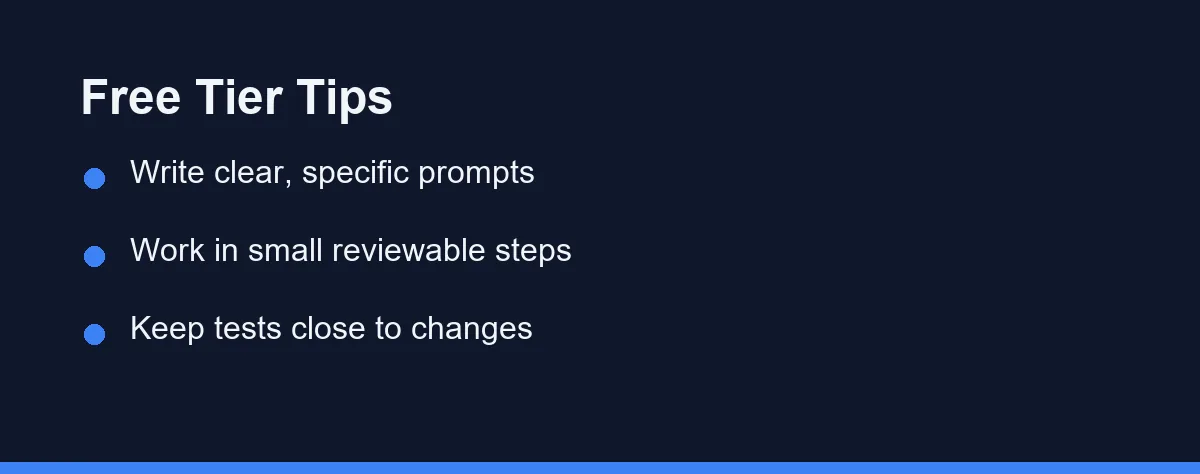
A few habits stretch a free tier much further. They also produce better results from any AI coding tool.
Write clear, specific prompts. Instead of “fix this,” name the function, file, or behavior you want changed.
Work in small, reviewable steps. Ask for one change, check the result, then continue, which keeps free requests focused.
Keep your tests close. When you request an edit, ask for matching test updates in the same prompt to save round trips.
Lean on autocomplete for routine code. Save your limited heavy requests for the tricky parts that truly need them.
Why Free Tools Disappoint People
A few simple errors cause most disappointment with free tools. They are easy to sidestep once you know them.
Do not paste secrets or sensitive data into any free assistant. Treat free cloud tools as you would a public service.
Do not expect a free tier to act like a full paid agent. Free plans favor suggestions over large autonomous changes.
Do not skip the docs. Each tool has quirks, and a quick read of the official guide saves hours of confusion.
Finally, do not judge a tool by one bad prompt. Clear instructions change the quality of results dramatically.
Which Free Tier Fits You
A student on a laptop with no budget. Start with a broad free tier such as Codeium or the free GitHub Copilot plan. Check first whether your school email unlocks student access, which usually beats any general free tier.
A hobbyist shipping weekend projects. Cursor’s free tier gives you the whole AI-first editor without payment. A slower request pool rarely bites when you code a few hours a week.
A developer under a strict privacy policy. Run Ollama with an open-weight code model, or point Continue at a model you control. Nothing leaves your machine, which removes the policy question instead of answering it.
Someone who only wants faster autocomplete. A lightweight editor plugin beats an agent here. Generous basic completion matters far more than multi-file reasoning you will never trigger.
A professional working full time in one large repository. Free tiers will frustrate you by the second week. Use them to compare tools honestly, then pay for the plan that handles repo-wide work.
Try Two, Keep the One That Fits
The best free AI coding tools in 2026 cover a remarkable amount of real work. You can get strong autocomplete, helpful explanations, and quick edits without paying anything.
For most developers, the smartest move is to try two free options for a week. Keep the one that fits your editor, your habits, and your privacy comfort.
If you later outgrow the free limits, an upgrade is there when you need it. Until then, these free tools give you a genuinely capable coding partner at no cost.
Paid tiers price the same work in two very different ways. We compare per-seat and usage-based pricing so the upgrade does not surprise you.
FAQ
Are free AI coding tools good enough for real projects?
Yes for many cases. Free tiers handle autocomplete, small edits, and learning well, though heavy daily users often hit usage limits.
Which free AI coding tool is best for beginners?
Tools with a familiar editor and clear free tier, like Cursor or GitHub Copilot's free plan, are gentle starting points for newcomers.
Do free AI coding tools keep my code private?
Policies differ by vendor. Always read the privacy and data-use terms, and avoid sending secrets or sensitive code on any free plan.
What happens when I hit the limit on a free AI coding plan?
Most vendors do not cut you off entirely. Free plans typically slow your requests, fall back to a smaller model, or pause premium features until the monthly window resets. Cursor splits fast and slower request pools on its free tier, while Codeium has built its reputation on generous basic completion. Check each product's current limits on the official site, since these caps move often.
Can I run a free AI coding assistant fully offline?
Yes, with a local runtime such as Ollama paired with an open-source extension like Continue. Everything stays on your machine, so there are no request caps and no code leaves your laptop. The trade-off is hardware, because a useful code model wants a modern GPU or a good amount of memory. Expect slower answers and weaker results than a hosted frontier model on complex tasks.
Sources
- GitHub Copilot plans — checked 2026-09-07
- Cursor pricing — checked 2026-09-07
- GitHub Copilot documentation — checked 2026-09-07
Some links may be affiliate links. We may earn a commission at no extra cost to you.
This article was written with AI assistance. It is researched and fact-checked, not based on personal hands-on testing unless explicitly stated.
Comments
Post a Comment