Best AI for JavaScript Coding in 2026: Copilot, Cursor, Claude Code

React Front Ends, Node Back Ends
JavaScript sits at the center of modern software, from React front ends to Node.js back ends. Picking the right AI coding assistant can change how fast you ship.
In 2026, the field is crowded but three names stand out. GitHub Copilot, Cursor, and Claude Code each take a different approach to helping you write JavaScript.
This guide compares them in plain terms. You will see how each one works, where it excels, and which fits your daily workflow.
The goal is simple. By the end, you should know which assistant to try first for your JavaScript projects.
Pick One in Thirty Seconds
If you want the fastest path, here is the short version before the details.
Choose GitHub Copilot if you want lightweight autocomplete that lives inside your existing editor with almost no setup.
Choose Cursor if you want an AI-first editor that understands your whole project and handles bigger edits inside a familiar VS Code layout.
Choose Claude Code if you prefer a terminal agent that can plan and change many files across a JavaScript repository at once.
Many developers combine two of these tools, and the table further down shows exactly where each one is strongest.
What Makes a Great JavaScript Assistant
JavaScript has traits that stress an AI assistant in specific ways. A strong tool should handle all of them well.
The ecosystem moves fast. New framework versions, build tools, and package APIs appear often, so the assistant needs current, accurate suggestions.
Projects span many files. A single feature can touch components, hooks, utilities, and tests, so cross-file awareness matters a great deal.
TypeScript is now common. Good type inference and accurate generics support separate the strongest tools from the weakest ones.
Tooling is dense. ESLint, Prettier, Jest, and bundlers all shape the code, so an assistant that respects your config saves real time.
What Is GitHub Copilot?
GitHub Copilot is an AI pair programmer that plugs into editors like VS Code and JetBrains IDEs. It is one of the most widely used assistants for JavaScript.
Its core strength is inline completion. As you type, it suggests the next line, block, or function, which keeps everyday coding fast and fluid.
Copilot also offers a chat panel for questions and edits. You can ask it to explain a function, write a test, or fix a bug without leaving the editor.
For JavaScript, this means quick help with React components, array methods, and async code. You can learn more at the GitHub Copilot site.
Cursor in Plain Terms
Cursor is an AI-first code editor built on the VS Code foundation. If you know VS Code, the interface will feel familiar at once.
Where Cursor stands out is project awareness. It can index your codebase, pull in related files, and make larger multi-file edits inside the editor.
It blends fast autocomplete with a powerful chat and edit mode. You can highlight a block, ask for a change, and watch it apply directly in the file.
For JavaScript and TypeScript, this makes refactors and feature work smooth. Check the Cursor website for current capabilities and plan details.
Claude Code, the Terminal Agent
Claude Code is a command-line coding agent from Anthropic. You run it in your terminal, point it at a project, and describe the task in plain English.
It reads your files, proposes a plan, and edits many files in one coordinated pass. Because it lives in the terminal, it fits shells, scripts, and CI pipelines.
For a JavaScript monorepo, this is a real advantage. It can rename a shared utility, update every import, and adjust the tests together.
You review changes as diffs rather than inline edits. See the Claude Code documentation for setup and details.
Feature Comparison for JavaScript
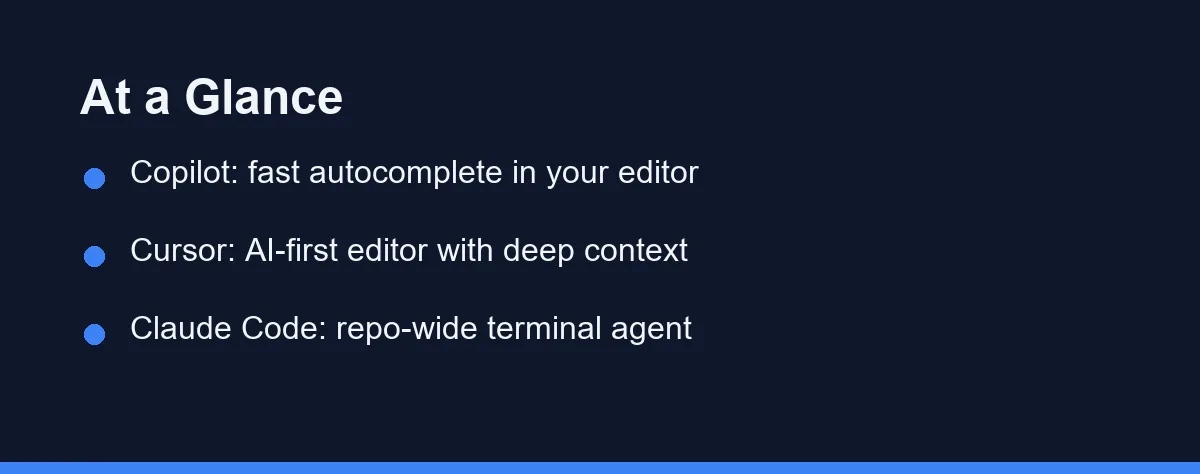
The table below summarizes the practical differences for JavaScript work. Use it to match a tool to your habits.
| Feature | GitHub Copilot | Cursor | Claude Code |
|---|---|---|---|
| Form factor | Editor extension | AI-first editor | Terminal / CLI agent |
| Best at | Inline autocomplete | Project-aware edits | Multi-file, repo-wide changes |
| JavaScript fit | Fast everyday coding | Refactors and features | Large structural work |
| TypeScript support | Strong | Strong | Strong |
| File context | Open and nearby files | Indexed codebase | Whole repo on demand |
| Running commands | Through the IDE terminal | Built-in terminal | Built in, runs tasks and tests |
| Learning curve | Very low | Easy for VS Code users | Comfortable in the terminal |
| Workflow fit | Day-to-day editing | Interactive plus bigger edits | Automation, CI, refactors |
The pattern is clear from the table. Copilot favors speed, Cursor favors editor depth, and Claude Code favors reach across the repository.
None of these is strictly better. The right pick depends on whether you live in the editor or the terminal.
How They Handle Common JavaScript Tasks

Each tool feels different depending on the task in front of you. Here is how they compare on common JavaScript work.
For autocomplete and small inline fixes, Copilot and Cursor both feel fast. Suggestions appear as you type, which keeps short edits quick and natural.
For React components, all three can scaffold a component, add hooks, and wire up props. Cursor and Claude Code do better when the change spans several files.
For Node.js and Express APIs, the assistants can generate routes, controllers, and validation. Claude Code is handy when an API change ripples across many modules.
For tests, Copilot is quick for a single Jest file. Cursor and Claude Code can generate and connect tests across multiple modules at once.
For refactors, a terminal agent like Claude Code has a clear edge. Renaming a function used across the codebase benefits from a tool that reads and edits the whole project.
Framework Fit: React, Next.js, Vue, Svelte, and Node
JavaScript is not one target. The framework you use changes which assistant feels strongest, because each framework stresses a different part of the tool.
React work is mostly component-shaped, so inline suggestion quality matters most. Copilot and Cursor both handle hooks, props, and event handlers comfortably here.
Next.js is the harder case. The App Router, server components, and route handlers changed the idioms substantially, and assistants trained on older material still drift toward Pages Router patterns.
Vue and Svelte have smaller training footprints than React. Suggestions are usually correct for common patterns but thinner on newer syntax, so review matters more.
Node.js and API work spans many files at once. This is where a repo-wide agent such as Claude Code pulls ahead of pure autocomplete.
| Framework or runtime | What stresses the assistant | Strongest fit |
|---|---|---|
| React | Hook rules, prop drilling, component splits | Copilot or Cursor |
| Next.js (App Router) | Server vs client boundaries, newer idioms | Cursor, with review |
| Vue / Svelte | Smaller training footprint, newer syntax | Cursor or Copilot, verify output |
| Node.js / Express | Cross-file routes, middleware, config | Claude Code |
| Monorepo (pnpm, Turborepo) | Workspace-wide imports and shared types | Claude Code |
The takeaway is not that one tool wins. It is that autocomplete quality decides React work, while cross-file reach decides Node and monorepo work.
Where AI Assistants Get JavaScript Wrong
Every assistant makes the same categories of mistake in JavaScript. Knowing them is worth more than another feature list.
Stale framework APIs. Models learn from a snapshot of the web, and JavaScript moves faster than that snapshot. Expect occasional suggestions built on last-generation patterns, and check them against current framework documentation.
Package names that do not exist. Assistants sometimes import a plausible-sounding npm package that was never published. Always confirm a suggested dependency on npm before installing it, since attackers have registered fake names to catch exactly this mistake.
ESM and CommonJS confusion. A tool may emit require() in an ESM project or import in a CommonJS one. This is the single most common build break after accepting a large suggestion.
Silently swallowed async errors. Generated async functions often skip rejection handling. Read every generated try/catch before trusting it in a request path.
Config that does not match yours. Suggestions may ignore your ESLint rules, path aliases, or tsconfig strictness. Cursor and Claude Code do better here because they read more of the project.
None of this makes the tools unsafe. It means the review step is part of the workflow, not an optional extra.
A practical safeguard is to let the assistant write the tests alongside the code. Our guide to the best AI tools for writing unit tests covers how that works with Jest and Vitest.
React Failures Worth Reviewing For By Habit
The categories above apply to any JavaScript. React adds its own set, and four repeat often enough to check for without thinking about it.
Reinventing hooks you already have. Without project context a tool writes a fresh data-fetching hook when your codebase already ships one. That grows duplication quietly, and it is exactly the failure a project-aware assistant is supposed to prevent.
Server and client confusion. In the App Router, mixing server-only code into a client component, or dropping a directive, produces real bugs. This is where these tools go wrong most often, so read Next.js output against the current framework docs rather than against your memory of them.
Shaky dependency arrays. Assistants leave a dependency out of a hook or add too many, which gives you stale values or extra renders. Check the array yourself; a completion is not evidence.
Markup that renders but does not read. Generated JSX nests wrappers it does not need and skips the label or key that makes a list usable. Treat accessibility and structure as your edit, not the model’s.
Telling the Assistant What Your Project Already Has
Most of the React failures above come from missing context, so the fix is to supply it rather than to switch tools.
Name the shared hook or provider you expect the component to use before you ask for the component. State the React version and the router in the same breath, because a single clause such as “React 19, App Router, this is a client component” removes the largest source of wrong suggestions.
Point at a file you want the new work to resemble. These tools match style far better from an example in your own codebase than from an adjective like “clean” or “idiomatic”.
Keep a short conventions note in the repository as well. Rules about state placement, folder layout, and styling give a project-aware tool something concrete to follow on every request, which is the difference between Cursor and Claude Code being useful here and merely being fast.
TypeScript: What Changes
Most serious JavaScript projects are now TypeScript projects, and that shifts what “good” looks like.
All three tools generate typed code well for ordinary cases. Interfaces, props, and simple generics rarely cause trouble.
The difference appears with inference across files. A tool that can only see open files will often invent a type that already exists elsewhere in your project.
That favors Cursor’s indexed codebase and Claude Code’s whole-repo reads. Both are more likely to reuse your existing types than to duplicate them.
If your tsconfig is strict, expect to tighten generated code by hand. Assistants tend to produce code that compiles under loose settings first.
Setup and Workflow Example
Getting started with each tool takes only a few minutes. Copilot and Cursor install as editor tools, while Claude Code installs from the terminal.
A typical Claude Code session for a JavaScript project looks like this:
# Install the CLI, then start it inside your JavaScript project
npm install -g @anthropic-ai/claude-code
cd my-react-app
claude

# Then describe the task in plain English, for example:
# "Convert the UserCard component to TypeScript and update its tests."
Cursor and Copilot follow a different rhythm. You open the project in the editor, then use a shortcut to trigger an edit or open the chat panel.
The core difference is location. Copilot and Cursor work from the editor inward, while Claude Code works from the terminal outward.
Budgeting for Copilot, Cursor, and Claude Code
All three tools use paid plans, and pricing can change, so always confirm the current numbers on the official pages.
GitHub Copilot offers individual and team plans, often with a trial. It is usually the lightest commitment for a single developer.
Cursor provides a free tier plus paid subscriptions with higher limits and stronger models. Heavier users tend to get more from the paid plan.
Claude Code is available through Anthropic plans and usage-based access. Match the plan to how often you code, since daily users gain the most value.
Where Each JavaScript Pick Slips
Every tool involves trade-offs. Here is a balanced view for JavaScript developers.
GitHub Copilot is fast and familiar with almost no setup. The trade-off is that it leans on open files, so large refactors feel less coordinated.
Cursor brings deep project awareness into a friendly editor. The trade-off is that switching editors takes adjustment if you are loyal to your current one.
Claude Code reaches across the whole repository and fits automation. The trade-off is the terminal-first style, which suits some developers more than others.
These differences are about fit, not quality. Each tool is strong in the niche it was designed for.
Which Assistant Fits Your JavaScript Work

If your work is mostly interactive editing, Copilot or Cursor will feel natural. Copilot is lighter, while Cursor offers more project context.
If you automate tasks, manage large repositories, or live in the terminal, Claude Code will feel more powerful. It handles the heavy structural work well.
For a category overview, see our guide to the best AI coding assistants in 2026. If Python is also part of your stack, read our best AI coding assistant for Python guide.
The honest answer is that many developers use two of these together. The next section shows how that pairing works.
Using Two Tools Together
You do not have to pick only one assistant. A common setup pairs them by strength for JavaScript work.
You keep Copilot or Cursor open as your main editor for writing code and quick inline edits. The familiar layout keeps everyday tasks fast.
When a job grows large, you switch to the terminal and call Claude Code. It handles the repo-wide change, runs the tests, and reports back.
Then you return to your editor to review and polish. This split plays to each tool’s design without forcing a single compromise.
Start Where You Already Spend Time
The best AI coding assistant for JavaScript depends on where you spend your time. Copilot and Cursor bring AI into your editor, while Claude Code brings an agent into your terminal.
For most JavaScript developers, the smartest move is to try the tool that matches your daily habits. Start with the one that fits your editor or terminal preference.
Then consider pairing two of them. A fast in-editor assistant plus a terminal agent covers both small daily edits and heavier structural work with ease.
FAQ
What is the best AI coding assistant for JavaScript?
For most JavaScript developers, Cursor and GitHub Copilot lead for in-editor speed, while Claude Code shines for larger, multi-file work across a project.
Can I use more than one AI coding assistant together?
Yes. Many developers keep Copilot or Cursor in the editor for autocomplete and call Claude Code in the terminal for bigger repository-wide changes.
Are these tools reliable for React and Next.js?
They handle React well. Next.js App Router code needs more review, because assistants often fall back to older Pages Router patterns learned from earlier material.
What if the assistant suggests an npm package that does not exist?
Check the package on npm before installing it. Assistants occasionally import a plausible name that was never published, and fake packages have been registered to catch that mistake.
Which assistant handles a JavaScript monorepo best?
Cursor and Claude Code are the safer picks, because both read beyond the open file and are more likely to reuse types and imports that already exist in your workspace.
Which AI assistant is best for React and Next.js specifically?
The project-aware tools have the edge, because most React mistakes come from missing context rather than weak models. Whichever you pick, state your React version and router in the prompt and point at an existing file to match, then review hook dependency arrays and any server or client directive before merging.
Sources
- GitHub Copilot plans — checked 2026-09-07
- Cursor pricing — checked 2026-09-07
- Anthropic pricing (Claude Code) — checked 2026-09-07
Some links may be affiliate links. We may earn a commission at no extra cost to you.
This article was written with AI assistance. It is researched and fact-checked, not based on personal hands-on testing unless explicitly stated.
Comments
Post a Comment