Using an AI Coding Assistant for Legacy Code and Safe Refactoring
Inheriting Fifteen Years of Undocumented Service
Buy comprehension first and change second. If you just inherited an undocumented service, spend week one asking questions rather than editing files. Generate a module map and a call graph before touching a line. The expensive mistake in legacy work is a confident change to code nobody understands yet.
Inheriting a fifteen-year-old service is a different job from starting a new one. Nothing is documented, the original authors left, and a function called processOrder is nine hundred lines long.
AI coding assistants are genuinely good at part of this problem and genuinely dangerous at another part. Knowing which half you are in decides whether the tool saves a month or causes an outage.
This guide splits legacy work into three stages, understanding, protecting, and changing. It names where GitHub Copilot, Cursor, Claude Code, and Amazon Q Developer help, and it is equally specific about where they should be kept away from the keyboard.
Heavy on Comprehension, Careful on Change
Use AI heavily for comprehension. Asking a repository-aware assistant to explain a module, trace a call path, or summarize a class hierarchy is fast and low-risk.
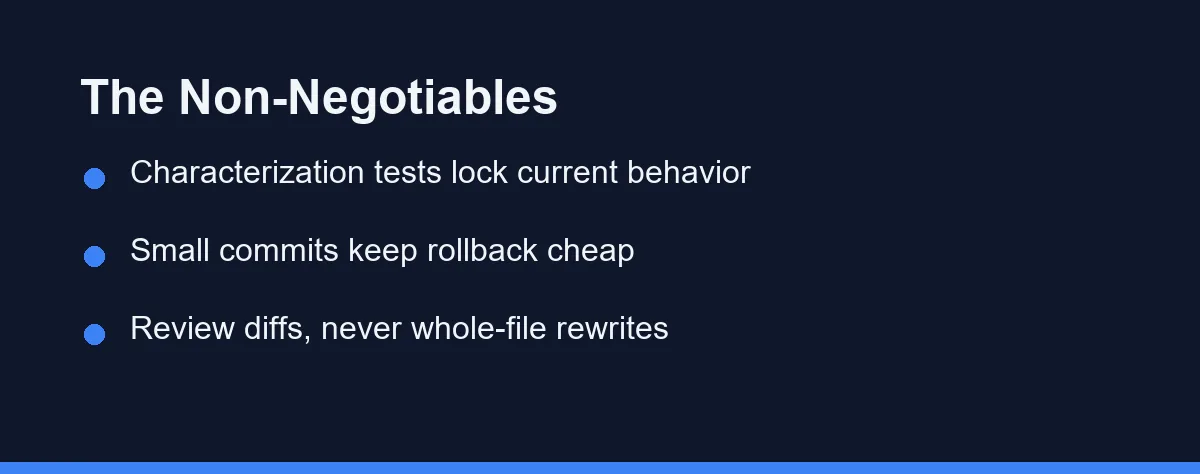
Use it moderately for test generation. Characterization tests that lock in current behavior are the safety net that makes everything afterward possible.
Use it cautiously for the refactor itself. Small, reviewable, single-purpose passes work. Large rewrites in one shot are where legacy projects go wrong.
Four Capabilities That Separate the Useful Ones
Not every assistant suits old code. Four capabilities separate the useful ones.
Repository-wide context. Legacy problems are rarely contained in one file. A tool that indexes the project, as Cursor and Claude Code do, answers questions an autocomplete extension cannot.
Diff-first output. You want proposed changes as reviewable diffs, not regenerated files. A whole-file rewrite hides the three lines that actually changed behavior.
Test generation quality. The assistant will spend more time writing tests than writing production code on a legacy project, so weak test output undermines the whole approach.
Language and framework coverage. Support for older stacks varies. Models have absorbed plenty of public COBOL, Delphi, and legacy Java, but idiomatic quality drops compared with modern TypeScript or Python.
Stage One: Understanding Code Nobody Wrote Down
Comprehension is where AI earns its subscription on a legacy project. The task is bounded, the output is checkable, and mistakes are cheap because you have changed nothing yet.
Useful prompts stay concrete. Ask for a plain-language summary of a module, a list of external side effects in a function, or a map of which callers depend on a given method.
Claude Code and Cursor handle this better than pure completion tools, because both can read across files while answering. GitHub Copilot Chat does well within a file and improves when you open the relevant neighbors first.
One rule keeps this honest. Every explanation is a hypothesis, not a fact. Confirm it against tests, logs, or the commit that introduced the line before you rely on it.
Stage Two: Build the Safety Net
Legacy code has behavior that nobody intended but customers now depend on. Refactoring without capturing that behavior is how a cleanup becomes an incident, so know how to undo AI assistant changes safely before you accept a large edit.
Characterization tests solve this. Rather than testing what the code should do, they record what it currently does, quirks included.
# Characterization test: lock in today's behavior, bugs and all.
def test_discount_rounds_down_on_half_cent():
    # The legacy engine truncates instead of rounding. Odd, but shipped.
    assert calculate_discount(order_total=19.995, rate=0.10) == 1.99


def test_empty_cart_returns_zero_not_error():
    # A rewrite that raised here would break the checkout page.
    assert calculate_discount(order_total=0, rate=0.10) == 0
This is a strong AI task. Ask the assistant to enumerate edge cases for a function, generate tests for each, then run them and keep only the ones that pass against the current code. Failing tests are either bugs or misunderstandings, and both are worth investigating.
Coverage does not need to be complete. It needs to cover the paths you are about to touch. Our comparison of AI tools for writing unit tests goes deeper on generation quality.
Stage Three: Refactors That Survive Review
With tests in place, the refactor becomes a series of small, boring commits. That is the goal.
Extract one function, run the tests, commit. Rename one confusing variable across its scope, run the tests, commit again.
The assistant does the typing while you control the scope. That division is what keeps the work reviewable.
Agent modes in Cursor and Claude Code can chain several of these steps, which is efficient when the pattern is mechanical. It is risky when the pattern is not, because a plausible-looking change three files away may alter behavior your tests do not cover.
Keep each pass to one intent. Mixing a rename, a signature change, and a null-check addition into one diff makes review nearly impossible, and review is the last defense. Automated review tooling helps here too, as covered in our look at AI code review tools.
Where AI Actively Hurts
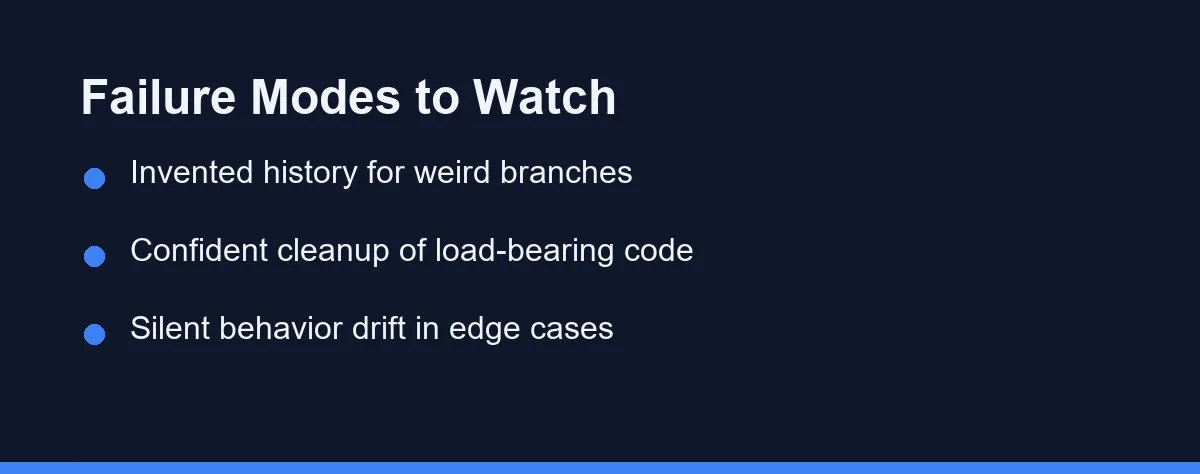
Three failure modes recur on legacy projects, and each is worth recognizing on sight.
Invented history. Asked why a strange condition exists, a model will produce a confident, plausible reason. It has no access to the 2014 incident that caused it. Version history does.
Confident cleanup of load-bearing code. Dead-looking code is sometimes reachable through reflection, a cron job, or a customer integration. Assistants remove such code cheerfully.
Silent behavior drift. A rewritten loop that handles an empty collection differently will pass a quick review and fail in production on the one input that matters.
The common thread is that all three look like success. Nothing errors, the diff reads well, and the problem surfaces later.
There is a fourth, subtler cost. An assistant that is fluent in modern idioms will steadily pull an old codebase toward a style the rest of the system does not share.
That sounds like an improvement until you count the review burden. A file written in three different eras is harder to reason about than a file that is consistently dated.
The fix is a rule rather than a tool setting. Match the surrounding code unless you are modernizing the whole module in one deliberate pass, and say which one you are doing in the commit message.
How Mainstream Assistants Fit Legacy Work
The table compares how mainstream assistants fit legacy work specifically, rather than general coding.
| Tool | Repo-wide context | Multi-file refactor | Legacy language help | Best used for |
|---|---|---|---|---|
| Cursor | Strong project indexing | Agent-driven, broad | Good on mainstream stacks | Coordinated structural passes |
| Claude Code | Terminal agent, reads project | Strong, plan-then-edit | Good, with careful review | Comprehension plus staged edits |
| GitHub Copilot | Good within open files | Possible with guidance | Broad language exposure | Inline edits and test drafting |
| Amazon Q Developer | AWS-oriented project view | Transformation-focused features | Notable for older Java estates | Framework and runtime upgrades |
| Tabnine | Configurable, self-hosted option | Narrower scope | Depends on your own codebase | Regulated code that cannot leave |
| JetBrains AI | IDE index plus refactoring tools | Works with native refactorings | Strong on JVM ecosystems | IntelliJ-based legacy Java work |
One row deserves emphasis. Amazon Q Developer markets code transformation features aimed at upgrading older Java applications, which is a narrower promise than general refactoring and a useful one if that is your estate.
What the Repository-Aware Tiers Cost
Figures below are approximate at the time of writing, and you should confirm current pricing on the official site before purchasing.
| Tool | Approximate individual cost | Notes |
|---|---|---|
| GitHub Copilot | Around $10 per month for Pro | Free tier with usage limits exists |
| Cursor | Around $20 per month for Pro | Higher tiers for heavier agent usage |
| Claude Code | Bundled with Claude paid plans, roughly $20 and up | Usage-based options also available |
| Amazon Q Developer | Free tier plus a Pro tier around $19 per user | Priced through AWS |
| Tabnine | Roughly $9 to $39 per user monthly | Self-hosted tiers quoted separately |
For a legacy project, the cost that matters is not the subscription. It is the engineering time saved on comprehension, which usually dwarfs a per-seat fee.
Which Assistant Fits Your Legacy Codebase
You just inherited an undocumented service: start with Claude Code or Cursor and spend the first week only asking questions. Generate a module map and a call graph before touching a line.
You are upgrading an old Java or .NET application: evaluate Amazon Q Developer’s transformation features alongside JetBrains AI. Framework migrations are mechanical enough that specialized tooling beats general chat.
Your legacy code is untested and business-critical: put every AI cycle into characterization tests first. Refactoring can wait a sprint. The tests are the actual deliverable.
You work in a regulated environment: Tabnine’s self-hosted option keeps old proprietary code inside your perimeter, which often matters more than raw suggestion quality on this kind of project.
You only need to fix one bug in old code: skip the refactor entirely. Use Copilot inline to understand the function, make the minimal change, and leave the cleanup for a project with budget behind it.
The Rewrite Trap and Its Cousins
Accepting a whole-file rewrite is the biggest one. The diff is unreviewable, so the change ships on trust rather than on evidence.
Refactoring and fixing at the same time is next. If a behavior change and a structure change land together, a later bisect cannot separate them.
Trusting an explanation of intent is third. Models describe what code does with reasonable accuracy and invent why it does it with total confidence.
Skipping the commit discipline is the quiet one. Frequent small commits are what make an AI-assisted refactor recoverable when something turns out wrong two weeks later.
A Division of Labor That Rewards Old Code
Legacy refactoring rewards a specific division of labor. The assistant reads, summarizes, and drafts tests at a speed no human matches. You decide what is safe to change.
Stage the work deliberately. Understand before you protect, protect before you change, and keep every change small enough to review in one sitting.
Old systems punish confidence more than they punish slowness. An AI assistant supplies plenty of the former, so the judgment has to come from you.
Refactoring shrinks a codebase, but assisted development quietly grows one at the same time. How to stop AI-generated code from bloating your codebase covers the review habits that stop the two from cancelling out.
The same reading problem greets every new hire on that codebase. Our guide to onboarding a developer to an unfamiliar codebase with AI turns the exploration phase above into a repeatable first week.
FAQ
Can an AI coding assistant understand a codebase it has never seen?
Reasonably well for explaining structure and naming what a function appears to do. Poorly for knowing why a strange branch exists. Treat every explanation as a hypothesis that you confirm against tests, logs, or version history before acting on it.
What should I do before letting AI refactor legacy code?
Characterization tests come first. Ask the assistant to generate tests that lock in current behavior, including the odd behavior, then refactor against that net. Without tests you are trading readable code for unknown regressions.
Which AI tools are best for multi-file refactors?
Repository-wide tools handle it better. Cursor and Claude Code are built around multi-file planning, while an autocomplete-first extension expects you to open the right files yourself. Scope still matters more than the tool, so keep each pass small.
Do AI assistants work with old languages like COBOL or Delphi?
Support is thinner but not absent. Models have seen public COBOL, Delphi, and Visual Basic code, so explanations are often useful while generated code needs closer review. Verify idioms against your own codebase rather than trusting the first suggestion.
When should I refuse an AI suggestion in legacy code?
When the change touches security boundaries, money handling, or undocumented business rules that only a colleague remembers. In those cases use the assistant to explain and summarize, then write the change yourself and have a human review it.
Sources
- Anthropic pricing — checked 2026-09-07
- Cursor pricing — checked 2026-09-07
- GitHub Copilot plans — checked 2026-09-07
Some links may be affiliate links. We may earn a commission at no extra cost to you.
This article was written with AI assistance. It is researched and fact-checked, not based on personal hands-on testing unless explicitly stated.
Comments
Post a Comment