Is Cursor Worth It for Solo Developers in 2026? An Honest Look

Alone, Every Tool Has to Earn Its Keep
When you code alone, every tool has to earn its keep. There is no team budget to absorb a bad pick and no colleague to cover a gap. The question with Cursor is therefore sharper than whether it is good. It is whether it pays off for a team of one.
Cursor is a standalone AI editor built on the VS Code base, with chat and editing woven throughout. That promise of a faster workflow is genuinely tempting when you wear every hat on a project.
But capability and value are not the same thing. A tool can be impressive and still fail to move your work forward.
This guide assesses Cursor specifically for solo developers as of mid-2026. It covers where it genuinely helps, where it can backfire, and how to try it without spending money. If you are weighing the whole category, our best AI coding assistants guide gives the wider view.
The Free Tier Makes the Risk Close to Zero
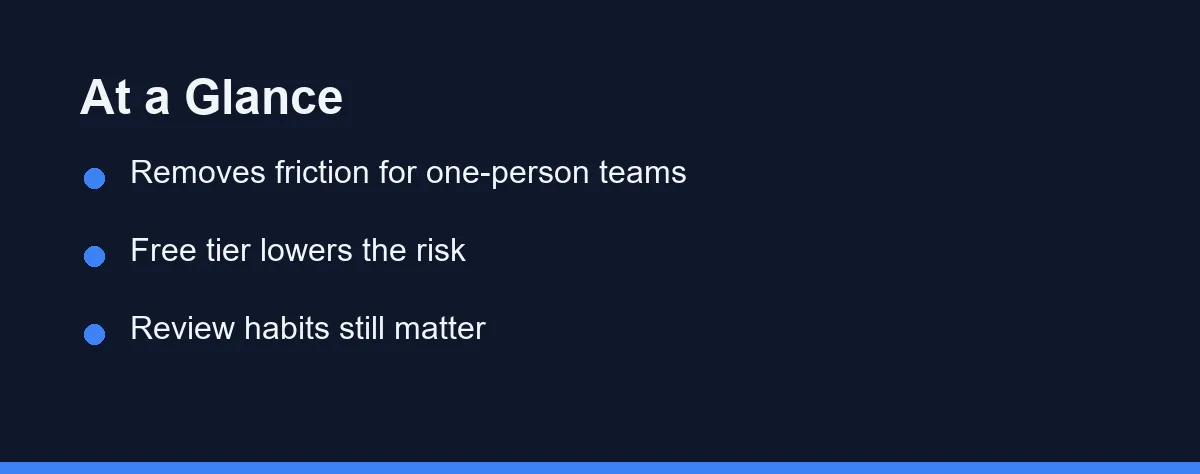
For most solo developers, Cursor is worth trying, largely because the free tier makes the risk close to zero. You can run it on your own projects and judge the value before paying anything. That test costs only a little time.
The value comes from removing friction. When you are the whole team, small delays add up fast. Cursor’s chat can explain unfamiliar code, draft boilerplate, and keep you moving when you would otherwise stall. If growing demand has you weighing an AI coding assistant against hiring a junior developer, that is a separate budget question worth its own look.
Also comparing Cursor to plugin-based assistants? Our GitHub Copilot vs Cursor guide covers that.
Solo Criteria Are Not Team Criteria
Evaluating Cursor as a solo developer differs from evaluating it inside a team. The criteria below reflect what actually matters when you answer to no one but yourself. Judge the tool against these rather than feature lists.
Context Across Your Whole Project
Cursor indexes your codebase so the AI can reference files beyond the open tab. For a solo developer juggling front end, back end, and config, that context saves constant tab switching. It is one of the biggest time savers.
Explaining Code You Half Remember
Working alone means revisiting old code with no teammate to ask. Cursor’s chat can summarize a function or explain a confusing block in plain language. This turns your own past work into something you can quickly re-read.
Friction and Setup
Because Cursor is built on VS Code, most extensions, themes, and keybindings carry over. Low setup friction means you spend time building, not configuring. A solo developer cannot afford a weekend lost to tooling.
The Overreliance Risk
The biggest cost is not money. Accepting changes you do not understand creates bugs that only you will have to fix later. With no reviewer to catch mistakes, your own discipline is the safety net.
What Cursor Does Well for Solo Developers
Cursor shines at compressing the busywork that eats a solo developer’s day. It scaffolds files, recalls syntax, and drafts repetitive code so you can focus on the parts that need real thought. Momentum matters when you are the only one shipping.
The chat acts like a patient collaborator you do not have. You can paste an error and ask what it means, or highlight code and ask why it behaves oddly. The answer arrives in the context of your actual project.
Its codebase awareness also helps with the mental load of context switching. Instead of holding the whole architecture in your head, you can ask the editor about related files. That frees attention for the harder decisions.
Used this way, Cursor works like a junior teammate who never sleeps. It handles recall and routine edits, and you keep responsibility for direction and review. That division is where the value sits.
Where It Can Hurt
The same automation that saves time can bury you in code you do not fully grasp. If Cursor writes a module you never read closely, debugging it later is slow and lonely. There is no colleague to explain what past-you intended.
Suggestions are also confidently wrong at times. Without a second reviewer, subtle bugs can slip straight into your project. A solo developer pays the full cost of every unchecked change.
There is a dependency risk too. Leaning on the tool for everything can dull the instincts you need when it is unavailable or wrong. Unassisted fluency still matters, even for a team of one.
None of these risks are unique to Cursor, and all are manageable. They simply require rules that solo developers must set for themselves, since no process will impose them.
Cursor Weighed From a Solo Seat

The table below weighs Cursor’s main aspects specifically from a solo developer’s perspective. It is a judgment summary, not a benchmark.
| Aspect | Benefit for Solo Developers | Risk for Solo Developers |
|---|---|---|
| Codebase awareness | Less context switching | Trusting context blindly |
| Chat explanations | A collaborator you lack | Outsourcing all thinking |
| Inline edits | Faster routine changes | Accepting unread code |
| Free tier | Zero-cost evaluation | Limits during deep work |
| Boilerplate drafting | Skips repetitive setup | Skipping the learning it holds |
| Refactoring help | Cleaner code, faster | Large unread diffs to review |
| Model updates | Newer models on paid plans | Behavior shifts between versions |
The pattern is consistent across rows. Every benefit depends on active review, and every risk comes from passive use.
That makes the worth-it question mostly about you. The tool is capable; the variable is your discipline.
Run It on a Real Project for a Weekend

Start on the free tier and run it against a real project, not a toy example. A weekend of normal work tells you more than any feature list. The value shows up in how the workflow feels.
Before writing a line with it, set two rules. First, never accept a change you cannot explain to yourself. Second, attempt the tricky parts before letting the assistant weigh in. These habits capture most of the benefit while blocking most of the harm.
Schedule occasional unassisted sessions. Turning the AI off now and then keeps your instincts sharp for when it is wrong. Think of it as practicing without a safety net on purpose.
Upgrade to a paid plan only when you hit a real limit during genuine work. New to AI editors? Our Claude Code setup guide covers the same review-first habits.
Verdicts by Use Case
Solo developers are not all the same. Here are direct picks for the situations Cursor faces most often.
Best for a busy freelancer juggling projects: worth it. Context switching between client codebases is expensive, and Cursor’s codebase awareness cuts that cost. The time saved on recall alone tends to justify a paid plan once you work daily.
Best for a hobbyist or weekend coder: start free, stay free. The free tier covers occasional work comfortably. There is little reason to pay until your projects grow large enough to hit the usage limits.
Best for a beginner going solo: worth it, with guardrails. Cursor can teach through its explanations, but only if you read them. Set a strict review-before-accept rule so the tool builds your understanding instead of replacing it.
Best for a performance-sensitive or offline workflow: think twice. If you often work without reliable internet or need a lightweight setup, a cloud AI editor adds friction. A plainer editor with an optional assistant may fit better.
Best for someone happy in VS Code already: compare first. If your current setup works, adding Copilot may cost less disruption than switching editors. Weigh GitHub Copilot vs Cursor before you migrate everything.
Where the Free Limits Stop Being Enough
Cursor has typically offered a free tier with usage limits, then paid plans that raise those limits and unlock newer models. Exact quotas and plan names have changed several times and likely will again.
For solo developers, the practical takeaway is that evaluation costs nothing. The free tier lets you use the real product long enough to know whether it earns a place in your workflow.
The table below shows the rough shape of Cursor’s plans at the time of writing. Names and quotas shift often, so confirm current pricing on the official Cursor site before deciding.
| Plan | Approx. price | What you get | Solo fit |
|---|---|---|---|
| Free | $0 | Limited usage, core AI editing | Evaluation and light work |
| Pro | ~$20/mo | Higher limits, newer models | Daily solo development |
| Business | ~$40/mo per user | Team admin, added controls | Overkill for one person |
These figures are approximate and for orientation only, not a quote. For solo developers, the practical takeaway is that evaluation costs nothing. Start free, and move to Pro only when limits interrupt genuine work.
Worth It, With One Condition Attached
For most solo developers in 2026, Cursor is worth it, with one condition attached. Used actively, with a review-before-accept habit, it removes friction and lets a one-person team punch above its weight. Used passively, it manufactures code you will later struggle to maintain alone.
The free tier removes any financial argument against trying it. Run your real work through it, set your rules before you start, and watch whether your projects move forward without piling up hidden debt.
There is a simple signal to watch. If your output grows while your understanding shrinks, change your habits, not your tools. Get that balance right and Cursor becomes what a solo developer needs most, a tireless teammate that types fast and never complains.
FAQ
Is Cursor worth it for a solo developer?
For many solo developers, yes, because Cursor removes friction that slows a one-person team. The free tier makes it low risk to test, so you can judge the value on your own projects before paying.
Will Cursor design my whole project for me?
No. Cursor speeds up work you already understand, but it will not replace knowing your codebase and your goals. Solo developers who accept changes blindly tend to create bugs they later have to untangle alone.
Should a solo developer pay for Cursor right away?
Start on the free tier and use it on real tasks. Upgrade only when you hit a limit that blocks your daily work, not because a paid plan lists extra features you might use someday.
Is Cursor better than GitHub Copilot for solo work?
It depends on your habits. Cursor is a full AI editor, while GitHub Copilot adds AI to an editor you may already use. Solo developers who want deep codebase context often prefer Cursor, and those who like their current setup lean to Copilot.
What is the biggest downside of Cursor for a one-person team?
The main risk is overreliance. Accepting code you do not understand creates bugs only you can fix later, with no reviewer to catch them. Set a review-before-accept rule and the risk shrinks sharply.
Sources
- Cursor pricing — checked 2026-09-07
- GitHub Copilot plans — checked 2026-09-07
- Cursor documentation — checked 2026-09-07
Some links may be affiliate links. We may earn a commission at no extra cost to you.
This article was written with AI assistance. It is researched and fact-checked, not based on personal hands-on testing unless explicitly stated.
Comments
Post a Comment