How to Set Coding Standards an AI Assistant Will Actually Follow
The Pull Request That Looks Like Someone Else Wrote It
If you work alone, one short rules file is enough. Cover the stack and the folder structure, then add rules only when you catch yourself correcting the same thing twice. Teams need the file in the repository rather than in anyone’s settings, so the assistant reads the same rules everyone else follows. Rules the assistant cannot see are just opinions.
The code works, the tests pass, and it still feels foreign. Different error handling, a fresh utility that duplicates one three folders away, and imports arranged in an order nobody on the team uses.
This is the most common complaint about AI-assisted development once the novelty fades. The problem is rarely the model’s competence, and it is almost always missing context about how this particular codebase does things.
Assistants infer conventions from whatever they can see. When the visible slice of the repository is ambiguous, they fall back on the average of everything they were trained on, which is not your house style.
Rules the Model Can Follow, Not Values It Should Hold
A rule an assistant can follow has three properties. It names a specific situation, states one concrete behavior, and can be checked by reading the diff.
“Write clean, maintainable code” fails all three. “Use the existing Result type for anything that can fail rather than throwing” passes all three, and it will change what appears in the next suggestion.
The same distinction explains why teams get inconsistent results from the same tool. One team wrote down principles, the other wrote down patterns, and only the second team gets code that matches the repository.
Reasons matter more than they look. A rule with a short justification survives edge cases, because the assistant can extend the intent rather than pattern-matching the letter of it.
Why Generated Code Drifts From House Style
Four forces pull generated code away from your conventions, and each has a different fix.
The first is limited visibility. An assistant reads a subset of the repository, so conventions expressed only in files it never opens are invisible. Our write-up on AI coding assistant data privacy and security covers which parts of a repository these tools read.
The second is training-data gravity. Popular patterns from public code appear whenever local context is thin, which is why generated code so often reaches for the most common library rather than the one you already depend on.
The third is staleness. Models suggest older API shapes when a library has changed, which is a known failure mode rather than a bug in your setup.
The fourth is prompt-level ambiguity. Asking for a feature without saying where it belongs invites the assistant to invent a structure, and the invented structure is rarely yours.
What Belongs in the File and What Does Not

Put in the things a newcomer would get wrong on their first day and could not deduce from reading two files.
Leave out anything a formatter already enforces. Spacing, quote style, and import order belong in tooling configuration, and spending rule-file space on them wastes the attention you need for architecture.
A workable file covers the stack and versions, the directory layout, the error-handling pattern, the testing convention, and a short list of forbidden moves. That is usually one page.
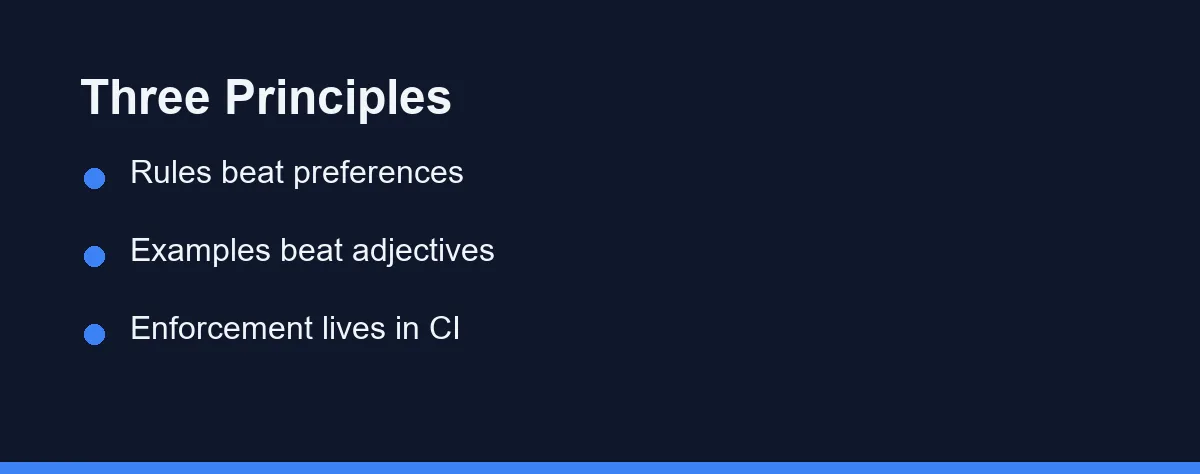
Show rather than describe. Two lines of the correct pattern communicate more than a paragraph about it, and the assistant reproduces examples far more reliably than adjectives.
## Conventions

- Errors: return `Result<T, AppError>`; never throw across module boundaries.
- Data access: repository functions in `src/db/`; no ORM calls inside route handlers.
- Tests: one file per module, `*.test.ts` alongside the source, no shared fixtures.
- Dates: always UTC internally; format only at the view layer.

## Do not

- Add a new dependency without asking.
- Introduce a second HTTP client; use `src/lib/http.ts`.
Keep the file in version control next to the code it governs. A convention document that lives in a wiki is a convention document nobody updates.
The File Each Tool Looks For
Every major assistant now reads standing instructions from the repository, and each looks in a different place. The mechanism is the same, so the work of writing the rules transfers even when the filename does not.
Claude Code reads a markdown file named CLAUDE.md, and it picks up files nested in subdirectories as it works in them. Cursor reads rule files stored under a .cursor directory, with an older single-file convention still supported in many projects.
GitHub Copilot reads repository custom instructions from a file inside the .github directory. A cross-tool convention named AGENTS.md has also gained support across several assistants, which helps teams whose developers do not all use the same product.
These names change. Confirm the current location in your tool’s official documentation before you spend an afternoon writing rules into a file nothing reads.
The practical approach is to keep one canonical conventions file and let the tool-specific file point at it. Duplicating the content across three files guarantees that two of them go stale.
Scope matters as much as location. Tools that support per-directory rules let a monorepo describe different conventions for the API and the front end, which is far more accurate than one global file pretending the whole repository agrees.
Four Mistakes That Make a Rules File Useless
Writing aspirations instead of instructions is the first. “Prioritize readability” gives the model nothing to act on, while “functions under forty lines, extract helpers into the same file” does.
Describing the codebase you want rather than the one you have is the second. If half the repository still throws exceptions, say so and say which direction new code should move, or the assistant will produce code that clashes with its neighbors.
Burying the important rules is the third. Put the prohibitions and the architectural decisions near the top, because attention thins out toward the end of a long file.
Letting the file duplicate the linter is the fourth. Every rule that tooling already enforces is a rule competing for space with something only a human could have explained.
Where the Rules Actually Get Enforced
A rules file influences generation. It does not gate anything, and confusing the two is how teams end up surprised.
| Mechanism | What it controls | When it acts | Blocks a merge |
|---|---|---|---|
| Rules file in the repo | What the assistant generates | While writing | No |
| Formatter and linter | Style and known anti-patterns | On save or commit | Yes, if wired to CI |
| Type checker | Interface and contract errors | On build | Yes |
| Test suite | Behavior against expectations | On run | Yes |
| Human or AI code review | Design, naming, intent | Before merge | Yes |
Read the table as a sequence rather than a menu. Each layer catches a different class of problem, and the rules file exists to reduce how much work the later layers have to do.
Teams that skip the enforcement layers and rely on instructions alone get inconsistent results within a week. Teams that wire the linter into continuous integration find the rules file needs to say much less.
Keeping the File Alive
Treat repeated corrections as bug reports against your rules. If you fix the same generated mistake twice, the file is missing a line.
Update it in the same pull request as the change. A convention that moved and a rules file that did not is worse than no file, because the assistant now argues with the codebase.
Prune as often as you add. Long files decay in a specific way, where the earliest rules get followed and later ones quietly stop mattering.
Read a generated diff occasionally with the file open beside it. That comparison shows which instructions are landing far faster than any discussion about them.
Which Approach Fits Your Team
The solo developer on a personal project: One short file covering stack and structure is enough. Skip the process ceremony and add rules only when you catch yourself repeating a correction.
A three to eight person product team: Keep a one-page file in the repository root, wire the formatter into continuous integration, and review the file at each release. This is where the payoff is largest, since the alternative is a review queue full of style comments.
A team on a large legacy codebase: Write per-directory rules if your tool supports scoped rule files, because a monolith rarely has one convention. Our guide to AI assistants for legacy refactoring covers the wider problem.
A regulated or security-sensitive environment: Put the prohibitions first and make them absolute, covering dependencies, secrets, logging, and data handling. Then enforce every one of them in continuous integration, because instructions are guidance and pipelines are policy.
A team where several people use different assistants: Maintain one canonical conventions file and reference it from whatever file each tool expects. Duplicated rules diverge, and the version each developer’s tool reads should never be a matter of chance.
Start With Five Rules, Not Fifty
Pick the five corrections you make most often in review and write those down first. That list is your real convention document, and it takes twenty minutes to produce.
Add the forbidden moves next, since prohibitions are shorter and more effective than positive instructions. Two clear things not to do outperform a page of aspiration.
Then leave it alone until something breaks. The file earns its length through evidence, not through an upfront attempt to describe everything the team believes.
Decide early whether the file ships with the repository, because that choice shapes what you write in it. Our take on whether to commit AI assistant config files covers the split between shared project rules and personal ones.
Once the file settles, the rest is prompt discipline, and our guide to writing effective prompts for AI coding assistants picks up where this leaves off.
Commit conventions are a standard like any other, and generators apply them more consistently than people do. We worked through the trade in whether to let an AI write your commit messages.
When the file exists and the assistant still ignores it, the cause is usually mechanical rather than editorial. Our breakdown of why an assistant ignores the rules file you wrote covers the path, length, and precedence checks that find it.
FAQ
Where do you put coding standards so an AI assistant reads them?
Most assistants read a plain markdown file in the repository and treat it as standing context for every request. Claude Code reads CLAUDE.md, Cursor reads rules files under a .cursor directory, and GitHub Copilot reads repository custom instructions. Check the current documentation for your tool, because the file names have changed more than once.
How long should an AI rules file be?
Keep it short enough that someone would actually read it, which in practice means roughly one page. Long rule files get partially ignored because they compete with the code itself for the model's attention, and the rules at the bottom are the ones that lose.
Is a rules file a replacement for a linter?
No, and treating it as one is the most expensive mistake here. A rules file shapes what gets generated, while linters, tests, and continuous integration decide what gets merged. You need both, and only the second one is enforcement.
Why does the AI keep ignoring my coding conventions?
Usually because the rule states a preference without a reason or an example. Models follow specific, checkable instructions far better than abstract principles, so replace "write clean code" with the exact pattern you want and one line explaining why.
How often should a team update its AI coding rules?
Review it whenever a convention changes and whenever you find yourself correcting the same generated mistake twice. A rules file that nobody has touched in six months is usually describing a codebase that no longer exists.
Some links may be affiliate links. We may earn a commission at no extra cost to you.
This article was written with AI assistance. It is researched and fact-checked, not based on personal hands-on testing unless explicitly stated.
Comments
Post a Comment