Is GitHub Copilot Worth It for Freelance Developers?
Introduction
Freelancers buy tools differently than salaried engineers do. When you bill by the hour or by the project, every subscription competes directly with your own margin. A tool either earns its keep or it quietly eats your profit.
GitHub Copilot sits right in that tension. It promises faster coding, but you are the one paying for it and the one absorbing any wasted time. Nobody expenses it for you.
This guide skips the generic overview and looks only at the freelancer’s economics. It weighs billable hours, unpredictable client stacks, solo accountability, and the return on a monthly plan. The goal is a clear buy-or-skip decision, not hype.
Quick Answer

For most active freelancers, Copilot is worth it, because the math is forgiving. If your effective rate is healthy, recovering even one hour a month covers the subscription several times over. The bar it has to clear is genuinely low.
The value is not universal, though. It depends on the stacks you work in, how much boilerplate your projects contain, and how disciplined you are about reviewing suggestions. A niche or exotic codebase changes the picture.
Comparing tools rather than deciding whether to adopt one? Our take on whether is Cursor worth it for solo developers covers the closest alternative for one-person shops.
What to Look For
Freelancers should judge an assistant against their business, not a feature checklist. The criteria below reflect what actually moves your bottom line. Weigh Copilot against these before you weigh it against rivals.
Return Per Billable Hour
Your rate is the whole equation. A tool that saves twenty minutes on a task you bill at a premium pays for itself almost instantly. Frame every feature as time recovered, then price that time at your own rate.
Breadth Across Unpredictable Stacks
Clients rarely let you pick the language. One month is a React frontend, the next is a legacy PHP or Python service. A tool that spans mainstream languages saves you from re-tooling on every contract.
Fit With Your Editor
You cannot force a client codebase into your favorite setup. Copilot lives inside VS Code, JetBrains IDEs, Neovim, and more, as shown on the official Copilot page. Broad editor support means less friction when you inherit someone else’s project.
Solo Accountability
No senior reviewer will catch a bad suggestion for you. When you ship, the bug is yours and the fix is unpaid. An assistant has to make review easy, not tempt you into blind acceptance.
Top Options
Copilot is not the only choice, and freelancers benefit from knowing the field. Each tool leans toward a different working style, and your project mix decides which one fits. Here is the short version of the main contenders.
GitHub Copilot is the broad generalist. It offers fast completions and chat across many editors and languages, which suits freelancers who switch stacks often. Its strength is coverage rather than deep autonomy.
Cursor is an AI-first editor built around larger, context-aware edits. It shines when you live in one codebase and want the tool to reason across many files at once. The trade-off is adopting a new editor.
Claude Code runs in the terminal and handles multi-step, agentic tasks with real autonomy. It appeals to freelancers comfortable at the command line who want bigger changes delegated. The learning curve is steeper than a simple autocomplete.
Codeium, now part of Windsurf, offers a capable free tier. For a budget-conscious freelancer, a free option is a legitimate baseline to test against paid tools before committing any money.
Feature Comparison
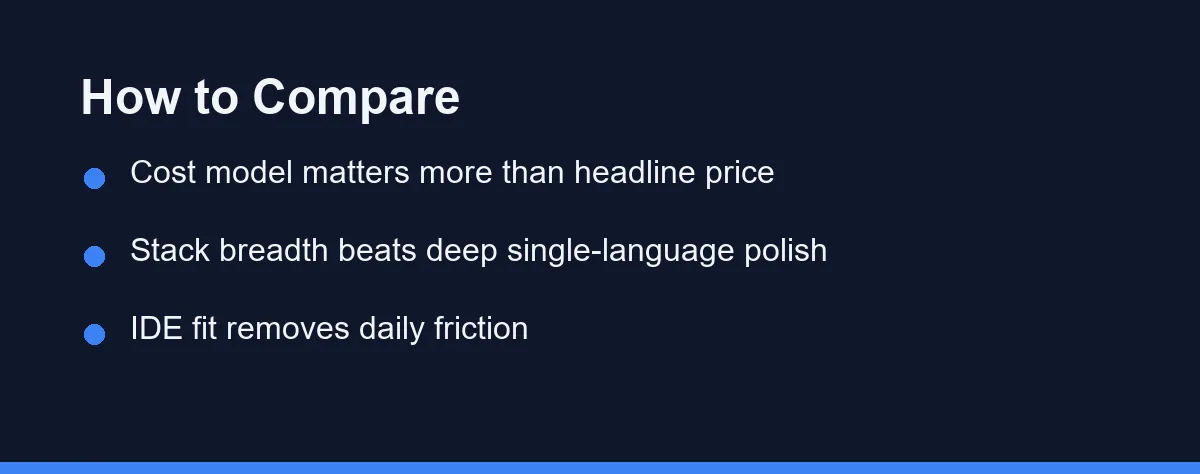
The table below compares four real tools on the factors freelancers care about. It is a judgment summary as of 2026, not a benchmark. Confirm current details on each vendor’s site before deciding.
| Factor | GitHub Copilot | Cursor | Claude Code | Codeium / Windsurf (free tier) |
|---|---|---|---|---|
| Cost model | Paid subscription, free tier | Paid subscription | Usage or subscription | Free tier available |
| Stack breadth | Very broad | Broad | Broad | Broad |
| IDE fit | Many editors | Own editor | Terminal-based | Many editors |
| Autonomy | Moderate | High | Very high | Moderate |
| Learning curve | Gentle | Moderate | Steeper | Gentle |
Read the table against your own workflow, not in the abstract. A freelancer who switches editors weekly weighs IDE fit heavily. Someone deep in one repo may care more about autonomy.
No single column wins for everyone. The right pick tracks your contracts, your habits, and your tolerance for change.
How to Choose

Start by estimating hours saved at your real rate. Track a normal work week and note where an assistant would trim time. Multiply those hours by your rate to get a concrete number to compare against any plan.
Match the tool to your typical contract. If you hop between languages and inherit strange editors, Copilot’s breadth is a strong default. If you stay inside one large codebase, a more autonomous tool may pay off better.
Trial before you commit. Copilot has offered a free tier and student access, and Codeium’s free tier costs nothing to try. Run each on real client work, not a toy demo, so the test reflects your actual billing.
Then decide on evidence, not vibes. Keep the tool if measured savings beat the price at your rate. Cancel quickly if they do not, and revisit later as your stack changes.
Pricing: What to Expect
Copilot’s pricing has generally included a free tier with caps, individual paid plans, and free access for verified students through GitHub Education. Exact limits and eligibility have shifted several times and likely will again. Confirm current pricing on the official site as of 2026.
For a freelancer, the useful frame is opportunity cost, not sticker price. The subscription only matters relative to your rate and the hours it recovers. A plan that looks pricey to a hobbyist is trivial against professional billing.
Look past the headline number to the cost model. A flat monthly fee is easy to forecast, while usage-based pricing can spike on heavy months. For a deeper breakdown, see our guide to GitHub Copilot pricing before you subscribe.
Common Mistakes to Avoid
The first mistake is judging the tool by price instead of return. A subscription that feels expensive can be trivial once you price your recovered hours. Freelancers who skip the rate math often skip real savings too.
The second is accepting suggestions you cannot explain. With no reviewer behind you, a plausible but wrong completion becomes an unpaid debugging session. Read every suggestion before it enters client code, and treat the assistant as a fast draft, not an authority.
The third is locking into one tool forever. Your next contract may use a stack where a different assistant shines. Re-evaluate each quarter, and let your actual projects, not habit, drive the choice.
The last mistake is never running the trials. Free tiers and student routes exist precisely so you can test before paying. Skipping them means guessing with your own money on the line.
Conclusion
For most working freelancers in 2026, Copilot clears its low bar comfortably. At a healthy rate, a single recovered hour outweighs the monthly cost, and its breadth suits the unpredictable stacks that freelancing throws at you. The economics usually favor keeping it.
The decision still belongs to your numbers, not a marketing page. Estimate hours saved at your rate, trial the free routes on real work, and keep only what the math justifies. Solo accountability means the review discipline is yours alone.
Treat any assistant as leverage on your time, priced against your rate. Get that framing right, and Copilot stops being a cost and becomes an investment that pays back in billable hours.
FAQ
Is GitHub Copilot worth the monthly cost for a freelancer?
For most working freelancers, yes, if your billable rate is healthy and your stack sits in mainstream languages. The subscription is small next to one recovered hour, so the payback math is usually quick. The real question is whether it fits your specific project mix, not whether it is generally good.
How does Copilot compare to Cursor or Claude Code for solo work?
Copilot is strongest as an in-editor autocomplete and chat layer across many IDEs and languages. Cursor and Claude Code lean toward larger, more autonomous edits across a whole codebase. Freelancers who bounce between unfamiliar stacks often value Copilot's broad, low-friction coverage.
How do I know if Copilot actually pays for itself?
Track your own numbers for two weeks. Note the tasks it speeds up, the ones it slows down, and the hours it plausibly saves. If saved time beats the subscription at your rate, keep it; if not, cancel without guilt.
Some links may be affiliate links. We may earn a commission at no extra cost to you.
This article was written with AI assistance. It is researched and fact-checked, not based on personal hands-on testing unless explicitly stated.


댓글
댓글 쓰기