AI Coding Assistant vs Traditional IDE Autocomplete: What Is the Difference?
One Knows, the Other Guesses
Both features finish your code, and both live in your editor, so it is easy to lump them together. They are not the same thing. One knows your code with certainty; the other makes an educated guess about what you mean.
Traditional IDE autocomplete has been around for decades. It suggests variable names, methods, and imports it can prove exist. An AI coding assistant is newer and bolder, predicting entire lines or blocks by reasoning over patterns rather than rules.
Confusing the two leads to misplaced trust and missed value. This guide separates them clearly, shows where each helps, and explains why you probably want both. It names real tools and makes no hands-on claims, describing the landscape as of the time of writing.
Keep One On, Add the Other
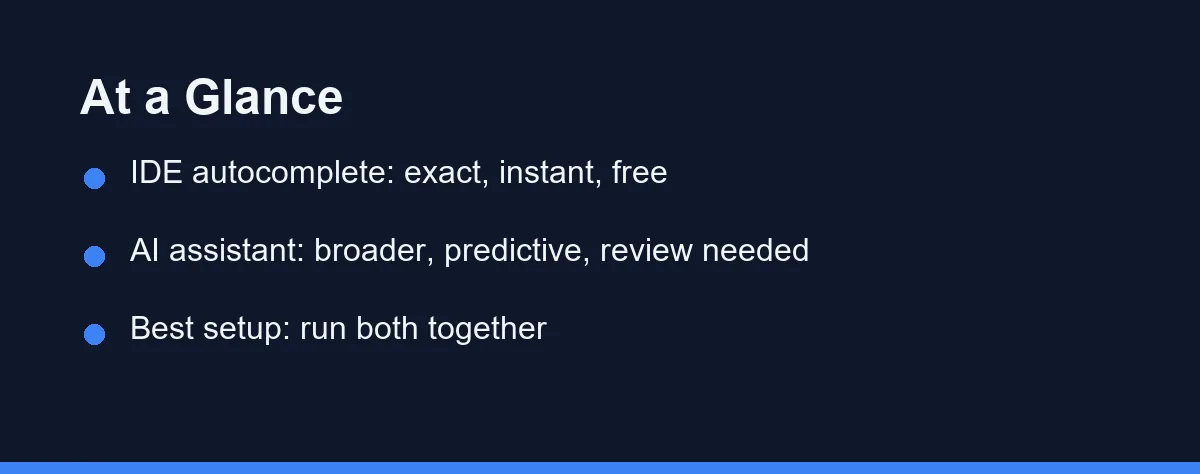
Keep traditional IDE autocomplete on for what it does perfectly: exact, instant suggestions for names and symbols your code already contains.
Add an AI coding assistant for what autocomplete cannot do: drafting whole lines, generating boilerplate, and reasoning about intent.
They are complements, not rivals. The strongest setup runs both, letting each handle the work it is built for.
Certainty, Scope, Quietness, and Cost
To see why these tools coexist, weigh them on the terms that actually differ. Four factors stand out.
The first is certainty. IDE autocomplete draws from your code and the language’s rules, so its symbol suggestions are essentially always correct. AI suggestions are predictions, which can be wrong. That single difference shapes how much you should review each.
The second is scope. Autocomplete finishes a name or a method call. An AI assistant can finish a thought, drafting a loop, a function, or a block. If you need more than a symbol, only the assistant can offer it.
The third is speed and quietness. Autocomplete is instant and unobtrusive, surfacing only what fits. AI suggestions take a moment to generate and appear more often, which some find helpful and others find busy. Your tolerance for suggestions matters here.
The fourth is cost. Autocomplete is built into your editor at no extra charge. AI assistants frequently need a subscription, though many offer free tiers. Budget can decide how much AI help you layer on top of the free baseline.
How Traditional IDE Autocomplete Works
Traditional autocomplete, sometimes called IntelliSense-style completion, has been a staple of editors for years. It analyzes your code, the language grammar, and available libraries to offer exact matches.
When you type a few letters, it lists variables, functions, methods, and imports that fit. Because these come from real symbols in scope, the suggestions are reliable. Accepting one will not invent something that does not exist.
Every major IDE ships this by default, from VS Code to the JetBrains family to Visual Studio. It is fast, quiet, and free, and it reduces typos and lookups without any setup.
Its limit is that it only knows what already exists. Autocomplete will not draft a new function or infer what you are trying to build. It completes; it does not create. For a comparison of AI tools inside a JetBrains context, our best AI coding assistants roundup covers the IDE-native option alongside the editor extensions.
How AI Coding Assistants Work
An AI coding assistant predicts code by reasoning over patterns learned from vast amounts of source. Instead of listing known symbols, it drafts what it thinks should come next.
That lets it go far beyond names. It can write a whole function from a comment, generate boilerplate, suggest a loop body, or propose a fix. Many assistants also add a chat panel for explanations and larger requests.
Tools in this space include GitHub Copilot, Cursor, Codeium, Tabnine, and terminal agents like Claude Code. They sit on top of your editor, adding a predictive layer above the exact one autocomplete already provides.
The trade-off is certainty. Because suggestions are predictions, they can be subtly wrong, so review is essential for anything with real logic. Used with that habit, an assistant handles work traditional completion never could. For language-specific picks, our guide to the best AI coding assistant for JavaScript digs deeper.
A Short History Worth Knowing
Understanding where each feature came from makes the difference between them clearer. They arrived from very different lineages.
Symbol autocomplete grew out of decades of editor engineering. Tools learned to parse code, track scope, and offer names that provably exist. The goal was accuracy and speed, and by now it is a solved, dependable part of every serious editor. You expect it to be right because it is built to be.
AI assistance is a recent arrival, born from advances in language models trained on huge amounts of code. Its aim is broader help: not just the next symbol, but the next idea. That ambition brings power and, with it, uncertainty, since prediction is not the same as proof.
Seeing the two histories side by side explains why they behave so differently. One was engineered for certainty within known code. The other was trained to generalize beyond it. Neither approach is a flaw; they simply answer different questions, which is exactly why keeping both makes sense.
Where Prediction and Proof Diverge
The table below lines up the two side by side.
| Aspect | AI coding assistant | IDE autocomplete |
|---|---|---|
| Basis | Predicts from patterns | Reads code and language rules |
| Accuracy | Usually good, can be wrong | Reliable for known symbols |
| Scope | Lines, blocks, functions | Names, methods, imports |
| Review needed | Yes, for logic | Rarely |
| Speed | Fast, generates on the fly | Instant |
| Cost | Often subscription, some free | Built in, free |
| Extra features | Chat, explanations, edits | Symbol lookup only |
| Best for | Drafting and reasoning | Exact completion |
Why You Want Both
Framing this as a choice misses the point. These two features occupy different layers of your editor, and running them together is the natural setup.
Autocomplete handles the certain, repetitive part. As you reference a variable or call a method, it completes the name instantly and correctly. You rarely think about it, which is exactly the point.
The AI assistant handles the creative, larger part. When you want a function drafted or a pattern filled in, it steps in with a prediction you then review. It reaches where autocomplete cannot.
The two do not conflict. Autocomplete keeps offering exact symbol matches while the assistant offers broader suggestions, and you accept whichever fits the moment. Most developers stop noticing the seam between them within a day.
There is also a learning benefit to running both. Autocomplete shows you the exact methods a library exposes, which quietly teaches an API as you type. The assistant, meanwhile, can explain an unfamiliar pattern in words. Together they cover both the what and the why of the code in front of you.
Free Baseline, Optional Paid Layer
Autocomplete costs nothing beyond your editor. AI assistants vary, so treat the figures below as approximate and confirm current pricing on the official site before subscribing. They reflect the market as of the time of writing.
| Option | Typical cost |
|---|---|
| IDE autocomplete | Free, built into the editor |
| AI assistant free tier | No cost, with limits |
| AI assistant paid | Roughly $10 to $20 per month |
| Team or business AI | Per-seat subscriptions |
Since autocomplete is already free and on by default, the only spending decision is how much AI help to add. Free tiers let you sample an assistant before paying, so you can judge whether the predictive layer earns a subscription. Match any paid plan to how often you code, and remember the baseline completion stays free either way.
Which Layer Fits Which Task
Whether you need the assistant, the built-in completion, or both depends on the task. Here are direct calls.
You want reliable symbol completion: trust IDE autocomplete. For names, methods, and imports that exist in your code, it is exact and instant, and it needs no review or subscription.
You want whole lines or functions drafted: use an AI assistant. Only the predictive layer can turn a comment or an intent into a block of code, which autocomplete was never built to do.
You are on a strict budget: start with autocomplete alone. It is free and capable for everyday typing, and you can add an AI free tier later when you want more than symbol help.
You are learning to code: run both. Autocomplete teaches you correct names and available methods, while an assistant can explain code and show examples that deepen your understanding.
You want maximum productivity: combine them and review AI output. Let autocomplete handle the certain parts and the assistant handle the creative parts, keeping a checking eye on anything with real logic.
Two Ways People Misuse the Pair
Two errors show up when people mix these tools.
Do not trust AI suggestions like autocomplete. Symbol completion is reliable, but AI predictions can be wrong, so review anything that carries logic before accepting it.
Do not disable built-in completion once you add an assistant. The two serve different needs, and turning off the exact layer just to run the predictive one throws away reliable, free help.
The Exact Layer and the Predictive One
AI coding assistants and traditional IDE autocomplete answer different questions. Autocomplete asks, what symbol are you reaching for, and answers with certainty. An assistant asks, what are you trying to build, and answers with a prediction.
Neither replaces the other. The exact layer keeps your typing fast and correct, while the predictive layer extends how much the editor can draft for you. Run both, review the AI output, and you get the best of a decades-old tool and a brand-new one working side by side.
Running both layers has a cost side once you leave the free tier. Per-seat vs usage-based pricing explains which model suits steady daily use.
FAQ
What is the difference between AI assistants and IDE autocomplete?
Traditional IDE autocomplete suggests names it already knows, like variables, methods, and imports, based on your code and language rules. An AI assistant predicts whole lines or blocks by reasoning over patterns. One completes symbols reliably; the other drafts code that still needs review.
Does an AI assistant replace IDE autocomplete?
No, they solve different problems and work well together. IDE autocomplete is exact and instant for known symbols, while an AI assistant handles larger, fuzzier suggestions. Most developers keep both on and let each do what it does best.
Which is more accurate?
IDE autocomplete is effectively always right about symbols, because it reads your code and language rules. AI suggestions are predictions, so they can be wrong and need review. Trust autocomplete for names; verify AI output for logic.
Do I have to pay for either one?
Traditional autocomplete is free and built into your editor already. AI assistants often need a subscription, though many have free tiers. You can start with the built-in completion and add an AI tool when you want more than symbol suggestions.
Which is better for beginners?
Beginners can lean on both. IDE autocomplete teaches correct names and available methods, while an AI assistant can explain code and draft examples. Keeping both on gives a helpful mix of reliable hints and broader guidance.
Some links may be affiliate links. We may earn a commission at no extra cost to you.
This article was written with AI assistance. It is researched and fact-checked, not based on personal hands-on testing unless explicitly stated.
Comments
Post a Comment