Before You Let an AI Assistant Run Shell Commands
The Approval Prompt Is The Last Real Boundary
Keep the prompt on and spend 10 minutes writing deny rules for the handful of commands you never want run. That beats a long allowlist for almost everyone. Broad approvals fail on compound commands and wrappers, and one saved rule can cover far more than the command you approved.
Agent modes changed what these tools do between prompts. The assistant no longer suggests a command for you to paste. It runs the command, reads the output, and decides what to run next.
That loop is why the approval prompt matters more than any model choice. Everything the assistant does to your machine passes through it.
The controls themselves are simple once you see the order they are evaluated in. The trouble is that the obvious setup, a growing list of allowed prefixes, leaks in ways that are easy to miss.
What Each Assistant Asks Before It Runs Anything
Both mainstream setups ask first by default, and both let you carve out exceptions.
Claude Code prompts for Bash commands except for a built-in read-only set. That set includes ls, cat, echo, pwd, head, tail, grep, find, wc, which, diff, stat, du, cd, and read-only forms of git. It is not configurable, so forcing a prompt for one of those means writing an ask or deny rule.
VS Code takes the same stance in agent mode. Its documentation states that the agent requests explicit user approval before executing terminal commands, with rule-based exceptions through the chat.tools.terminal.autoApprove setting.
The difference shows up after you click yes. Choosing the permanent option in Claude Code writes a rule into a settings file in your repository, which is why those files deserve a periodic read.
Allow, Ask, And Deny Do Not Balance Each Other
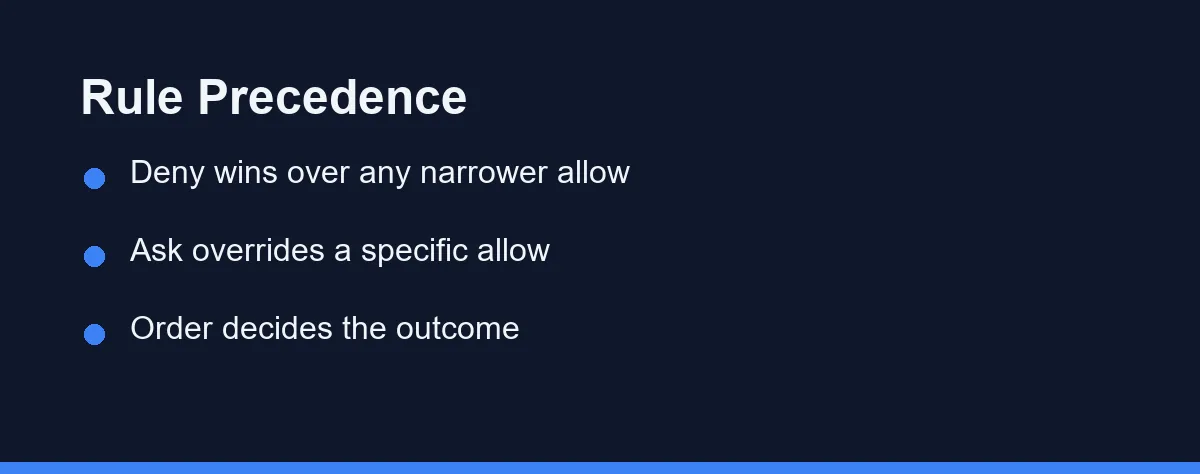
Three rule types exist, and they run in a fixed order: deny, then ask, then allow. The first match decides, and specificity never changes that order.
People discover the consequence the hard way. A broad deny rule such as Bash(aws *) blocks every matching call, including one that also matches a narrower allow rule like Bash(aws s3 ls).
Deny rules cannot carry exceptions. If you want most of a command family blocked but one form permitted, write the deny rule narrowly enough to leave that form uncovered.
The same precedence applies between ask and allow. A matching ask rule prompts even when a more specific allow rule exists, which makes ask a good speed bump for a command you do not want to ban.
Where Prefix Rules Quietly Fail
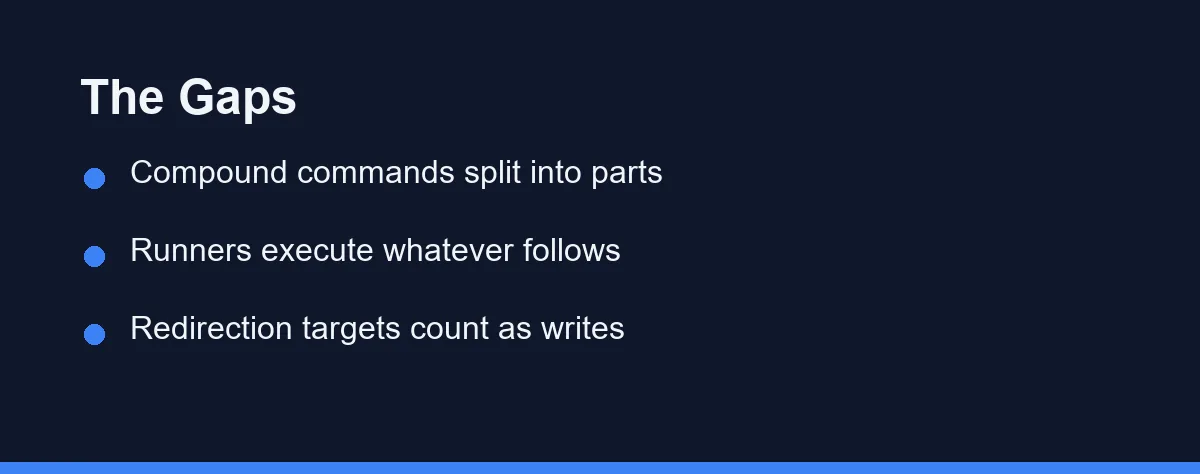
An allowlist looks like a boundary. It behaves like a pattern match, and patterns have edges.
Compound commands split apart. Claude Code recognizes shell separators such as &&, ||, ;, |, and newlines, then requires a rule for each subcommand. VS Code applies the same principle, requiring that all subcommands in a compound command match an approved rule.
Wrappers are stripped, but only a fixed list. A rule like Bash(npm test *) also matches timeout 30 npm test, because timeout, time, nice, nohup, and stdbuf count as recognized wrappers.
Environment runners sit outside that list. Tools such as devbox run, npx, and docker exec execute whatever follows them, so a rule like Bash(devbox run *) also matches devbox run rm -rf .. Name the runner and the inner command together instead.
Redirection counts as a write. The target of >, >>, or 2> is checked against your file rules, so allowing a command does not bless the file it writes.
Argument filters are the weakest form. A pattern meant to pin curl to one domain misses the variations a shell allows. Blocking network commands and routing fetches through a domain-scoped tool holds up better.
How The Pattern Matching Actually Works
Rule syntax rewards a few minutes of reading, because small punctuation choices change the scope.
A trailing wildcard with a space in front enforces a word boundary. Bash(ls *) matches ls -la but not lsof, while Bash(ls*) without the space matches both. That single space is the difference between a tight rule and one that catches commands you never considered.
Wildcards span arguments freely. A single * matches any run of characters including spaces, so Bash(git * main) covers git push origin main and git merge main alike. Write the narrowest pattern that still covers your daily work.
Deny rules behave differently depending on shape. A bare tool name removes the tool from the assistant context entirely, so the model never sees it, while a scoped rule such as Bash(rm *) leaves the tool available and blocks only matching calls. Removing a tool outright is the cleaner choice when nobody on the team should be using it.
There are also edges worth knowing before you trust a list. Approving one compound command can save up to five separate rules, one per subcommand that needed approval. Commands longer than 10,000 characters always prompt, since they exceed what the parser handles. PowerShell rules follow the same shape as Bash rules and split on the same kinds of separators.
The Two Setups Side By Side
This table compares the mainstream setups on the points that change how you configure them.
| Behavior | Claude Code | VS Code agent mode |
|---|---|---|
| Default for shell commands | Prompts, minus a read-only set | Requests explicit approval |
| Exception mechanism | Allow, ask, and deny rules | Auto-approve rules, including regex |
| Compound commands | Every subcommand needs a match | All subcommands must match |
| Where rules live | Settings files in repo and home | Workspace and user settings |
| Org-level control | Managed settings can lock modes | Policy can disable auto-approve |
| Known weak spot | Wrappers and runners outside the strip list | Aliases, quoting, complex syntax |
| Stronger alternative | Sandboxing the process | Agent sandboxing over rule lists |
Two lines in that table deserve attention. Both vendors describe their command parsing as best effort, and both point to sandboxing as the stronger control.
That is an unusually candid admission, and it should shape your setup. Treat rules as convenience, and treat the sandbox or container as the real boundary.
What a Working Rule Set Looks Like
Rules read better as a file than as prose. The shape below is deliberately boring: read-only commands run unattended, anything that writes asks first, and anything that reaches the network or deletes is refused outright.
{
  "permissions": {
    "allow": [
      "Bash(git status)",
      "Bash(git diff:*)",
      "Bash(npm test:*)",
      "Bash(ls:*)"
    ],
    "ask": [
      "Bash(git commit:*)",
      "Bash(npm install:*)"
    ],
    "deny": [
      "Bash(rm -rf:*)",
      "Bash(git push:*)",
      "Bash(curl:*)"
    ]
  }
}
Field names differ between tools, so treat this as the shape rather than as syntax to paste. The principle survives the differences: deny wins over ask, ask wins over allow, and a prefix rule only matches the start of the command line.
A Ten Minute Setup That Holds Up
Start from denial rather than permission. Most teams need to block very little, and blocking is where the leverage sits.
Write deny rules first for the commands you never want an agent to reach: force pushes, package publishes, infrastructure deletes, and anything that touches production credentials. A deny rule stays in force no matter what allow rules pile up later.
Add ask rules for the middle tier. Database migrations and dependency installs are fine to run, but you want to watch them happen.
Then let allow rules grow slowly out of real work. Approving npm test once in a session that saves the rule beats predicting a list in advance. Our notes on reviewing AI generated code apply to rules too, since a saved rule is a decision you inherit later.
Read the saved rules every few weeks. Anything you cannot explain should go, and our AI generated code security checklist covers the repository side of the same habit.
When Rules Stop Being Enough
Rules run on your side of the conversation, not the model side. The documentation is explicit that permission rules are enforced by the tool rather than by the model, and that instructions in a project guidance file shape what the assistant tries without changing what the tool permits.
That distinction matters when people try to solve permissions with prose. Writing never touch production into a project file is advice, not a boundary. It reduces attempts and prevents nothing.
Two mechanisms sit above rules. A pre-tool hook runs your own script before a tool call and can block it after inspecting the arguments, which handles cases patterns cannot express, such as validating a URL inside a command. A sandbox enforces limits at the operating system level, so even a script that opens files on its own stays inside the fence.
The layering is worth stating plainly. Prompts catch the obvious, rules encode the repetitive decisions, hooks handle the conditional ones, and the sandbox contains whatever slips past all three. Most solo developers stop at the first two, which is reasonable when the machine holds nothing irreplaceable.
Which Setup Fits Your Repository
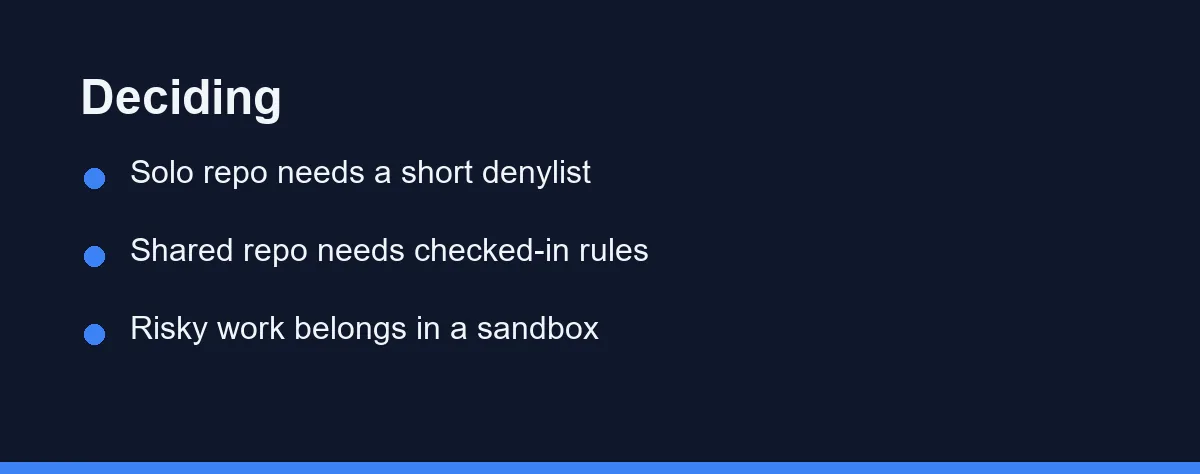
The solo developer on a personal project: Keep the default prompt, add four or five deny rules, and let allow rules accumulate. The friction stays low and the exposure stops at one machine.
The team sharing a repository: Check the rule file into version control so everyone inherits the same denylist. Treat changes to it as a review-worthy diff, because one broad allow rule silently applies to every teammate.
The engineer with production credentials on the same laptop: Rules are not enough here. Run the agent inside a container or a virtual machine, and keep cloud credentials out of that environment entirely.
The regulated or audited organization: Use managed settings that developers cannot override, and disable the modes that skip prompts. Central policy beats individual discipline when an auditor asks who approved what.
The person running long unattended sessions: Autonomy is the point, so buy it with isolation instead of permission breadth. A throwaway workspace holding no secrets lets you skip prompts without wondering what the agent reached.
Mistakes That Turn A Rule List Into Theater
A few patterns show up repeatedly once teams start writing rules.
Do not approve compound commands casually. The saved rule applies to that subcommand from then on, regardless of what precedes it later.
Do not use an allow rule to constrain arguments. Pattern matching around shell syntax fails in ways nobody can enumerate, which is why the documentation recommends deny rules plus a scoped fetch tool.
Do not leave credentials in the shell environment of a permissive session. Deny rules block commands, not the environment those commands inherit, and our guide to assistant data privacy covers what leaves the machine.
Do not read a quiet week as evidence that the setup works. Nothing tested the boundary until something tried to cross it.
Autonomy Is Cheap, Recovery Is Not
Permission rules buy convenience, and sandboxes buy safety. Mixing up which one you have is the mistake worth avoiding.
Keep prompts on, deny the small set of commands that could ruin a day, and put genuinely autonomous runs somewhere disposable. That setup survives compound commands, wrappers, and the next agent feature nobody has shipped yet.
Those 10 minutes are the cheapest insurance in the workflow. Skipping them feels free until the first command you would never have approved runs at three in the morning.
The same instinct applies to anything an assistant writes for publication. The checks we run before AI writing ships lists the review steps that catch problems before readers do.
Migrations deserve the same caution as shell commands, because a migration also runs once and is not undone by shipping the previous build. Handing an assistant your database migrations sets out which half of that job to keep for yourself.
Command approval stops being an occasional prompt once the assistant is running a task rather than answering a question. What agent mode means in a coding assistant explains the loop behind those requests and which approvals are worth keeping manual.
FAQ
Does an AI coding assistant run shell commands without asking?
No. Claude Code prompts before Bash commands except for a built-in read-only set that includes ls, cat, echo, pwd, head, tail, grep, find, wc, which, diff, stat, du, cd, and read-only git commands. That set is not configurable, so an ask or deny rule is the only way to force a prompt for one of them.
Why does a rule that allowed one command still trigger a prompt?
A prefix rule covers the command you named, not the shell around it. Claude Code splits compound commands on separators such as and-and, or-or, semicolon, and pipe, then requires a rule for every subcommand. VS Code applies the same idea, so all subcommands in a compound command must match an approved rule.
Can an allowlisted wrapper run something you never approved?
Yes, and that is the main hole in prefix allowlists. Runners such as devbox run, npx, and docker exec execute whatever follows them, so a rule for the runner covers every inner command. Write rules that name the runner and the inner command together instead.
Where do saved approvals actually live?
Approvals you mark as permanent are written to a settings file in the repository, so they persist for later sessions and show up in a diff. Reading that file every few weeks is the cheapest audit available. Delete anything you no longer recognize.
Is it ever reasonable to turn approvals off completely?
Only in a workspace you can afford to lose, such as a container or a throwaway virtual machine. Skipping prompts on a laptop with cloud credentials and production access turns one bad command into an incident. Sandboxing the process is a stronger control than any pattern list.
Sources
- Claude Code documentation — checked 2026-09-07
Some links may be affiliate links. We may earn a commission at no extra cost to you.
This article was written with AI assistance. It is researched and fact-checked, not based on personal hands-on testing unless explicitly stated.
Comments
Post a Comment