Cursor vs Windsurf in 2026: Which AI Code Editor Should You Pick?

Same Foundation, Different Philosophy
Cursor and Windsurf are two of the most popular AI-first code editors in 2026. Both build on the VS Code foundation, and both put AI at the center of the experience. Each turns everyday coding into a form of AI pair programming, where the tool suggests and edits right alongside you.
This guide compares them clearly so you can choose the editor that fits how you actually work.
Maturity or Agentic Flow
Choose Cursor if you want a mature, widely used editor with fast autocomplete and a large community.
Choose Windsurf if you want smooth, agent-style edits that carry out multi-step tasks inside the editor.
Both offer free tiers, so trying each one is the surest way to decide.
Editing Model, Context, Extensions, Curve
Before comparing the two by name, it helps to know the four things that actually separate them. Each one points toward a different editor depending on how you work.
The first is the editing model. Cursor leans toward giving you precise, manual control over each edit, while Windsurf pushes harder on automation through its agentic workflow. If you like reviewing one change at a time, that favors Cursor; if you like describing a goal and approving a plan, that favors Windsurf.
The second is codebase awareness, meaning how well the editor reasons about files beyond the one you have open. Both read across the repository, but Windsurf leans on that context to drive multi-step edits, whereas Cursor pairs it with fast in-the-moment suggestions. The third is extension compatibility: because both build on VS Code, your existing extensions and settings usually carry over, so neither locks you in. The fourth is the learning curve, which is gentle for both if you come from VS Code, with Windsurf asking slightly more comfort with delegating work to an agent.
Cursor, the Incumbent
Cursor is an AI-first editor built on the VS Code foundation. If you have used VS Code, the layout and shortcuts will feel familiar from the start.
Its strengths are fast inline autocomplete, quick edits on a selection, and a chat panel that understands your open files. It has a large user base and a mature feature set.
For everyday coding, Cursor keeps you in flow with suggestions that appear right where you are typing.
What Is Windsurf?
Windsurf is also an AI-first editor on the VS Code foundation. Its focus is agentic editing, where the AI carries out multi-step changes for you inside the editor.
Instead of only suggesting the next line, Windsurf aims to take a goal and work through the steps, while keeping you in the loop to review.
For developers who want more autonomy from their editor, Windsurf leans into that experience.
Autocomplete on One Side, Agents on the Other
The table below summarizes the practical differences.
| Feature | Cursor | Windsurf |
|---|---|---|
| Base | VS Code foundation | VS Code foundation |
| Core strength | Inline autocomplete and edits | Agentic, multi-step edits |
| Maturity | Established, large community | Newer, fast-moving |
| Familiarity | Very high for VS Code users | High for VS Code users |
| Chat and context | Strong, file-aware | Strong, task-focused |
| Extensions | VS Code ecosystem | VS Code ecosystem |
| Free tier | Yes | Yes |
Daily Workflow
In Cursor, the rhythm is fast and continuous. You write code, accept helpful completions, and use chat when you need a bigger change explained.
In Windsurf, the rhythm leans toward delegation. You describe a goal, and the editor proposes a sequence of edits that you review and approve.
Both keep you in a familiar VS Code layout, so the muscle memory you already have still applies.
Agentic Edits
This is where the two editors differ most. Windsurf puts agentic, multi-step editing front and center, aiming to complete tasks rather than only suggest lines.
Cursor also offers agent-style features, but it is best known for its fast, in-the-moment autocomplete and selection edits.
If you frequently hand off multi-file tasks, Windsurf’s flow may feel natural. If you mostly write and tweak code by hand, Cursor’s speed shines.
Price Rarely Decides It
Both editors offer a free tier plus paid plans with higher limits, and pricing can change, so treat the figures below as approximate and confirm current details on the official sites.
| Plan level | Cursor | Windsurf |
|---|---|---|
| Free | Hobby tier, limited usage | Free tier, limited usage |
| Individual paid | Pro, around $20 per month | Low-cost monthly Pro tier |
| Team or business | Per-seat Business tier | Per-seat team tiers |
You can review plans on the Cursor website and the Windsurf website. The two land close enough that price rarely decides the choice; the editing model does. Match the plan to how often you code, and treat the first month as a trial. Heavy daily users usually get more value from a paid tier, while lighter users can start free.
Which Editor Fits Your Habits
The right editor depends on your habits more than on any single feature. Here are direct picks.
You want a proven, widely used editor: choose Cursor. Its large community means more guides, answers, and stability, which matters when you hit a snag.
You like delegating multi-step tasks: choose Windsurf. Its agentic flow is built for describing a goal and approving a sequence of edits rather than typing each one.
You are a hands-on coder who reviews every line: choose Cursor. Its fast autocomplete and precise, manual edits keep you in control of each change.
You are on a team that values maturity: lean toward Cursor today, while keeping an eye on Windsurf as it grows. Stability and a deep resource pool ease team rollout.
You cannot decide: because both build on VS Code and both are free to start, install each for a week on the same small project and keep the one that stays out of your way.
The Safe Pick or the Bold One

If you want a proven editor with a big community and fast suggestions, Cursor is the safe, comfortable pick.
If you want agent-style edits that handle multi-step tasks, Windsurf is worth a serious look.
For a wider view, see our guide to the best AI coding assistants. To compare Cursor with a terminal agent, read our Claude Code vs Cursor comparison.
A Balanced Ledger for Both Editors
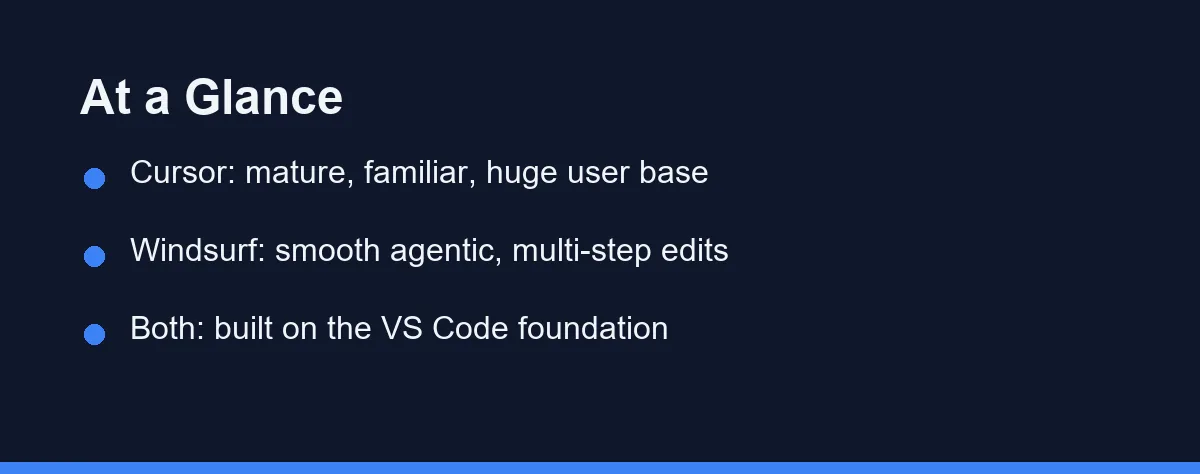
A balanced view helps set expectations for each editor.
Cursor strengths
- Mature, stable, and widely used.
- Fast inline autocomplete and selection edits.
- Large community and plenty of guides.
Cursor trade-offs
- Agentic, multi-step flows are present but not its main identity.
Windsurf strengths
- Smooth agentic editing for multi-step tasks.
- Familiar VS Code layout with a task-focused feel.
Windsurf trade-offs
- Newer, so the community and resources are smaller.
Using Them With Other Tools
Neither editor has to stand alone. Many developers pair an editor with a terminal agent for larger work.
You can use either Cursor or Windsurf for daily coding, then switch to a terminal agent for repository-wide refactors. This split keeps small edits fast and big changes coordinated.
The key is to match each tool to the task, rather than forcing one tool to do everything.
Who Each Editor Is Best For
Different developers will lean toward different editors. A few profiles make the choice clearer.
If you are coming from VS Code and want fast, familiar suggestions, Cursor fits naturally. Its large community also means plenty of guides and answers when you get stuck.
If you like the idea of describing a goal and letting the editor work through the steps, Windsurf leans into that. It suits developers who enjoy a more hands-off, agent-driven flow.
Teams often value Cursor’s maturity and stability, while individual developers exploring new workflows may enjoy Windsurf’s approach. Neither choice is wrong, and both keep the familiar VS Code base under the hood.
Tips for Trying Both
Because both editors offer free tiers, the smartest move is to test them on real work. A short trial tells you more than any feature list.
Pick one small project and use Cursor for a few days, then switch to Windsurf for the same kind of tasks. Pay attention to which one keeps you in flow and which one matches how you think.
Notice how each handles a multi-step change, since that is where their philosophies differ most. Also watch how quickly suggestions appear during normal typing.
After a week, you will usually have a clear favorite. There is no need to commit before you have felt the difference in your own workflow.
A Week Each Will Tell You
Cursor and Windsurf are both strong AI-first editors built on the same foundation. Cursor leads on maturity and fast autocomplete, while Windsurf leans into agentic, multi-step edits.
Since both offer free tiers, the best move is to try each on real work for a week and keep the one that fits your style.
FAQ
Is Cursor or Windsurf better in 2026?
Both are strong AI editors built on the VS Code base. Cursor is more established with a large user base and fast, precise autocomplete, while Windsurf focuses on smooth agentic, multi-step edits. Cursor suits hands-on coders; Windsurf suits those who like delegating multi-step tasks to the editor.
Are Cursor and Windsurf based on VS Code?
Yes. Both are built on the open-source VS Code foundation, so the layout, shortcuts, and muscle memory feel familiar if you have used VS Code before, which keeps the switching cost low in either direction.
Can I switch between Cursor and Windsurf easily?
Mostly yes. Since both build on VS Code, your extensions and settings often carry over with little friction, so trying the other editor rarely means rebuilding your setup from scratch.
Which handles multi-file changes better?
Both editors read across your project, but they emphasize it differently. Cursor pairs repository awareness with fast manual edits, while Windsurf leans on that context to drive its agentic, multi-step changes. For frequent hands-off multi-file tasks, Windsurf's flow often feels more natural.
Do Cursor and Windsurf have free versions?
Both offer a free tier, so you can compare them at no cost. Paid plans sit in a similar low-monthly range at the time of writing, so price rarely decides the choice. Confirm current pricing on each official site before committing.
Sources
- Cursor pricing — checked 2026-09-07
- Windsurf pricing — checked 2026-09-07
- Cursor documentation — checked 2026-09-07
Some links may be affiliate links. We may earn a commission at no extra cost to you.
This article was written with AI assistance. It is researched and fact-checked, not based on personal hands-on testing unless explicitly stated.
Comments
Post a Comment