Windsurf Review: Is the AI Code Editor Worth It in 2026?

Beyond Autocomplete, Toward Delegation
Windsurf has become one of the most talked-about AI code editors heading into 2026. It promises an agentic workflow that goes beyond simple autocomplete.
This Windsurf review explains how the editor actually works in practice. It also covers the features, the trade-offs, and the pricing model you should expect.
The goal here is clarity, not hype. By the end, you will know whether Windsurf fits your stack and your budget.
You will also see how it stacks up against the other big names in the space.
What Is Windsurf?

Windsurf is an AI-first code editor built on the VS Code foundation. If you have used VS Code, the layout will feel familiar from the first launch.
The headline feature is its agentic system, often called the agent flow. Instead of just suggesting one line, it can plan and execute changes across many files.
You describe a goal in plain language, and the agent reads your project. It then proposes edits, runs commands, and reports back what it changed.
This positions Windsurf closer to an autonomous pair programmer than a basic completion tool. The editor stays in the loop, but it can take larger steps on your behalf.
Key Features That Stand Out
Windsurf bundles several features that aim to reduce context switching. Each one targets a common friction point in daily coding.
The agent flow is the centerpiece. It maintains awareness of your repository so it can make coordinated, multi-file changes in one pass.
Inline suggestions still exist for quick edits. You get tab completion and selection-based edits, much like other modern AI editors.
A chat panel sits beside your code. You can ask about a function, request a refactor, or paste an error and ask for a fix.
Windsurf also supports tool and command execution. The agent can run tests or build steps, then read the output to decide its next move.
Finally, it inherits the VS Code extension ecosystem. Your themes, linters, and language servers generally carry over without much setup.
Windsurf Against Cursor and Copilot
The table below summarizes Windsurf against two common alternatives. It focuses on practical, everyday differences rather than marketing claims.
| Feature | Windsurf | Cursor | GitHub Copilot |
|---|---|---|---|
| Form factor | AI-first editor | AI-first editor | Editor extension |
| Core strength | Agentic multi-file flows | Fast inline edits | Inline autocomplete |
| Base platform | VS Code foundation | VS Code foundation | Works inside your IDE |
| Multi-file awareness | Strong, repo-aware agent | Strong with linked files | Limited by default |
| Command execution | Built into the agent | Through integrated terminal | Through your IDE |
| Learning curve | Easy for VS Code users | Easy for VS Code users | Minimal, add-on style |
| Best fit | Larger automated changes | Quick interactive editing | Lightweight assistance |
How the Windsurf Workflow Feels
The Windsurf workflow centers on stating intent, then reviewing results. You tell the agent what you want and let it draft a plan.
For small jobs, this can feel like overkill. A one-line fix is sometimes faster with plain tab completion.
For larger jobs, the agent flow shines. Renaming a function across modules or wiring up a new feature benefits from repo-wide awareness.
A typical session might start from the command line before you open the editor. Here is a simple setup example for a Python project:
# Open your project folder in Windsurf from the terminal
cd my-python-project
windsurf .

# Then, inside the editor, describe the task to the agent, for example:
# "Add input validation to api/routes.py and update the related tests."
After you describe the task, the agent proposes changes as reviewable diffs. You approve, reject, or refine before anything lands in your files.
This review step matters. It keeps you in control even when the agent does heavy lifting across the project.
Windsurf vs Cursor

Windsurf and Cursor are the two editors people compare most often. Both are AI-first and both build on VS Code, so the surface looks similar.
The difference is emphasis. Windsurf leans into autonomous agent flows that act across many files with less hand-holding.
Cursor leans into speed at the cursor. Its tab completion and quick selection edits feel extremely fast for interactive work.
Neither approach is strictly better. The right pick depends on whether you prefer delegating large tasks or guiding many small ones.
For a deeper side-by-side breakdown, see our dedicated guide on Cursor vs Windsurf. It walks through specific scenarios for each editor.
If you want the broader landscape first, our roundup of the best AI coding assistants in 2026 puts both tools in context.
Tiers That Reward Daily Use
Windsurf uses a tiered model that is common among AI editors. There is a free tier plus paid plans with higher limits and more agent usage.
Pricing details change often, so treat any specific number as temporary. Always confirm the current plans on the official Windsurf website before subscribing.
As a general rule, match the plan to how often you code. Daily users tend to exhaust free limits quickly and benefit from a paid tier.
Occasional users can usually start free and upgrade later. This lets you judge real value before committing any money.
It also helps to compare against alternatives. You can review how rivals price their plans at Cursor and GitHub Copilot for reference.
Strengths and Trade-offs
Every tool involves trade-offs, and Windsurf is no exception. A balanced view helps set the right expectations.
Windsurf strengths
- Strong agentic flow for coordinated, multi-file changes.
- Familiar VS Code layout that lowers the learning curve.
- Built-in command and test execution inside the agent loop.
Windsurf trade-offs
- The agent can feel heavy for tiny, one-line edits.
- Autonomous changes still require careful diff review.
- Free limits may run out fast for heavy daily users.
The takeaway is that Windsurf rewards larger, structured tasks. It is less about saving keystrokes and more about delegating whole chunks of work.
If your day is mostly small edits, a lighter tool may feel snappier. If your day involves real features and refactors, the agent earns its keep.
Who Should Use Windsurf?
Windsurf suits developers who want to delegate meaningful work, not just complete lines. Full-stack and solo builders often fit this profile well.
It also helps people who like staying in one window. The agent runs tasks and tests without forcing you back to a separate terminal.
Teams exploring AI-assisted workflows can use it as a shared baseline. The VS Code familiarity reduces onboarding friction across a group.
Terminal-first developers may prefer a CLI agent instead. If you live in the shell and scripts, an editor-based flow can feel like a detour.
Is Windsurf Worth It in 2026?
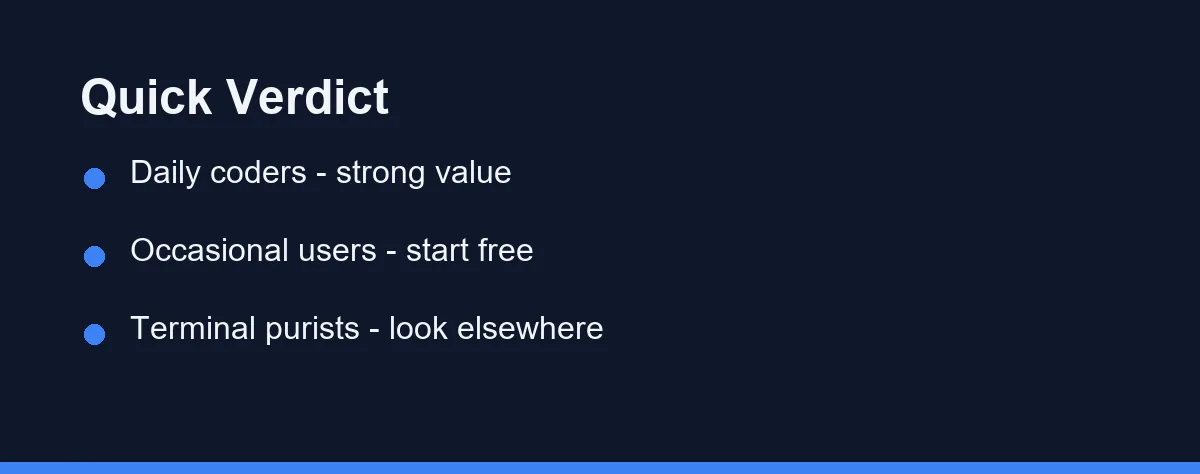
For many developers, Windsurf is worth a serious trial in 2026. The agentic flow is genuinely useful for multi-file work and feature building.
The honest answer still depends on your habits. If you code daily and tackle real features, the value is easy to justify.
If you only code occasionally, start on the free tier. Let the editor prove itself on your real projects before you pay.
The safest approach is a short test run on your own repository. Use it for a week, watch how the agent handles your tasks, then decide.
Verdicts by Project Type
A greenfield full-stack app. This is the agent flow at its best. Scaffolding routes, models, and tests in one pass is exactly the coordinated work Windsurf was designed around.
A small script or a one-line fix. Plain tab completion is faster. Invoking an agent for a two-character change is overhead you will feel every time.
A legacy codebase with no tests. Ask the agent for tests before any refactor, and read each diff slowly. Autonomy without a safety net is where agentic editors cause the most damage.
A repository your team shares. Keep agent changes on a branch and let normal review catch anything odd. The in-editor diff review is a first pass, not a substitute for a pull request.
Let the Free Tier Decide
Windsurf is a capable AI code editor with a clear identity around agentic workflows. It turns plain-language goals into coordinated, reviewable changes across your project.
It is not the only good option, and it will not suit every style. Terminal purists and minimalists may still prefer lighter tools.
For developers who want an editor that can take bigger steps, Windsurf is a strong choice. Try the free tier, judge it on your own work, and upgrade only when the value is obvious.
That practical test will tell you more than any review can promise.
FAQ
Is Windsurf worth it in 2026?
Windsurf is worth it if you want an agentic AI code editor with strong multi-file awareness. Try the free tier first, then upgrade only if you code daily.
What is the difference between Windsurf and Cursor?
Both are AI-first editors built on VS Code. Windsurf leans into autonomous agent flows, while Cursor focuses on fast inline edits and tab completion.
Does Windsurf work with my existing extensions?
Yes. Windsurf is built on the VS Code foundation, so most popular extensions, themes, and keybindings carry over with little friction.
Does Windsurf work with remote or container-based development setups?
Because Windsurf builds on the VS Code foundation, remote and container workflows generally carry over, though support can lag the upstream editor after a release. Check that the remote extensions you depend on exist in the Windsurf marketplace before you migrate a project. Teams working over SSH or inside dev containers should test one repository first. Confirm current remote support in the official Windsurf documentation.
Can I switch between models inside Windsurf?
Windsurf exposes a model picker, so you can choose different models for the agent and for chat, and the available list depends on your plan. Lighter models suit quick edits and keep usage down, while a stronger model helps on coordinated multi-file work. The exact lineup shifts as vendors ship new releases. Check the current options and any credit costs on the official Windsurf site.
Sources
- Windsurf pricing — checked 2026-09-07
- Cursor pricing — checked 2026-09-07
- GitHub Copilot plans — checked 2026-09-07
Some links may be affiliate links. We may earn a commission at no extra cost to you.
This article was written with AI assistance. It is researched and fact-checked, not based on personal hands-on testing unless explicitly stated.
Comments
Post a Comment