AI Coding Assistant vs ChatGPT for Programming: Which One Do You Actually Need?
Why Pay Twice for the Same Underlying Model
If you code in a real project daily, buy the dedicated assistant. GitHub Copilot is the lowest-friction entry at $10 per user per month. Cursor at $20 suits routine multi-file work. A general chatbot stays useful for learning and for problems you can paste in full. The dividing line is simple: one reads your repository, the other reads what you paste.
Plenty of developers already pay for ChatGPT and wonder why they would pay again for a coding assistant. The models underneath are often from the same families, so the question is fair.
The difference is not intelligence. It is where the tool sits, what it can see, and who has to move the code around.
This article compares a dedicated in-editor assistant, such as GitHub Copilot, Cursor, or Claude Code, against a general chatbot used for programming. It covers context handling, workflow friction, and the specific tasks where a chatbot remains the better answer.
One Reads Your Files. The Other Reads Your Paste
For writing and modifying code inside a real project, a dedicated assistant wins clearly. It reads your files, proposes diffs, and applies changes without you acting as a courier.
For thinking about code, a general chatbot holds its own. Architecture debates, unfamiliar library comparisons, and error messages pulled from a log do not need repository access.
Most productive setups keep both. They cost roughly the same together as one mid-tier SaaS subscription, and they rarely compete for the same task.
Four Dimensions That Explain Every Difference
Four dimensions explain nearly every difference between the two categories.
Context acquisition. Does the tool obtain your code automatically, or do you supply it? Automatic context is the single largest practical gap.
Change application. Can the tool write to your files, or does it return text you paste back? Manual re-application is where transcription errors enter.
Session persistence. A chatbot thread remembers the conversation. An editor assistant remembers the codebase. Those are different kinds of memory and suit different tasks.
Breadth of subject. A chatbot answers questions about deployment, hiring, or a client email. A coding assistant is deliberately narrow.
The Context Problem
An in-editor assistant knows what file you are in, what is above and below the cursor, and often what else exists in the repository. Cursor indexes the project. Claude Code reads the working directory. Copilot draws on open tabs and nearby files.
A general chatbot knows what you typed. That distinction sounds small until the task involves three files, a shared type definition, and a config value defined elsewhere.
The gap shows up as incorrect assumptions. A chatbot writing a function will invent a plausible signature for a helper it cannot see, and the code fails on the first run.
You can compensate by pasting more, and for a single self-contained function that works fine. It stops scaling the moment the answer depends on how your project is actually structured.
The Copy-Paste Tax
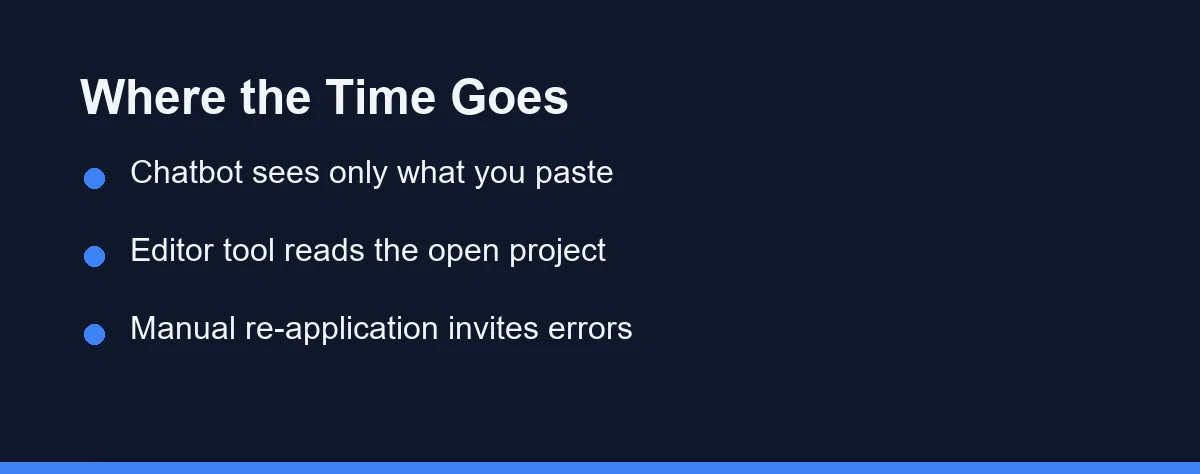
Workflow friction compounds quietly. Each round trip to a chatbot costs a copy, a paste, a read, and a manual merge into the file.
That is maybe forty seconds. Repeated thirty times a day, it is a meaningful share of the working hour, and every manual merge is a chance to drop a line.
In-editor tools remove most of that loop. Copilot completes inline, Cursor proposes a diff you accept or reject, and Claude Code edits files directly under your review.
There is a real cost on the other side too. Automatic application means changes can land that you did not read carefully, which is why diff review discipline matters more with an editor tool than with a chatbot.
Where a General Chatbot Still Wins
Three categories favor the chatbot, and none of them are marginal.
Pre-code thinking. Comparing a queue-based design against a cron-based one does not involve your repository yet. A long conversational thread suits that better than an editor prompt box.
Learning and explanation. Asking what a language feature does, why a pattern exists, or how two libraries differ is a general knowledge task. Beginners in particular benefit from a space where nothing can be accidentally written to disk, a point we expand on in our guide to AI coding tools for beginners.
Everything adjacent to code. Writing the pull request description, drafting the incident summary, or turning a spec into acceptance criteria are jobs a chatbot does without any project context at all.
Where a Dedicated Assistant Pulls Ahead
The advantage concentrates in tasks that touch existing code.
Refactoring across files is the clearest example. Renaming a concept through a codebase requires seeing the codebase, which rules out a chatbot immediately.
Debugging with live context comes next. An assistant that reads the failing test, the implementation, and the stack trace together diagnoses faster than one working from a pasted excerpt.
Repetitive edits are a third. Applying the same transformation to twenty handlers is mechanical work that agent modes in Cursor and Claude Code handle in a single pass.
Then there is the invisible win. Inline completion suggests the next line before you consciously ask for anything, which no chat interface can replicate.
Test writing belongs on this side of the ledger too. An assistant that already knows your fixtures, imports, and naming conventions produces a test file that runs, rather than one that needs fifteen minutes of adaptation.
Convention matching generalizes beyond tests. Error handling style, logging format, and module layout all get inferred from surrounding code that a chatbot never receives.
A Concrete Example of the Context Gap
Consider a request to add retry logic to an API call. The project already has a shared helper with a specific signature.
# Existing in your repo: src/http/retry.py
def with_retry(fn, *, attempts=3, backoff_seconds=0.5, retry_on=(TimeoutError,)):
    ...

# What a chatbot with no repo access typically produces:
import time
def call_with_retry(fn, retries=3, delay=1):   # a second, parallel helper
    for _ in range(retries):
        try:
            return fn()
        except Exception:
            time.sleep(delay)

# What a repo-aware assistant tends to produce instead:
from src.http.retry import with_retry
response = with_retry(lambda: client.get(url), attempts=5)
Neither answer is wrong in isolation. The chatbot version is competent code that quietly duplicates something your project already has.
Multiply that across a quarter and the codebase accumulates near-duplicate utilities that nobody planned. Comparisons that focus only on model quality miss this failure mode, which is why our best AI coding assistants roundup weights project awareness heavily.
The Two Categories on Axes That Change Daily Work
The table below sets the two categories side by side on the axes that change daily work.
| Dimension | In-editor assistant | General chatbot |
|---|---|---|
| Sees your repository | Yes, automatically | Only what you paste |
| Applies changes | Writes to files directly | You copy and paste back |
| Inline completion | Core feature | Not available |
| Multi-file refactor | Strong with Cursor or Claude Code | Impractical beyond snippets |
| Non-coding questions | Narrow by design | Full general coverage |
| Long design conversation | Cramped in most editors | Native strength |
| Onboarding cost | Install and configure per editor | Open a browser tab |
| Risk profile | Changes can land unread | Nothing changes without you |
The split is cleaner than most tool comparisons. One category optimizes for acting on code, the other for reasoning about it, and the overlap is narrower than the marketing on either side suggests.
Paying for Both, and When That Is Rational
Treat the numbers below as approximate at the time of writing, and confirm current pricing on the official site before subscribing.
| Product | Approximate individual price | Category |
|---|---|---|
| ChatGPT Plus | Around $20 per month | General chatbot |
| GitHub Copilot Pro | Around $10 per month | In-editor assistant |
| Cursor Pro | Around $20 per month | AI-first editor |
| Claude Code | Bundled with paid Claude plans, roughly $20 and up | Terminal agent |
| Windsurf | Free tier plus paid plans in a similar range | AI-first editor |
Free tiers exist across most of this list, which makes the cheapest experiment an honest one. Run a week of real work with each and see which window you actually keep open. Copilot’s tiers specifically are broken down in our GitHub Copilot pricing guide.
Which Tool Fits Your Daily Coding
You write code in an existing project most days: buy the dedicated assistant first. Copilot is the lowest-friction entry point, and Cursor is the stronger pick if multi-file work is routine.
You are learning to program: start with the chatbot. Explanation quality and the freedom to ask basic questions repeatedly matter more right now than editor integration.
You are a technical lead who writes less code than documents: ChatGPT covers more of your week. Add a coding assistant only when you find yourself in the editor regularly again.
You do heavy refactoring or legacy work: a repository-aware tool is not optional. Cursor or Claude Code will finish work that a chatbot cannot meaningfully start.
You can only justify one subscription: pick by where your hours go. Time inside files points to the assistant, and time in design discussions points to the chatbot.
Errors That Skew the Comparison
Judging both tools on the same task is the first error. A chatbot losing a multi-file refactor comparison proves nothing, since it was never built for that.
Pasting proprietary code into a consumer chatbot is the more serious one. Consumer plans carry weaker data terms than business tiers, and a paste is unmonitored by any policy your company set.
Assuming the editor tool has read what you assumed is third. Context windows are finite, so a file you never opened may not be part of the request at all.
Finally, some developers keep paying for both without noticing one has gone unused for months. A quarterly look at actual usage is cheaper than the habit.
Where You Think Versus Where You Build
These are complements more often than competitors. The chatbot is where you think, and the assistant is where you build.
If your work is mostly inside a repository, the dedicated tool pays for itself in removed friction alone. If your work is mostly upstream of the repository, the chatbot is already the right tool and a second subscription can wait.
The good news is that the trial cost is close to zero on both sides, so a week of honest use will answer this better than any comparison table.
FAQ
Is ChatGPT good enough instead of a dedicated coding assistant?
Not for most day-to-day coding. A general chatbot cannot see your repository, so you spend effort pasting context that an in-editor tool reads automatically. ChatGPT still wins for design discussion, unfamiliar concepts, and questions that have nothing to do with a specific file.
What is the main difference between Cursor and ChatGPT for coding?
Context and application. An in-editor assistant reads your open files and can write changes directly to disk, while a chatbot works from whatever text you paste and hands the result back for you to apply manually.
Can I use both a coding assistant and a chatbot?
Yes, and many developers do. A common split is Copilot or Cursor for writing code and ChatGPT for architecture questions, debugging explanations, and comparing approaches before any code exists.
Which is better for learning to program?
The chatbot often has the edge for concept explanations, because you can ask follow-up questions without worrying about your project state. In-editor tools are better once you need the explanation applied to your actual code.
Is a coding assistant more expensive than a ChatGPT subscription?
Roughly comparable at the individual level. ChatGPT Plus sits near $20 monthly at the time of writing, Copilot Pro near $10, and Cursor Pro near $20. Running both is a realistic budget for a working developer, so cost rarely decides the question.
Sources
- Cursor pricing — checked 2026-09-07
- Anthropic pricing — checked 2026-09-07
- GitHub Copilot plans — checked 2026-09-07
Some links may be affiliate links. We may earn a commission at no extra cost to you.
This article was written with AI assistance. It is researched and fact-checked, not based on personal hands-on testing unless explicitly stated.
Comments
Post a Comment